Session 3
Connectors: integrate anything, no API keys
Goal. Connect your app to outside services — Stripe, Gmail, Slack, Google Drive and dozens more — without managing a single API key.
▶ Try this prompt
Add the Stripe connector and put a checkout button on the booking confirmation page.
Connectors are OAuth integrations — Base44 handles the keys. Browse them in Dashboard → Integrations → Browse.
- 1Open Dashboard → Integrations → Browse and pick a connector. The catalog spans Payments (Stripe), Communication (Gmail, Outlook, Slack, Discord, Teams), Productivity (Google Drive/Docs/Sheets, Notion, Dropbox, Airtable), Social (Instagram, LinkedIn, TikTok), CRM (HubSpot, Salesforce) and more.
- 2Choose shared (one account for everyone) or per-user (each person connects their own), then authorise.
- 3Prompt the AI to use it (e.g. wire the Stripe checkout). Connections appear under the My integrations tab.
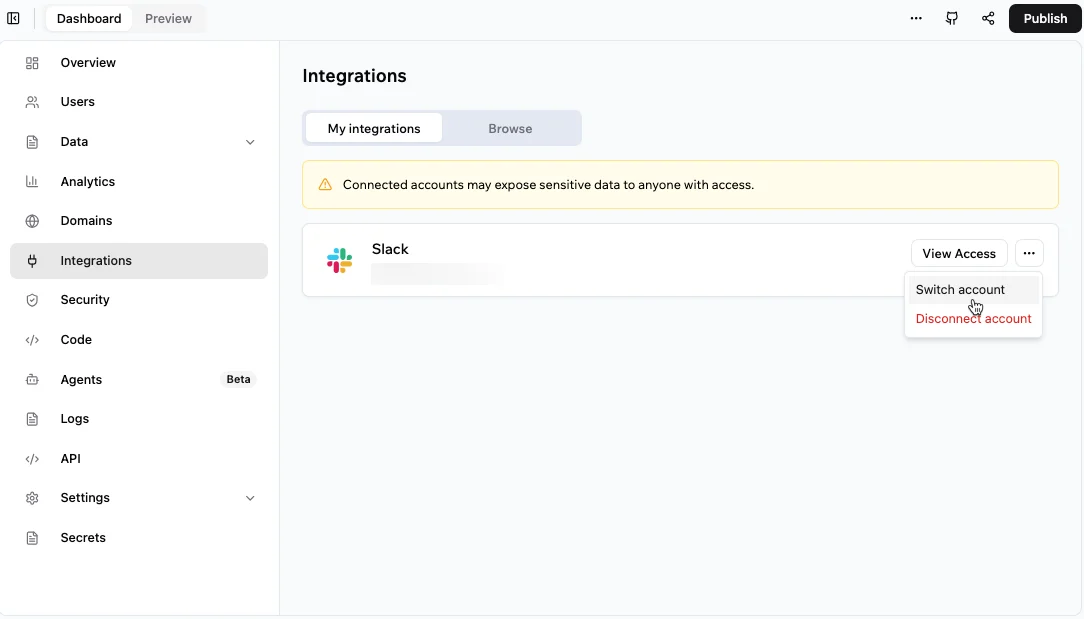
You'll see. An external service wired into your app via OAuth — no API key pasted anywhere.
Cost. Using built-in services spends integration credits (free plan: 100/month). Connectors require the Builder plan or higher.
Takeaway. Connectors are integration-without-plumbing — the opposite of v0, where you paste keys yourself. (Most are a paid Builder+ feature.)