Agent Mode: multi-file tasks
Goal. Hand Copilot a longer, multi-step task and let it plan, write, and iterate across several files.
Split my analysis script into a reusable data-loading module and a plotting module, add type hints throughout, and write a quick test for the loader.
Switch the chat picker to Agent mode, then send the task. Copilot proposes changes across multiple files for you to review.
- 1In the Copilot Chat panel, change the mode dropdown to Agent. Now Copilot can plan, write, run, and iterate across multiple project files instead of editing one block.
- 2Send a task that spans several files. Copilot lists the files it changed, applies edits, and can run code to check its own work.
- 3Review before you keep it: read each changed file, then click Keep to accept or Undo to discard. Agent Mode can over-reach, so verify every file it touched.
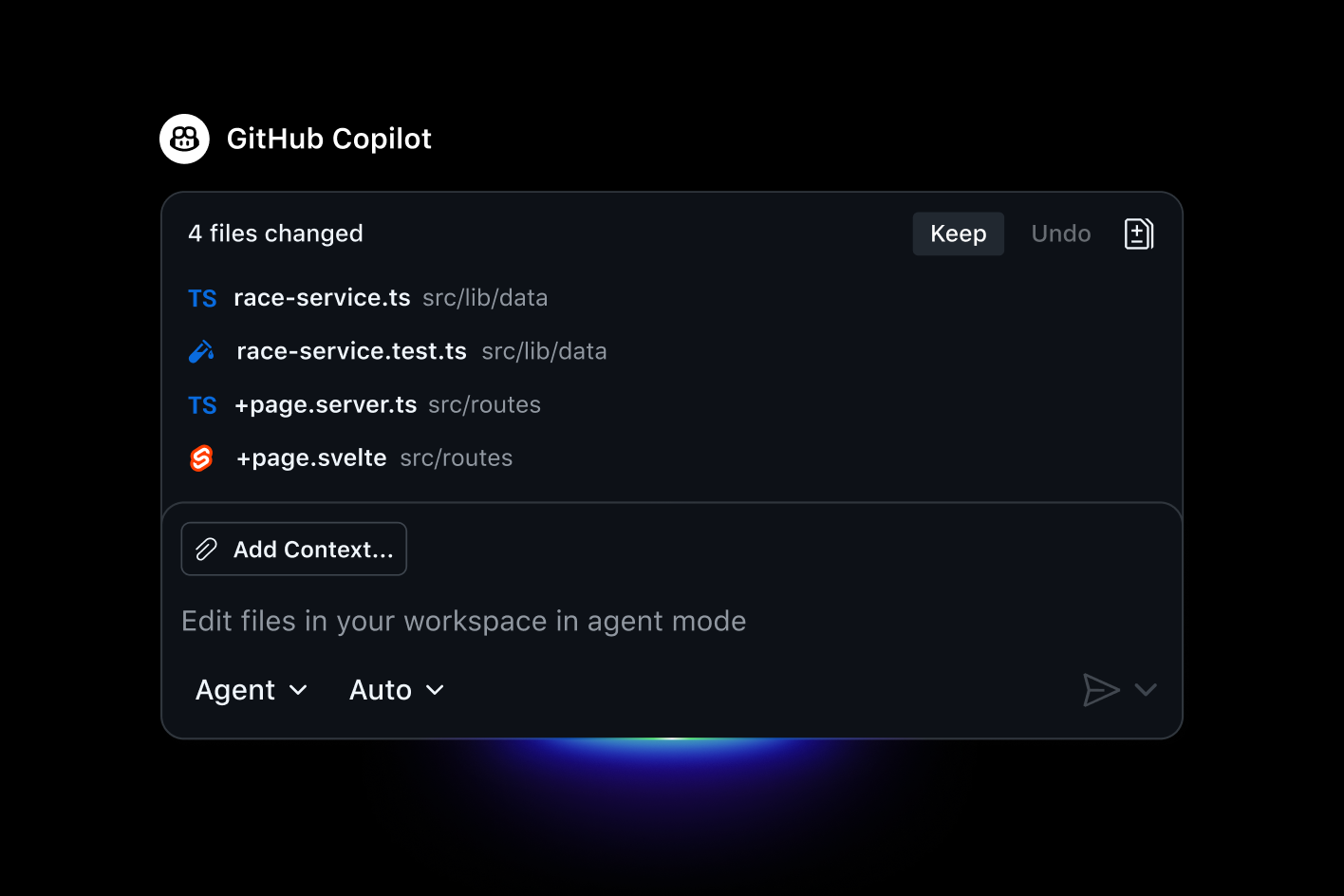
You'll see. Copilot reorganising your code across several files at once, with a 'files changed' summary and Keep / Undo controls to review its work.
Cost. Agent Mode consumes AI Credits. Free includes limited agent usage; Pro ($10/mo) comes with $15/mo in AI Credits, Pro+ ($39/mo) adds premium models plus $70/mo in Credits. A deep multi-file run costs more than a single chat.
Takeaway. Agent Mode tackles work too big for autocomplete — but you stay the reviewer, keeping or undoing each change.