Session 6
Delegate a whole issue: the coding agent
Goal. Assign a GitHub issue to Copilot and let it work the task like a teammate.
▶ Try this prompt
Allow users to pin side panels — add the setting, persist it, and update the layout.
On a GitHub issue, open Select assignees and pick Copilot the same way you'd assign a person.
- 1Open an issue on GitHub and use Select assignees — Copilot appears in the list as an AI assignee alongside people on your team.
- 2Notice GitHub also lists third-party agents here, such as Claude (Anthropic) and Codex (OpenAI) — you choose which agent takes the task.
- 3Once assigned, the agent works the issue and proposes changes for you to review and merge — the same review discipline as Agent Mode, now at the issue level.
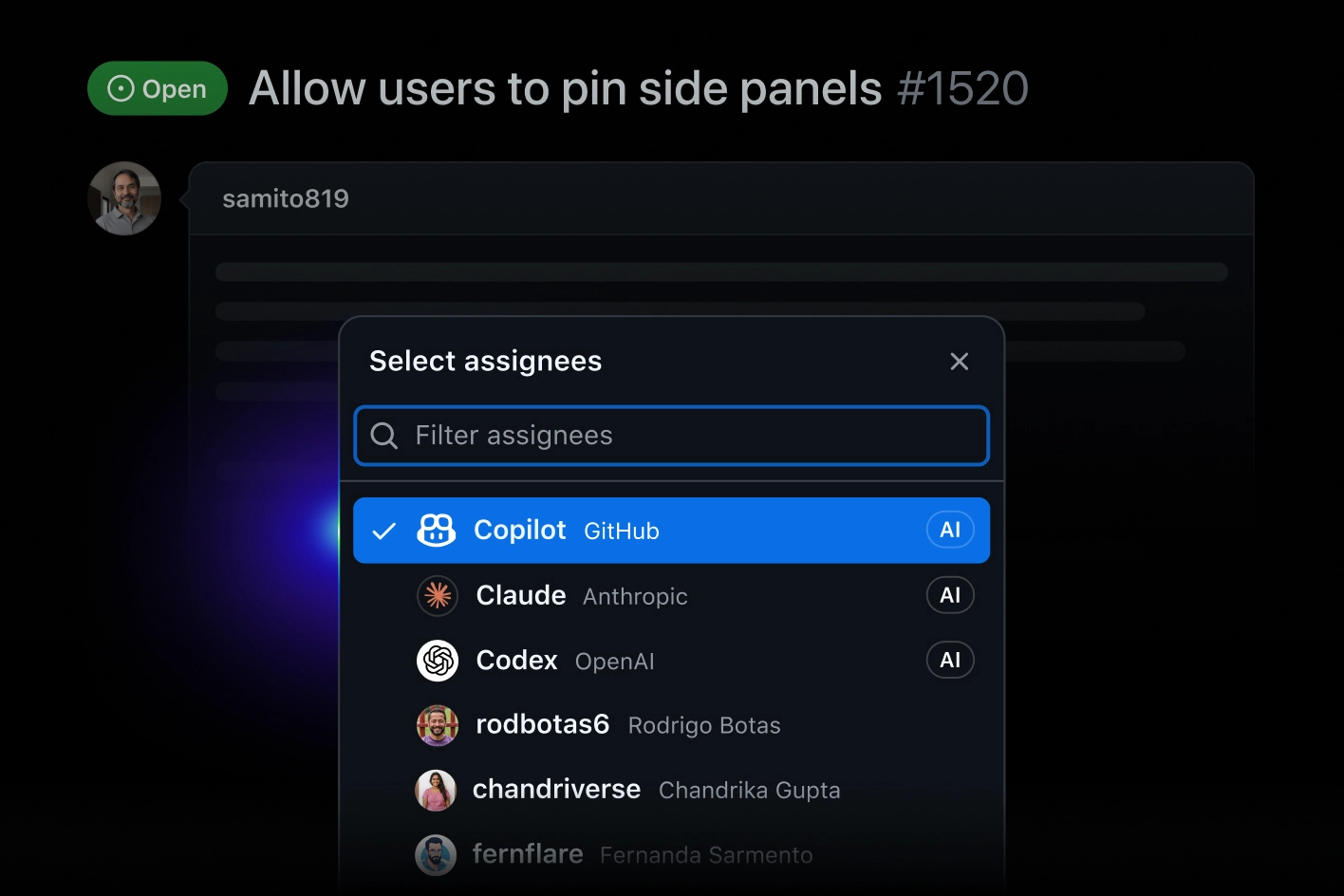
You'll see. Copilot listed as an assignable AI agent in the GitHub 'Select assignees' menu, next to your human teammates and other agents.
Cost. The coding agent consumes AI Credits. Org plans price per seat: Business = $19/seat/mo, Enterprise = $39/seat/mo; individual paid tiers include a monthly Credit allowance.
Takeaway. At the top of the ladder, Copilot is a teammate you assign work to — and you stay the reviewer who merges it.