Keep a human in the loop
Goal. Pause an agent before a consequential step so a person can approve, reject, or correct it.
Before sending the drafted message, ask the user to Proceed or Reject, and let them give feedback on the last assistant message.
Flowise has built-in human-in-the-loop review — add it to a flow so the run stops for sign-off instead of acting unsupervised.
- 1In your Agentflow, add a human-in-the-loop review step before the action you don't want fully automated (e.g. sending an email or finalising an answer).
- 2Run the flow: it pauses and shows the proposed output with Proceed and Reject controls, plus a box to give feedback on the last assistant message.
- 3Approve to continue, or reject with a note so the agent revises. This is how you ship agents you can trust on real tasks.
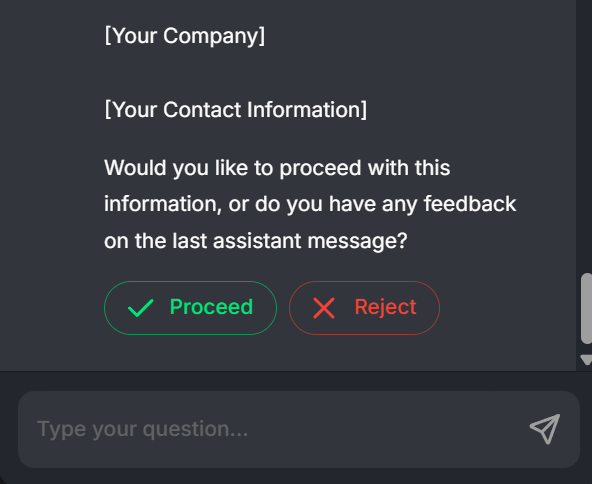
You'll see. The run pausing at a review card with Proceed / Reject buttons and a feedback box — the agent waits for your decision before continuing.
Cost. Review adds no model cost while it waits; you only spend tokens when the agent resumes or revises after your feedback.
Takeaway. Human-in-the-loop turns an autonomous agent into a supervised one — a person signs off before anything irreversible happens.