Clean a Messy Export Once, So Your Team Can Refresh It | Heidelberg AI Curriculum
T10-L02
Clean a Messy Export Once, So Your Team Can Refresh It
Turn a monthly export with a broken header, mixed units and placeholders into a clean table a colleague can refresh without you. Let an assistant find the problems, agree the rules with the person who owns the data, and let Excel's Power Query apply them the same way every month, with checks that show every row.
Every month the instrument in a lab exports a CSV, a plain table file. The real header is on row four, dates come in three formats, and the concentration column mixes 12.0 mg/L, 0.011 g/L and the word missing. For a year one PhD student has cleaned it by hand before the group meeting. Then she goes to a conference for two weeks. Her colleague opens last month's clean file and can't tell which rows were deleted or why one value is a thousand times larger than in the raw export.
In a company it's the monthly expense export from two departments. East writes 120.00 EUR, West writes 0.085 kEUR, and open items say pending. The controller in finance gets a tidy table each month, and she has started to wonder why last month's total differs from the booking system by 75 euros.
You are now at Level 2 Power user: a colleague depends on your clean table, and your group leader or controller sees the numbers. A hand-cleaned file that only you can explain is a risk to them. This book shows you how to turn the cleaning into recorded steps anyone on the team can rerun, with checks that show where every row went.
After this you can
Use an assistant to list every problem in an export, with row numbers, before you change anything.
Write a one-page rules table for headers, dates, units, placeholders and duplicates, and agree it with the person who owns the data.
Build the cleaning as recorded Power Query steps that a colleague reruns with Refresh.
Add a check block that accounts for every row and flags anything the rules don't cover.
Test the workbook by having a colleague refresh next month's file without your help.
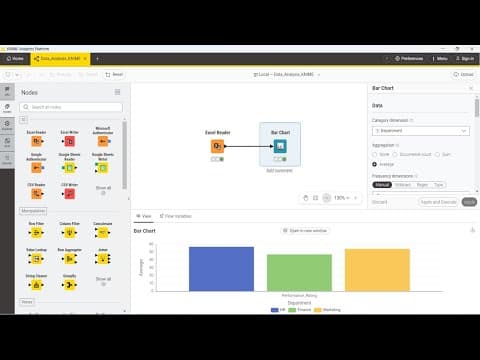
Excel with Power Query. Power Query is the Get & Transform part of Excel. It records every cleaning step in a query, a named list of steps, and replays them all when someone clicks Refresh. It's the pick because your whole team already has Excel. If the files are too big for Excel or come from many systems, use , a free program for building data , instead (see ).
Claude (or the assistant your organisation has approved) with code execution on, which lets it run real calculations on your file, to find the problems in a sample. Upload only what you're allowed to: T12-L01 · Decide What You May Paste Into AI at Work.
Two months of the same export, and a shared folder where the raw files land.
The person who owns the data: whoever runs the instrument or the booking system. You need ten minutes of their time.
One colleague who will refresh the second month.
About 75 minutes: 13 to read, about 60 to do.
Last verified 23 September 2026. Power Query is built into Excel for Windows, Mac and the web. An Excel sheet holds at most 1,048,576 rows. KNIME is free. Claude's code execution works on every plan, including Free. Details for experts at the end of this book.
The idea in one page
Never clean the file; clean the process. A hand-cleaned file has no memory. Next month you, or someone else, makes slightly different choices, and the totals stop matching. A recorded process keeps the raw export untouched, applies the same rules every time, and writes a new clean table. When a rule is wrong you fix it once, and every month after is fixed.
Five kinds of mess, five rules. Almost every export breaks in the same places. Each one needs a written rule before it needs a formula:
Mess
Example
The rule decides
Header
Real column names on row four, notes above
Which row is the header, what each column is called
Dates
2026-08-01, 01/08/2026, 01.08.2026
Which formats the source uses, and whether 01/08 is 1 August or 8 January
Units
12.0 mg/L and 0.011 g/L in one column
One target unit and a factor for each known unit; anything else is flagged
Placeholders
missing, pending, n/a, empty
What each one means. None of them means zero
Duplicates
Two identical rows for S-104
What makes two rows the same, and what happens when the ID matches but the value differs
Some of these rules aren't yours to make. Whether 01/08 is January or August depends on the instrument's settings. Whether two identical rows are one measurement or two real repeats is a question for the person who ran them. Write your guess, then ask.
The assistant finds, the query repeats. An assistant with code execution is very good at the first pass. It reads the export and lists every odd header, date format, unit and placeholder, with row numbers. It's the wrong place for the monthly cleaning: asked again next month, it may choose differently, and a colleague can't see its steps. So you use it to find the problems and draft a tricky formula, and the recorded Power Query steps do the monthly work.
Every row goes somewhere. Rows are never quietly dropped. Each raw row ends up in one of three places: the clean table, a flagged list with a reason (unknown unit, date it can't read, a conflicting duplicate), or the count of exact duplicates removed. The check block on the first sheet shows:
rows in the raw file = clean rows + flagged rows + exact duplicates removed
plus one control figure, such as the sum of the valid values, that the data owner can compare with their own system. If the line doesn't add up, nobody uses the table until someone looks.
Test it on someone else. The cleaning belongs to the team only when a colleague can drop next month's file into the folder, click Refresh, read the check block and explain a flagged row, without calling you.
Structure it. Clara, the PhD student, wants to stop being the only one who can clean the file before she leaves for her conference. "Every month the HPLC exports one CSV of about 400 rows. The group needs a clean table in mg/L for the group meeting. A useful result: a workbook in the group drive that anyone can refresh, that never loses a row silently, and that the PI, our group leader, can trust."
Understand it. She takes the August export, which holds no personal data, and uploads it to Claude with code execution on. Her request: "Don't clean anything yet. List every problem in this file: header rows, date formats, units, placeholder words, duplicate rows, with row numbers and a count for each. Tell me how many data rows you read." The answer lists the three notes rows above the header, three date formats, two units, 11 rows saying missing and 4 pairs of identical rows. It read 412 data rows, and her own count in Excel agrees.
Two findings stop her. Claude read 01/08/2026 as 1 August, which is right if the instrument writes day first, but she has never checked. And one of the "duplicates" is two rows with the same sample ID and slightly different values. Last year she deleted the second one each time. A year of her cleaning rests on decisions that were never hers to make. Back to Structure it: "A rules table agreed with Tomás, who runs the instrument. The query applies it. Anything the rules don't cover is flagged, not fixed."
Tomás settles it in ten minutes. The instrument writes dates day first. Identical rows are a known export glitch: keep one. Same ID with different values means a re-injection, and both stay, flagged for the analyst to choose. The word missing means the run failed. Clara writes this onto a Rules sheet: header on row 4, three date formats (day first), target unit mg/L (mg/L × 1, g/L × 1000), missing stays empty and is marked failed run, exact duplicates removed, same-ID conflicts flagged.
Choose tools. Power Query in Excel, because the whole group has Excel, the workbook lives in the group drive, and the recorded steps are visible to anyone who opens the editor. The alternative is KNIME, free and better for large files and many sources. At 400 rows a month, with colleagues who've never installed it, it would only add work. Claude stays in the process for one job: drafting a formula she can't write herself, which she then checks.
Build it. She points the workbook at the export folder with Data → Get Data → From File → From Folder, picks the folder and chooses Combine & Transform Data, so next month's file only needs to land there. The Power Query Editor opens, the window where the steps are recorded. She removes the three notes rows (Home → Remove Rows → Remove Top Rows), makes the next row the header (Use First Row as Headers), renames the columns by double-clicking their names to sample_id, measured_at and result, and splits result into number and unit at the space (Split Column → By Delimiter). The unit conversion is the one step she asks Claude for. A custom column (Add Column → Custom Column) is a new column filled by a formula: "Write a Power Query custom column: if unit is mg/L, value × 1; if g/L, value × 1000; otherwise null." Null means empty. She pastes it in and checks three rows by hand: 0.011 g/L becomes 11.0, 12.0 mg/L stays 12.0, and a µg/L test row becomes empty. Each step appears in the Applied Steps list on the right, with a name like Convert g/L to mg/L.
Then the routing, where she again asks Claude for each step she can't build and checks it. Rows with an unknown unit, an unreadable date or a same-ID conflict go to a Flagged sheet with a reason column. Exact duplicates are removed and counted. The clicks are in Details for experts. The first sheet shows the check block: 412 rows in = 396 clean + 12 flagged + 4 duplicates removed, and the sum of the valid values. She checks the sum against a pivot table, Excel's tool for totalling by group, on the raw file, filtered to the same rows. It matches.
The test: while she's still at her desk, her colleague Ben copies the September export into the folder and clicks Refresh all. The check block reads 418 = 399 + 15 + 4. Three rows are flagged unknown unit: the instrument wrote ug/L after a software update. Ben finds it in the Flagged sheet in a minute. Nothing was converted wrongly. Clara adds ug/L × 0.001 to the rules and the query, after asking Tomás.
What it taught her: the cleaning took an afternoon to build. Most of the value came from the ten minutes with Tomás.
Company: two department exports, one clean table
Structure it. Deniz, a team assistant in finance, prepares the table the controller uses each month. "Two department exports, about 300 rows each, into one table in euros for the monthly cost review. A useful result: a table the controller can reconcile with the booking system, refreshable by my deputy."
Understand it. Deniz uploads the August exports to the assistant the company has approved, with the employee names column removed first, and asks for the same problem list. Amounts come in two formats, EUR and kEUR (thousands of euros); 18 rows say pending; West writes dates as 02.08.2026. And one row, claim C-204, appears twice in West's file. Deniz asks the booking system's admin. It's a known double export when a claim is edited: keep one. Then the finding that changes the problem: the controller's 75-euro difference last month was exactly this row, deleted in July and kept in August. Back to Structure it: "The table has to reconcile with the booking system every month, and the reconciliation has to be on the page, not in my head."
Choose tools. Power Query again: the controller works in Excel, the deputy does too, and the workbook sits in the finance team's SharePoint library, Microsoft's shared document storage. Deniz considers asking the assistant to produce the clean table every month and rejects it. The controller would have no way to see what changed between months.
Build it. One query per department, both with the same named steps, stacked into one table. Rules sheet: kEUR × 1000; pending stays empty and is marked open; exact duplicates removed and counted; any other currency flagged. The check block shows rows in, clean, flagged and removed for each department, and the total in euros. The controller adds one line of her own: the total from the booking system, typed in each month, and the difference next to it.
The test: Deniz goes on holiday in September. The deputy refreshes, sees difference 0.00, and one flagged row with USD from a conference fee. She forwards that row to the controller instead of guessing a rate.
What it taught Deniz: the controller never doubted the arithmetic. She doubted where the rows went.
What goes wrong
Cleaning the file by hand.Symptom: this month's table is right, and nobody can say what was changed. Fix: keep the raw export untouched and do every change as a named step in the query.
Rows that disappear.Symptom: the clean table has fewer rows and no one knows why. Fix: route every row to the clean table, the flagged sheet or the duplicate count, and show the check line on the first sheet.
A placeholder turned into zero.Symptom:missing or pending becomes 0 and pulls the mean or total down. Fix: keep them empty, give them a status, and count them in the check block.
Guessing a rule that belongs to someone else.Symptom: you've been reading 01/08 as August for a year and the instrument writes month first. Fix: write your guess on the rules sheet and have the data owner confirm it. Put their name and the date next to it.
Letting the assistant do the monthly cleaning.Symptom: two months cleaned by the same prompt handle a duplicate differently. Fix: use the assistant to find problems and draft one formula at a time. Recorded steps do the repeat work.
A new unit converted silently.Symptom: after a software update a value is suddenly a thousand times too small. Fix: convert only the units on the rules sheet and flag everything else. A new unit should stop the table, not slip through it.
A workbook only you can refresh.Symptom: the query points at C:\Users\clara\Downloads. Fix: point it at the shared folder, and have a colleague refresh it once while you're still there.
Do it yourself (60 minutes)
Structure it (10 min). Write down the export, who gets the clean table, how often, and what they use it for. Name the person who owns the data.
Understand it (15 min). Upload one month's export, if you're allowed, and ask for a problem list with row numbers and a row count, without cleaning. Recount the rows yourself. Write the rules table and mark each rule you guessed. Ask the data owner about those.
Choose tools (5 min). Power Query if the team works in Excel and the files fit. KNIME if they don't. Write one line on why, and where the workbook will live.
Build it (25 min). Import from the shared folder, add each rule as a named step, route rows to clean or flagged, and build the check block with one control figure. Check three converted rows by hand.
Test it (5 min). Have a colleague drop the next month's file into the folder and refresh. Ask them to explain one flagged row from the workbook alone.
Exit check
Hand in a shared workbook that cleans one export, with:
a Rules sheet: header, date formats, units and factors, placeholders, duplicates, and who confirmed each rule;
the query, with named steps and the raw file untouched;
a Flagged sheet with a reason for each row;
a check block: rows in, clean, flagged, duplicates removed, and one control figure;
the result of a refresh by a colleague on a second month's file.
It passes when rows in equal clean rows plus flagged rows plus duplicates removed, for both months, and the colleague can explain one flagged row from the workbook alone.
Rule to remember
Clean the process, not the file, and let every row show where it went.
Details for experts
Checked on 23 September 2026. You don't need this to follow the book; it's for setting things up or answering a colleague.
What
Details
What it means for you
Power Query
Available in Excel for Windows, Excel for Mac and Excel for the web. The Power Query Editor records and labels each transformation (each change to the data) as a step. When you refresh a query, each step runs again.
Any colleague with Excel can open the workbook and click Refresh.
Import from a folder
Data → Get Data → From File → From Folder combines several files of the same shape. Listed for Excel for Microsoft 365, 2024, 2021, 2019 and 2016.
Check that your deputy's Excel is one of these versions before you rely on the folder import.
Routing and counting
A flagged list is a second query: right-click the first in the Queries list, choose Reference, filter to the problem rows and load it with Home → Close & Load To… onto its own sheet. Remove Rows → Remove Duplicates, with all columns selected, drops exact duplicates. Transform → Count Rows turns a referenced query into its row count, for the check block.
Each piece is one recorded step, so it reruns with Refresh like everything else.
Row limit
An Excel worksheet holds at most 1,048,576 rows.
Far above a monthly export of a few hundred rows. Near that size, switch to KNIME.
KNIME
KNIME Analytics Platform is free and open source, and includes a generative AI assistant, one that writes suggestions for you.
The pick when files outgrow Excel or come from many systems.
Claude's code execution
Called Code execution and file creation. Available on every plan, including Free; switch it on under Settings → Capabilities. On Team and Enterprise plans, an admin controls it under Organization settings → Capabilities. Files can be up to 30 MB.
Build reproducible data pipelines by connecting visual workflow nodes.
Before choosing
Large datasets can strain desktop memory; collaboration and scheduling need Hub access.
Watch
Learn to Automate Everything with Power Query in Excel (Download Files)
Learn to Automate Everything with Power Query in Excel (Download Files)Leila Gharani
T10-L02: Learn to turn messy exports into repeatable Power Query steps and refresh files from a folder. Add the book's unit rules and row checks before sharing the workbook.