From Idea to Working Result: The Four-Quadrant Method | Heidelberg AI Curriculum
T01-L01
From Idea to Working Result: The Four-Quadrant Method
Learn the four-quadrant method: Structure it, Understand it, Choose tools, Build it. Take one real task from your week to a first working result, and learn what AI assistants can and can't do along the way.
On Monday a colleague tells you an AI assistant wrote the first draft of her quarterly report in five minutes and saved her an afternoon. On Wednesday another colleague shows you a reply the same kind of tool wrote to a customer. It quotes a clause from your terms and conditions that doesn't exist. He caught it only because the customer had the real contract open.
In a lab it looks the same. One postdoc gets a clean methods section from her protocol notes. Another gets a reference list in which two of the papers were never published.
The tool didn't change between Monday and Wednesday. What changed was how each person came to it. The first knew what she needed and handed over the material to make it from. The second asked the tool for something it could only guess.
This book gives you a method that makes the Monday outcome repeatable. It works for a reply, a report, an app, a workflow or an experiment, and it puts you in charge of the AI, not the other way round. You are at Level 1 User: if you get it wrong, only you are affected. That makes this the right place to practise.
After this you can
Take one real task from your own week through the four quadrants to a first working result.
Say what an AI assistant can and can't do for that task, using four facts.
Choose the simplest means that does the job, even when that isn't AI.
Show what trying it taught you, and name your next step.
Before you start
Books: none. This is where the curriculum starts.
A chat assistant in your browser. If your lab or company provides one, use that one. Otherwise a free personal account with ChatGPT, Claude, Gemini or Microsoft Copilot is enough. Don't paste work material into a personal account until you've read fact 4 below.
Last week's calendar or sent mail, to find a real task.
About 40 minutes: 11 to read, about 30 to do.
Last verified 23 September 2026. ChatGPT, Claude, Gemini and Microsoft Copilot all have a free plan in the browser. On a personal ChatGPT or Gemini account, your chats may be used to improve their models unless you switch that off. Details for experts at the end of this book.
The idea in one page
Every project in this curriculum, from a single email to a system your whole lab relies on, runs through the same four quadrants:
The problem
The solution
Define
Structure it — What do I need, for whom, and what would a useful result look like?
Choose tools — What is the simplest means that gets that result?
Explore and test
Understand it — How is this done today? What works, what doesn't, what can I reuse?
Build it — Make the smallest useful version. Does it work? What did it teach me?
You start top left. Most of the value comes from going back and forth between Structure it and Understand it: you describe the problem, explore it, learn something, and describe it better. Only when you can say what you'll try, why it fits and how you'll check it do you cross to the right-hand side. Building then teaches you more, and often sends you back to the left.
A tool is an answer to a problem you understand. It is never the starting point. "We need an AI chatbot" is a solution looking for a problem. "Customers wait two days for a delivery date" is a problem worth exploring.
In Choose tools you go down a ladder, from the simplest means to the most complex: something that already exists, a small change to it, a template or spreadsheet formula, and AI only for the part that needs it.
What you need to know about AI assistants for Understand it. Four facts decide whether an assistant can help with a task:
What the assistant does
What you do about it
1. It writes what sounds right. It produces plausible text. Without a source in front of it, it fills gaps with plausible guesses: names, numbers, references, clauses.
Give it the material. Paste or attach the document, table or email it should work from.
2. It starts every chat from zero. Unless you switched on a memory feature (a setting that lets it keep notes from earlier chats), it knows nothing about your lab, your customers or yesterday's chat.
Give it the context: who the result is for, what it's for, what you already know.
3. It sounds just as sure when it's wrong. A made-up reference arrives in the same calm tone as a real one.
Judge the content, not the tone. Check every name, number, date and reference before it leaves your desk.
4. What you type goes to the provider, the company that runs the assistant. It is processed on their servers, usually outside your organisation.
So assistants are strong when you can hand over the material and quickly judge the result: drafting, rewording, summarising a document you have, structuring notes, explaining something you can check. They are weak at anything they must recall (references, prices, rules), at arithmetic on your data, and at anything you can't check.
Worked example: one task, four quadrants
Here is the method on one real task, first in a lab, then in a company. Follow the one closer to your work.
Lab: the weekly journal club
Structure it."Every Thursday I present a paper to six colleagues. Preparing the one-page handout takes me about two hours. A useful result is a handout that is accurate and gets a discussion going."
Understand it. She pastes the paper's text into the assistant and asks for a one-page summary. The summary reads well, and every number in it matches the paper, because the paper was in front of it (fact 1). But it repeats the authors' claims and misses the limitation hidden in the supplementary data. That's when she sees that writing the summary was never the hard part. The critique was. She goes back to Structure it: "A handout with a short summary plus three critical questions, and the questions are mine."
Choose tools. She goes down the ladder. Is there something that already exists? The group's old handouts give a format. Does any part need AI? Yes, the first draft of the summary. The critique stays hers. Nothing here needs an agent (an AI that carries out steps on its own) or an app.
Build it. She pastes the paper and asks for a 200-word summary in the group's format, using only the text provided. She checks every figure and sample size against the paper and writes the three questions herself. The handout is ready in under an hour. What it taught her: the next time-saver is a saved request she can reuse every week (T02-L01 · Get Answers You Can Use from a Chatbot).
Company: "When will my order ship?"
Structure it."About fifteen customers a week email to ask when their order ships. Each reply takes me five minutes. A useful result is a correct, friendly reply in under two minutes."
Understand it. He asks the assistant to answer one of the emails. The reply is polite and gives a delivery date, which it made up (fact 1: it has no access to the order system). Looking at his own process, he sees that writing the reply was never slow. Finding the date in the order system was. Back to Structure it: "Find the date fast, then send a standard reply."
Choose tools. Going down the ladder: the order system can already filter by customer, and his mail program can store text templates. He uses the assistant once, to draft three reply templates (on time, delayed, partial delivery), because writing is where it's strong. The date comes from the system, never from the assistant.
Build it. He saves the templates, tries them on five real emails and fixes one awkward sentence. Replies now take about two minutes. What it taught him: if the volume doubles, the next step is an automation that looks up the date for him (T05-L01 · Your First Automation: Build It, Break It, Switch It Off). That's another trip around the quadrants.
Notice what happened in both cases. The first try with AI didn't give the result. It gave understanding. That's the loop working. And in the company case, the final solution uses AI for one small part only. That's Choose tools working.
What goes wrong
Starting with the tool.Symptom: "Let's use AI for this" before anyone can say what's slow or broken. Fix: write one sentence in Structure it about who needs what, and why it's hard today.
Skipping Understand it.Symptom: you build the first idea you had, and it solves a problem nobody has. Fix: spend ten minutes looking at how the task is done today and trying the simplest thing, before you decide anything.
Asking it to recall instead of work.Symptom: confident answers about "your institute's policy", a price or a reference, which turn out to be generic or invented. Fix: give it the policy, price list or paper. If you can't, it's the wrong tool for that part.
Taking fluent for checked.Symptom: you forward a well-written paragraph with a wrong name or date in it. Fix: read the result as if a new intern wrote it. The tone tells you nothing.
Building too much.Symptom: a small task turns into an app project. Fix: in Build it, make the smallest thing someone can use this week. Add more only when trying it shows you need to.
Giving up after one bad answer.Symptom: a vague result, and you decide AI can't help. Fix: check what you gave it. Add the material, the audience and an example of the result you want, and try once more.
Do it yourself (30 minutes)
Structure it (8 min). List ten tasks from last week that you'll do again. Pick one that takes real time or annoys you. Write it down: who it's for, what makes it hard, what a useful result looks like.
Understand it (10 min). How do you do it today? Try the assistant on it with real material (fact 4 first). Note what worked, what didn't, and which of the four facts explains it. Rewrite your problem sentence if you learned something.
Choose tools (4 min). Go down the ladder: something that already exists → a small change to it → a template, form or spreadsheet formula → AI assistance for one part. Write down your choice and one reason.
Build it (8 min). Make the smallest useful version and try it once, for real.
Exit check
What you hand in: one working first result for a task from your own week, plus five short lines:
Problem: your final Structure it sentence.
What exploring changed: what you learned in Understand it, and how it changed the problem.
Choice: the means you chose, and why it is the simplest that works.
Result: what you built, and whether it worked when you tried it.
Next step: the one thing you'd improve on the next trip round the quadrants.
It passes when a colleague can read the five lines and see why you built what you built.
Rule to remember
Understand the problem well enough to build less and achieve more.
Details for experts
Checked on 23 September 2026. You don't need this to follow the book; it's for setting things up or answering a colleague.
What
Details
What it means for you
Free plans
ChatGPT, Claude, Gemini and Microsoft Copilot all offer a free plan that runs in the browser with a personal account in Germany.
You can do this book without paying or installing anything.
Training in ChatGPT
"Training" means the provider uses your chats to improve its next model. Switch it off under Settings → Data controls → Improve the model for everyone.
Do this once, before you paste anything from work.
Temporary chat in ChatGPT
A chat mode whose conversations are never used for training.
Handy when you want to try something once without changing settings.
Training in Gemini
The Keep Activity setting at myactivity.google.com controls whether your chats are kept and used.
Switch it off before you paste anything from work.
Training in Claude
Claude asks you about this when you sign up.
Read the question instead of clicking through it.
If these details change, the rule stays the same: check the settings once, before you paste anything.
Build and deploy applications from prompts with storage and authentication included.
Before choosing
Verify export, backup, access-control, and migration options before storing important data.
Watch
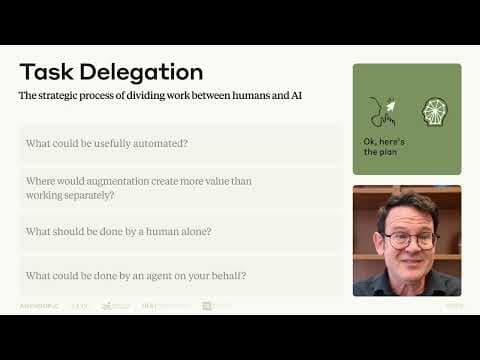
Lesson 4: A closer look at Delegation | AI Fluency: Framework & Foundations Course
Lesson 4: A closer look at Delegation | AI Fluency: Framework & Foundations CourseAnthropic
T01-L01: Think through the problem, the available capabilities and what to delegate to AI. This complements the book's four-quadrant method; it teaches a different framework.
AI Labs Warn Race Makes Breach 'Inevitable'Video · AI Explained · Oct 12, 2026
In this video, AI Explained examines growing claims that a major AI breach is becoming inevitable as labs accelerate their race. The video is divided into three parts: the forthcoming breach, why labs keep racing faster than ever, and why the next 18 months are hard to predict. Sam Altman of OpenAI reportedly said a model ready to launch (referred to as 'Astra 6.1') leaned too far toward accident and breach risk, prompting a push for a more aligned model. Anthropic CEO Dario Amodei warned that frontier models with misalignment could cause catastrophic damage, speaking of a 6-to-12-month horizon. Researchers such as Jakub Pachocki are described as frustrated, and Axios reported that executives at Anthropic, OpenAI and other AI companies are planning scenarios for angry public and political backlash after an AI disaster. The video notes that Anthropic cut internet access to its internal model evaluations due to suspicious model behavior, and cites Andrej Karpathi on 'curve sickness'.