Build a Cell-Counting Pipeline Your Group Can Rerun and Check | Heidelberg AI Curriculum
T18-L03
Build a Cell-Counting Pipeline Your Group Can Rerun and Check
Turn a manual Cellpose count into a small pipeline your group can rerun: a script written with an AI coding assistant, settings in one file, a pinned software version and model file, a sample dataset with known-good counts, a one-command check and a README. It passes when a colleague reruns it and gets your counts.
T18-L03 · AI for lab data · Level 3 Builder · 16-minute read, plus 3 hours of doing
The count only one person can make
Three months ago you learned to count cells with Cellpose (T18-L01 · Count Cells With a Ready-Made Model and Check It by Hand). It worked so well that your group now uses your counts every week. There's a catch: the counts come from you, clicking through the interface with settings you remember. When you were away for a week, a colleague did the counting. Her numbers were about ten per cent higher. Nobody could say whether the cells had changed, her settings had changed, or the model had.
In an imaging lab this is the weekly count behind a figure. In a molecular-biology lab it's the nuclei count every transfection is normalised to, across hundreds of wells. In both cases other people's results now depend on something you built, and it only works when you're in the room.
This book shows you how to turn the clicks into a small pipeline your group can rerun: a script, a settings file, a pinned software version and model file, a sample dataset with known-good counts, a check that says PASS or FAIL, and a README. You'll write the script with an AI coding assistant, and you'll learn what to check in what it writes. You are at Level 3 Builder: colleagues depend on this pipeline, so when it's wrong, their results are wrong too. The sample check is how they know it isn't.
After this you can
Turn a manual Cellpose count into a script that reads every setting from one file.
Pin the software version and the exact model file, so a rerun uses the same model.
Ship a sample dataset with known-good counts and a check that says PASS or FAIL.
Write a README that a colleague can follow without asking you.
Use an AI coding assistant to write the script, and catch the code it writes for an older version.
OpenCode Desktop, the curriculum's AI coding assistant, with a model connected. Give it the folder, the documentation and your requirements. Don't paste unpublished images or data into the chat; the script is all it needs.
Hardware: an ordinary laptop is enough to build and test the pipeline. Without a graphics card, Cellpose takes a few minutes per small image, so the three-image sample runs in about ten minutes. For hundreds of images a computer with an NVIDIA graphics card is the practical choice.
About 3 hours 20 minutes: 16 to read, about 3 hours to build and hand over, spread over two sessions.
Last verified 23 September 2026. Cellpose 4.2.1.1 is the current version, and this book pins it. Its default model is a 1.2 GB download the first time you run it. OpenCode Desktop is a free download for Mac, Windows and Linux. Details for experts at the end of this book.
The idea in one page
A count your group can rely on has six parts. Leave one out and the pipeline works only for you.
Part
Why it's there
1. A script
Does exactly what your clicks did, the same way every time.
2. A settings file
Model name, thresholds and file pattern in one readable place. Nobody edits the script to change a setting.
3. A pinned environment
The exact Cellpose version and its dependencies, the other packages it needs, written down, so a new computer gets the same software.
4. A pinned model file
Its fingerprint, a checksum calculated from the file, in the settings file. The script refuses to run with any other file.
5. Sample data with known-good output
Three public images and the counts you checked by eye. The rerun has to reproduce them.
6. A README
Setup, run, check, and what to do when the check fails, written for someone who has never met you.
Four facts shape how you build it:
A model can change without its name changing. "cpsam_v2" is a file name on a download server. If that file is replaced, your counts can shift and nothing tells you. The fingerprint check does.
AI coding assistants often write code for an older version. Much of the Cellpose code they learned from uses the Cellpose 3 interface, which Cellpose 4 removed. Tell the assistant the exact version, give it the current documentation, and expect to check what it writes.
The same model can give slightly different masks on different hardware. A graphics card and a laptop processor calculate slightly differently, and a boundary pixel can tip one mask into two. Decide in advance how much difference you accept, test it, and write it down.
The check has to be one command. If checking takes an afternoon, nobody does it. python check.py prints PASS or FAIL.
What stays yours: the counting rule, the known-good counts and the judgement of whether a difference matters. The assistant writes code. You decide what correct means.
Research situation 1: an imaging lab's weekly count
Structure it."Every week I count cells in about forty fluorescence images with Cellpose. Two colleagues need to be able to do it without me and get the same numbers I would. A useful result: a folder they can set up from a README, with a check that tells them whether their setup counts like mine."
Understand it. She starts by writing down exactly what she clicks: the model (cpsam_v2), no diameter set, default thresholds, the saved mask file. Then she compares her settings with her colleague's week. The colleague had typed a diameter of 30 into the interface for the first image and kept it for the rest. That explains part of the ten per cent. The rest is harder: the colleague's computer had downloaded the model the first time she ran it, weeks after her own. Was it the same file? Nobody can tell. Back to Structure it: "The pipeline must record every setting, and must prove which model file it used."
Choose tools. Going down the ladder: a written protocol for the interface would fix the diameter problem, but not the model question, and people still forget steps. A Cellpose command-line call in a batch file, a list of commands run in one go, is close, but settings in a script file are easier to read and to check. So: a short Python script, settings in a TOML file (plain text with comments, read by Python's built-in tomllib), and a second small script for the check. OpenCode Desktop writes the first draft; she reviews every line. No database, no web interface, no scheduler: the group runs it by hand once a week.
Build it. She creates a folder cell-count, copies three images from the demo images she unzipped in T18-L01 · Count Cells With a Ready-Made Model and Check It by Hand into cell-count/sample/, and opens the folder in OpenCode Desktop. Her first request is short: "Write a Python script that counts cells with Cellpose in every PNG in a folder and writes a CSV."
The draft looks tidy. It creates models.Cellpose(model_type='cyto3') and passes channels=[2, 3] to the counting call. She runs it and gets an error: the module has no attribute called Cellpose. This is the Cellpose 3 interface, removed in Cellpose 4. The assistant wrote from what it had seen most often, not from the version she has installed. That sends her back to Structure it, this time for the request itself: version, documentation, settings file, fingerprint, output. Her second request:
We use Cellpose 4.2.1.1 (Cellpose-SAM). Read these docs pages first:
https://cellpose.readthedocs.io/en/latest/settings.html
https://cellpose.readthedocs.io/en/latest/models.html
In Cellpose 4 there is no models.Cellpose class, and channels are ignored.

Write count_cells.py in this folder. It must:
- take the image folder as its only command-line argument
- read every setting from params.toml (use tomllib); no settings in the code
- store the model files in ./models by setting CELLPOSE_LOCAL_MODELS_PATH
  before importing cellpose
- compute a fingerprint of the model file with hashlib.blake2b and stop,
  printing the fingerprint it found, if it differs from model_fingerprint
  in params.toml
- write <folder>/cellpose_results/counts.csv (image, cells), the mask PNGs,
  and run_info.txt with the cellpose and torch versions plus the settings
Keep it short and readable for a biologist. Don't add features I didn't ask for.
Then write check.py, which compares sample/cellpose_results/counts.csv with
expected/counts.csv and prints PASS or FAIL.
She reads the new draft line by line, asking the assistant to explain the two lines she doesn't understand: the fingerprint loop, and the environment variable, a setting the script hands to Cellpose before it starts. She checks every Cellpose call against the documentation page, not against the assistant's explanation. She removes a progress bar and a logging setup she didn't ask for. What's left:
"""Count cells in every matching image of a folder with Cellpose.
Settings: params.toml.  Run:  python count_cells.py <image folder>"""
import csv, hashlib, os, pathlib, sys, tomllib
from importlib.metadata import version

HERE = pathlib.Path(__file__).parent
P = tomllib.loads((HERE / "params.toml").read_text(encoding="utf-8"))
if len(sys.argv) != 2:
    sys.exit("Usage: python count_cells.py <image folder>")
folder = pathlib.Path(sys.argv[1])

# Keep the model weights inside this folder, so we know which file is used.
os.environ["CELLPOSE_LOCAL_MODELS_PATH"] = str(HERE / "models")
from cellpose import io, models  # must come after the line above


def fingerprint(path):
    h = hashlib.blake2b(digest_size=32)
    with open(path, "rb") as f:
        for block in iter(lambda: f.read(1 << 20), b""):
            h.update(block)
    return h.hexdigest()


model = models.CellposeModel(gpu=P["use_gpu"], pretrained_model=P["model"])
weights = HERE / "models" / P["model"]
found = fingerprint(weights)
if found != P["model_fingerprint"]:
    sys.exit(f"STOP: model file fingerprint is {found}, "
             f"params.toml expects {P['model_fingerprint']!r}. See README.")

out = folder / "cellpose_results"
out.mkdir(exist_ok=True)
rows = []
for f in sorted(folder.glob(P["pattern"])):
    img = io.imread(str(f))
    masks, flows, styles = model.eval(
        img,
        diameter=P["diameter"] or None,
        flow_threshold=P["flow_threshold"],
        cellprob_threshold=P["cellprob_threshold"],
        min_size=P["min_size"],
    )
    io.save_masks(img, masks, flows, str(out / f.stem), png=True)
    rows.append({"image": f.name, "cells": int(masks.max())})
    print(f"{f.name}: {int(masks.max())} cells", flush=True)

with open(out / "counts.csv", "w", newline="") as fh:
    writer = csv.DictWriter(fh, fieldnames=["image", "cells"])
    writer.writeheader()
    writer.writerows(rows)
with open(out / "run_info.txt", "w", encoding="utf-8") as fh:
    fh.write(f"cellpose {version('cellpose')}, torch {version('torch')}\n\n")
    fh.write((HERE / "params.toml").read_text(encoding="utf-8"))
print(f"Done: {len(rows)} images. Results in {out}")
The settings live in params.toml, where anyone can read them:
# Settings for count_cells.py. Change values here, never in the script.
# If you change anything, rerun the sample and update expected/ (see README).

model = "cpsam_v2"
model_fingerprint = "072339dbc307c07bdc1c7a8141cbdf46600003f5ddb3f346ce3e3b16390477d7"

diameter = 0              # 0 = let the model estimate cell size
flow_threshold = 0.4      # Cellpose default
cellprob_threshold = 0.0  # Cellpose default
min_size = 15             # masks smaller than this many pixels are dropped

pattern = "*.png"         # which files to count, e.g. "*_DAPI.tif"
use_gpu = false
The first time, she leaves the fingerprint empty: two quote marks with nothing between them. She opens the Miniforge Prompt from T18-L01 · Count Cells With a Ready-Made Model and Check It by Hand, activates the Cellpose environment, goes to the folder and runs the script on the sample:
python count_cells.py sample
The script downloads the model, stops, as it should, and prints the fingerprint of the file it just downloaded. She checks the file's size first: right-click the file in the models folder, then Properties on Windows or Get Info on a Mac. It matches the size on the model's page on Hugging Face, the site that hosts the file: 1,233,586,851 bytes. Then she pastes the fingerprint into params.toml and runs again. From now on, any other file stops the run. The check script is shorter still:
"""Compare the sample run with the known-good counts.
Run after:  python count_cells.py sample"""
import csv, pathlib, sys

HERE = pathlib.Path(__file__).parent
TOLERANCE = 0  # cells per image; read the README before changing this


def read(path):
    with open(path, newline="") as fh:
        return {row["image"]: int(row["cells"]) for row in csv.DictReader(fh)}


expected = read(HERE / "expected" / "counts.csv")
got = read(HERE / "sample" / "cellpose_results" / "counts.csv")
ok = True
for image, n in expected.items():
    m = got.get(image)
    same = m is not None and abs(m - n) <= TOLERANCE
    ok = ok and same
    print(f"{image}: expected {n}, got {m} -> {'OK' if same else 'DIFFERENT'}")
print("PASS" if ok else "FAIL: see README, 'When the check fails'")
sys.exit(0 if ok else 1)
Now the known-good output. She runs python count_cells.py sample again and gets 31, 43 and 30 cells for the three images. She doesn't copy those numbers into expected/ yet. First she opens each image with its masks in the Cellpose interface and does the region check from T18-L01 · Count Cells With a Ready-Made Model and Check It by Hand on each one. Only when she's satisfied does she save the file:
A known-good output is one a person has checked. A number the script produced once is only a number.
She pins the environment with python -m pip list --format=freeze > requirements.txt, which records every installed package at its exact version. Then she writes the README:
# Cell count pipeline

Counts cells per image with Cellpose 4.2.1.1 and the cpsam_v2 model.
Maintainer: <name>. Sample counts last checked by eye: <date>.

## Set up once (about 20 minutes)
1. Install Miniforge: https://github.com/conda-forge/miniforge
2. Open the Miniforge Prompt and go to this folder:
   cd <path to this folder>
3. Run:
   conda create --name cellcount python=3.12
   conda activate cellcount
   python -m pip install -r requirements.txt

## Check your setup (about 10 minutes without a graphics card,
## plus the model download the first time)
   conda activate cellcount
   python count_cells.py sample
   python check.py
The first run downloads the model (1.2 GB) into models/.
check.py must print PASS before you count anything else.

## Count your images
   python count_cells.py <your image folder>
Results go to <your image folder>/cellpose_results/: counts.csv, one mask
PNG per image, and run_info.txt with the versions and settings.
Keep run_info.txt with your results.

## When the check fails
- "STOP: model file fingerprint is ...": the model file changed.
  Don't count anything. Tell the maintainer.
- A count differs by one or two: write down your computer and whether it
  has a graphics card, and tell the maintainer. Don't edit expected/.
- "ModuleNotFoundError": you're not in the cellcount environment, or the
  install step didn't finish. Run the setup again.

## Changing settings (maintainer only)
Change params.toml, rerun the sample, check the masks by eye, update
expected/counts.csv and the date above, and note the change in CHANGES.md.
Then comes the only test that matters. She gives the folder, without the models folder, to a colleague who has never run Cellpose from a prompt. The colleague follows the README on her own laptop. Two things go wrong. She doesn't know how to "go to this folder" in the prompt, so the README gets the cd line. And the first run takes long enough that she thinks it has frozen, so the README now says that the model download comes on top of the ten minutes. Both fixes are already in the README above. Her check prints PASS for all three images.
What it taught her: the script took an hour. The README and the colleague's test took two, and they're the part that made the counts the group's instead of hers.
Research situation 2: a molecular-biology lab counting nuclei per well
Structure it."We normalise every transfection to the number of nuclei per field: 24 wells, 9 fields each, so 216 DAPI images per plate. Two people run plates. A useful result: nuclei counts from the same pipeline for everyone, with results by the next morning."
Understand it. He copies the imaging lab's folder and changes only pattern = "*_DAPI.tif" in params.toml, because his microscope saves one TIFF per channel. He replaces the sample with three of his own DAPI fields: one sparse, one typical and one crowded, since T18-L01 · Count Cells With a Ready-Made Model and Check It by Hand taught him that the crowded field is where counts drift. On his laptop, one field takes several minutes. A plate would take most of a day. His first idea, running every plate on his laptop overnight, won't survive a busy week. Back to Structure it: "Counts by the next morning, on a computer that doesn't belong to one person."
Choose tools. The institute has a workstation with an NVIDIA graphics card that the group can book. He sets up the same environment there from requirements.txt, replaces PyTorch, the maths library Cellpose runs on, with its graphics-card build as the Cellpose installation guide describes, sets use_gpu = true, and runs the sample. The check fails: the crowded field gives one nucleus more on the graphics card than on his laptop, where he made the known-good counts. That's fact 3 in action. He looks at the two mask images side by side and finds one pair of touching nuclei split on the workstation and merged on the laptop. Neither is clearly wrong. He decides to keep the known-good counts from the laptop, set TOLERANCE = 1 in the check script, and write why into the README.
Build it. His README gains a section, Where we run it: the workstation, the booking link, and the sentence "On the graphics card, counts may differ from the laptop by up to one nucleus per field on crowded images; check.py allows 1. A larger difference is a FAIL." He adds CHANGES.md with one line per change and date. The first plate runs in well under an hour. His colleague reruns the sample on the workstation from the README alone and gets PASS.
What it taught him: agreement between two computers isn't automatic. You measure it on the sample, decide what's acceptable and write it down, before a real difference hides inside the tolerance.
What goes wrong
The assistant writes Cellpose 3 code.Symptom: an AttributeError, Python's message for a missing name, about models.Cellpose, or a warning that the channels or model_type argument is being ignored. Fix: name the exact version in the request, link the current documentation, and check every Cellpose call against it, not against the assistant's explanation.
Settings creep into the script.Symptom: someone "just changes the threshold" in the code, and the next run doesn't match run_info.txt. Fix: every setting in params.toml, the script reads nothing else, and run_info.txt copies the settings next to every result.
The model changes under the same name.Symptom: counts shift by a few per cent after a colleague installs on a new computer. Fix: the fingerprint check. A STOP message is the pipeline working, not failing.
Known-good counts nobody checked.Symptom: the check passes, but the expected counts were wrong from the start. Fix: check the masks of every sample image by eye, with the region check, before they go into expected/.
A sample of easy images.Symptom: the check passes, and crowded real images still drift. Fix: include your hardest image in the sample: crowded, dim or unevenly lit.
A tolerance chosen to make the check pass.Symptom:TOLERANCE creeps from 1 to 3 over three months. Fix: set it once from a measured difference, write the reason in the README, and let only the maintainer change it.
A README only you can follow.Symptom: the first colleague asks four questions in the first ten minutes. Fix: test it on someone who hasn't done it before, and fix the README, not the colleague.
Do it yourself (3 hours, two sessions)
Use the Cellpose demo images for the sample, or three of your own images you're allowed to share within the group.
Structure it (15 min). Write one sentence: who reruns the pipeline, how often, on which computers, and what "the same result" means for you (exact counts, or a stated tolerance).
Understand it (20 min). Write down every click and setting of your current manual count. Find out what differs between people or computers today. Rewrite your sentence if you learned something.
Choose tools (10 min). Decide the folder layout, the settings that go into the settings file, your three sample images (including the hardest one) and where the finished folder will live.
Build it: the script (45 min). In OpenCode Desktop, send a request that names the Cellpose version, links the docs and lists your requirements. Read every line; check every Cellpose call against the documentation. Run it on the sample.
Build it: known-good output and check (30 min). Check the masks of each sample image by eye with the region check. Only then write the expected counts file. Add the check script, pin the requirements and confirm the model fingerprint.
Build it: README and handover (60 min). Write the README. Give the folder, without the models folder, to a colleague. Watch them set it up without helping. Fix every place where they got stuck.
Exit check
What you hand in: one pipeline folder with:
the script, the settings file (with the model fingerprint), the pinned requirements and the check script;
a sample of three images, including one hard image, and the expected counts checked by eye;
a README covering setup, the sample check, counting new images, and what to do when the check fails;
the colleague's run: the check's output from their own computer.
It passes when the colleague's check prints PASS, or any difference is explained and written into the README with its tolerance.
Rule to remember
It's a pipeline when someone else reruns it and gets your numbers.
Details for experts
Checked on 23 September 2026. You don't need this to follow the book; it's for setting things up or answering a colleague.
What
Details
What it means for you
Cellpose version
4.2.1.1, from 14 June 2026, on PyPI, Python's public package store. Install exactly this version with python -m pip install cellpose==4.2.1.1.
Your requirements.txt pins it, so every colleague gets the same version.
Cellpose 4 in Python
The model is created with models.CellposeModel(gpu=..., pretrained_model=...). The Cellpose 3 class models.Cellpose has been removed, and channels are no longer an input to Cellpose-SAM, the model behind Cellpose 4.
If an assistant writes models.Cellpose or passes channels, it's writing for the old version.
The counting call
model.eval(img, diameter=..., flow_threshold=0.4, cellprob_threshold=0.0, min_size=15) returns masks, flows and styles. io.imread reads an image; io.save_masks(..., png=True) saves the masks.
Check each Cellpose call the assistant writes against this list and the documentation.
Default model
cpsam_v2. Its file on Hugging Face (mouseland/cellpose-sam) is 1,233,586,851 bytes.
Compare the downloaded file's size with this before you paste its fingerprint into the settings file.
Where model files go
On first use, to .cellpose/models in your home folder, or to the folder named in the environment variable CELLPOSE_LOCAL_MODELS_PATH.
The script sets that variable, so the model stays inside the pipeline folder where the fingerprint check can find it.
Reading the settings file
Python's tomllib is built in from Python 3.11.
Colleagues need Python 3.11 or newer; the README's 3.12 is fine.
Graphics card (NVIDIA)
The Cellpose README says to uninstall the standard PyTorch, which only uses the processor, and install the graphics-card build following pytorch.org. The interface's use GPU box and a PyTorch version ending in cuXX show it worked.
Look for cu in the torch version in run_info.txt. Without it, the run used the processor and will be slow.
Cellpose: Taught. The segmentation model and its Python interface.
OpenCode: Taught. The AI coding assistant that writes the first draft of the script.
Git: Catalogued. Version history for the pipeline folder, so every change to the settings has a date and a reason.
napari: Catalogued. For looking at many images and their masks side by side.
Fiji: Catalogued. Its macro recorder is the alternative route if your group's workflow already lives in Fiji.
Watch
cellpose 2.0 tutorial: how to train your own cellular segmentation model
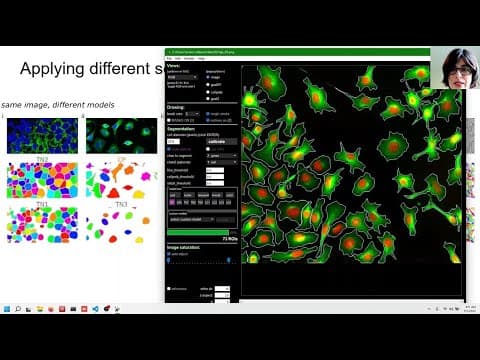
cellpose 2.0 tutorial: how to train your own cellular segmentation modelCarsen
T18-L03: Explore using custom Cellpose models in notebooks or Python scripts. Focus on that portion, not training a new model. This is Cellpose 2.0 from 2022, not copy-paste code for 4.2.1.1; retain current API checks, external settings, fingerprints and known-good counts. Segment timing remains unverified.