▸How-to Qwen3.6 Scientist
Need a ranked, method‑focused paper list from dozens of abstracts
A ranked, structured shortlist of papers produced overnight on a laptop, with no per-token cost and nothing leaving the machine.
Reference: what runs on your hardware, what serves it, what you rent
A filters-first decision reference for running an LLM as a European business, in four blocks: which open model actually fits the box you own (a 16 GB laptop through a 128 GB one-box to a GPU server — memory is the wall); how you run it on your own machine (Ollama, LM Studio, Jan); the software that serves it to a whole team (engine, gateway, login page); and the cloud models you rent when none of that is worth it, compared on cost, context and GDPR. Start from your hardest constraint (data privacy → cost → task), not the leaderboard.
The filter order, concretely: (1) must the data stay private or in the EU? → self-host an open model (free, fully offline), or EU-hosted cloud — Mistral in France, Aleph Alpha in Germany. (2) Cost vs quality for everything else → route cheap, high-volume work to a budget model, reserve a frontier model for the genuinely hard steps. (3) Then match the model to the task.
Select a model that fits your device’s memory limits—anything from a 16 GB laptop up to a 128 GB one‑box or a GPU server—because memory is the primary constraint.
Rent a cloud service when self‑hosting isn’t viable, comparing options on cost, context length and GDPR compliance after you’ve ruled out privacy and budget constraints.
Memory is the wall: a model must fit in RAM (or VRAM) before speed matters, and a 4-bit quant needs roughly half a gigabyte per billion parameters. MoE models still load ALL their weights, so footprint tracks total params, not active ones. Verdicts assume Q4_K_M, the sweet spot (~1–2% quality loss); Q6 is near-lossless but needs ~35% more memory, so it can push a model up a hardware tier. → Pick by what you own: a 16 GB laptop or Mac mini → the small models; a 24–32 GB gaming GPU → up to a 35B-class model; a 128 GB unified-memory box (AMD Strix Halo or a Mac Studio) → the one-box frontier, gpt-oss-120b; a real multi-GPU server → the giants.
| Your hardware… | ▶ 1 | ▶ 2 | ▶ 1 | ▶ 1 | ▶ 2 | ▶ 1 | ▶ 1 | |||
|---|---|---|---|---|---|---|---|---|---|---|
Params total / active — MoE loads all of it, computes only the active slice | 3.8B | 8B | 21B / 3.6B | ~27B | 35B / 3B | 109B / 17B | 117B / 5.1B | 230B / 10B | large MoE | 671B / 37B |
Fits in (Q4) Q4_K_M — the default sweet spot (~1–2% quality loss); must fit in RAM/VRAM before speed matters | ~3 GB | ~6–8 GB | ~13 GB | ~8–18 GB | ~21 GB | ~60 GB | ~61 GB | ~115–130 GB | 100 GB+ | ~376 GB |
Fits in (Q6) near-lossless, ~1.35× the Q4 size — gpt-oss is MXFP4 (4-bit) by design, so it has no Q6 | ~4 GB | ~9–11 GB | 13 GB · MXFP4 | ~11–24 GB | ~29 GB | ~85 GB | 61 GB · MXFP4 | ~155–175 GB | 135 GB+ | ~550 GB |
Laptop · CPU+iGPU · 16 GB Intel/AMD, no discrete GPU — runs on CPU, slow | ✅ | ✅ | 🟡 | 🟡 | ❌ | ❌ | ❌ | ❌ | ❌ | ❌ |
Mac mini M4 · 16 GB unified memory, Metal-accelerated | ✅ | ✅ | 🟡 | 🟡 | ❌ | ❌ | ❌ | ❌ | ❌ | ❌ |
Gaming GPU · 24–32 GB RTX 4090 / 5090 — fastest per model that fits | ✅ | ✅ | ✅ | ✅ | ✅ | ❌ | ❌ | ❌ | ❌ | ❌ |
AMD Strix Halo · 128 GB Ryzen AI Max+ 395, unified — ~256 GB/s; MoE is the sweet spot | ✅ | ✅ | ✅ | ✅ | ✅ 62 t/s | ✅ | ✅ 55 t/s | 🟡 | 🟡 | ❌ |
Mac Studio · 128 GB M-series unified — ~819 GB/s, ~3× Strix Halo bandwidth | ✅ | ✅ | ✅ | ✅ | ✅ | ✅ | ✅ 60–100 t/s | 🟡 | 🟡 | ❌ |
GPU server · 8× A100/H100 320–640 GB VRAM — the giants live here | ✅ | ✅ | ✅ | ✅ | ✅ | ✅ | ✅ | ✅ | ✅ | ✅ |
✅ runs comfortably🟡 only fits heavily quantized / runs slowly❌ too big for that box
The step straight after "does it fit": the block above says gpt-oss-20b fits your 16 GB laptop — this is how you actually run it. All three are free, work offline, and expose an OpenAI-compatible local endpoint, so your existing code only needs its base URL changed. → Pick by what you want: script it from the terminal, or run it as an always-on API → Ollama; a polished desktop app with a local server your other tools can hit → LM Studio; the simplest one-click chat to get started → Jan. The full course — plus AnythingLLM, for chatting over your own documents — is the Local & Private Models chapter.
| Compare on… | ▶ 2 | ▶ 2 | ▶ 2 |
|---|---|---|---|
Runs fully offline no internet after download | ✓ | ✓ | ✓ |
Graphical chat — no command line point-and-click from the start | ◐ | ✓ | ✓ |
OpenAI-compatible local API swap one base URL, keep your code | ✓ | ✓ | ◐ |
Runs as an always-on service a private endpoint your team can hit | ✓ | ✓ | ◐ |
Also call cloud models (BYO key) one app for local + cloud | ✗ | ✗ | ✓ |
Open source read & audit the code | ✓ | ◐ | ✓ |
Beginner-friendly first run low-friction to your first answer | ◐ | ✓ | ✓ |
Fully private — data never leaves the whole point of running locally | ✓ | ✓ | ✓ |
✓ yes◐ partial✗ no
 Ollama Run open models locally from the CLI + a local API
  LM Studio A polished desktop app to download and chat with local models
 One machine, one person is Ollama or LM Studio above. This is the layer above that: an engine that holds up under real concurrent load, one stable API in front of whichever engine is running, and a login page your team actually uses. → Pick by what you want: a ChatGPT-style app your whole lab logs into → Open WebUI; many people hitting one model at once → vLLM; the deepest control, or hardware with no real GPU → llama.cpp; one endpoint that never changes even as the engine behind it does → LocalAI; several models sharing one GPU without all staying loaded → llama-swap. Most labs end up running two or three together.
| Compare on… | ▶ 1 | ||||
|---|---|---|---|---|---|
Team login UI (per-user chat + RBAC) the thing people actually open | ✓ | ✗ | ✗ | ✗ | ✗ |
Built for concurrent throughput many people, one GPU, at the same time | ✗ | ✓ | ◐ | ◐ | ◐ |
Runs well CPU-only / low-end GPU no dedicated datacenter GPU needed | n/a | ✗ | ✓ | ✓ | ✓ |
One endpoint across multiple engines swap the engine, keep every client working | ✗ | ✗ | ✗ | ✓ | ◐ |
Serves several models on one GPU without keeping them all loaded | ✗ | ◐ | ✗ | ✓ | ✓ |
OpenAI-compatible API drop into existing client code | ✗ | ✓ | ✓ | ✓ | ✓ |
Open source read & audit the code | ◐ | ✓ | ✓ | ✓ | ✓ |
✓ yes◐ partial✗ no
When self-hosting is not worth it, you rent — and the trade is data residency. EU-sovereign (Mistral in France, Aleph Alpha in Germany) keeps the data in the EU; the global frontier is stronger and often cheaper per token, but your data leaves. Cost is per 1M tokens, in / out.
| Compare on… | ▶ 2 | |||||||||
|---|---|---|---|---|---|---|---|---|---|---|
Deployment whose cloud it runs in | EU cloud | EU / on-prem | US cloud | US cloud | US cloud | US cloud | US cloud | US cloud | US cloud | US cloud |
GDPR-safe data stays in the EU? | ✓ | ✓ | ◐ | ◐ | ◐ | ◐ | ◐ | ◐ | ◐ | ◐ |
Best for the one-line verdict | EU cloud | sovereign · regulated | coding & agents | balanced production | cheap & fast | reasoning | cheap bulk | huge multimodal | cheap multimodal | live + video |
Cost $ per 1M tokens (in / out) — the whole point of a hosted model | $1.50 / $7.50 | contact sales | $5 / $25 | $2–3 / $10–15 | $1 / $5 | $5 / $30 | $0.20 / $1.25 | $2 / $12 | $0.25 / $1.50 | $1.25 / $2.50 |
Context window how much it reads at once | 256K | — | 1M | 1M | 200K | 1M | 400K | 1M | 1M | 1M |
Multimodal beyond text | + images | — | + images | + images | + images | + images | + images | + audio/video | + audio/video | + images |
Reasoning mode step-by-step thinking | — | — | ✓ | ✓ | ✓ | ✓ | ✓ | ✓ | — | ✓ |
Speed rough, at its typical setup | fast | — | fast | fast | very fast | medium | very fast | fast | very fast | fast |
✓ yes◐ partial✗ no— not stated on an official page
 Claude Opus 4.8 Best all-round model for coding, agents and careful writing
  Gemini 3.1 Pro Biggest practical context, with native audio and video
 38 outcomes in all — one per recipe below.
Need a ranked, method‑focused paper list from dozens of abstracts
A ranked, structured shortlist of papers produced overnight on a laptop, with no per-token cost and nothing leaving the machine.
Gemini Pro ScientistNeed a side‑by‑side methods and effect‑size comparison from many papers
A cross-paper comparison table with figure-level citations, built in one pass instead of paper-by-paper.
Can't move regulated data offsite but need analysis
High-quality, multi-step analysis on regulated data, kept entirely on-premise at ~31 tokens/sec.
Label 50 000 transactions accurately
Every transaction consistently categorised at frontier quality, for a fraction of the cost of a flagship API.
Need to draft confidential deal docs without data leaving
Frontier-capable document work on confidential deal materials, with nothing leaving the firm's own hardware.
Claude Opus InvestorNeed a full sector brief with TAM, incumbents, moats and risks
A deep, well-reasoned sector brief that would take a junior analyst a day, done in minutes — using the best model for the job when privacy constraints do not apply.
Claude Opus RoboticsGrip‑pattern classifier too big for STM32 flash
A concrete INT8 quantization plan with size and latency estimates the engineer can verify on the target hardware before committing to a toolchain.
Need real‑time EMG help on a Jetson with limited RAM
A capable local assistant on the Jetson that fits the memory budget and responds in real time, with no data leaving the lab.
Redact sensitive profit‑and‑loss data on my laptop
The sensitive numbers never leave the laptop, while the heavy reasoning still uses the best cloud model — a privacy/quality split.
Pull sign‑ups from a CSV, dedupe them and receive a daily email summary
A working internal utility shipped in an afternoon, with the model handling the multi-step plan-and-implement loop.
Messy company names and missing country info in a table
A messy export cleaned in minutes at zero cost, with a model small enough to run anywhere.
Gemini Pro SupportOnly have a screen recording of an issue
A structured bug report from a raw video, without an engineer watching it back frame by frame.
Messy call notes
Crisp account briefs in seconds, with pipeline data kept fully local.
Need to score resumes consistently while keeping data private
Every candidate scored against the same criteria, with application data kept private and no API cost.
Need cheap multi‑file refactoring for a feature
Frontier-grade coding help on the team’s real repo without a frontier-sized bill or vendor lock-in.
Need a low‑budget internal app but want cutting‑edge code
A working internal tool built with frontier-class coding help, at a price a small budget can absorb.
Want a coding assistant that never leaves your network
A private, commercially-licensed coding agent on owned hardware — no per-token bill, no code leaving the building.
Need a cheap always‑on code‑run‑fix bot
A reliable automated agent loop at a per-run cost low enough to run continuously.
Bulk scoring of anonymous CVs
Candidate data handled privately at scale, with the careful frontier model reserved for the high-stakes brief that goes to the client.
Routine firmware queries handled locally, only tough design calls use an API
Near-zero API cost for the 80% of questions a capable local model handles, with frontier reasoning available on demand for the 20% that need it.
Claude Opus FinanceNeed clear month‑end variance explanation for the board
A board-ready narrative with the careful, traceable reasoning that high-stakes financial writing needs.
Need a private, offline drafting partner for sensitive strategy
A genuinely useful assistant for sensitive early-stage work, at zero cost and full privacy.
Cross-document answers without building a full retrieval system first — the long context does the heavy lifting.
Need occasional contract, email, or code help on a tiny budget
Access to frontier-class help on a tight budget, paying only for the few hard tasks that need it.
Discharge notes must stay in the clinic
Drafting quality close to a frontier cloud model while PHI never leaves the practice, with the cloud option reserved for genuinely de-identified text.
Claude Opus Founder +1Investor update feels vague and alarming
A crisp, credible update that reads like it was written by a seasoned operator.
Claude Opus HR / PeopleRough HR notes need a legal‑safe grievance letter
A professionally toned, defensible letter drafted from rough notes.
Gemini Pro CreatorNeed quick shorts from a long video
A ready-to-edit shorts plan pulled straight from the video, no manual scrubbing.
Need a complete 6‑part series outline plus episode 1 script
A full series outline plus first-draft scripts in one sitting.
Need on‑brand captions and alt‑text for a photo batch without uploading files
On-brand captions and accessible alt-text for a whole shoot, generated privately at no cost.
Need complete product‑line descriptions from bullet points
A full batch of polished listings written at zero ongoing cost.
I need cheap auto‑routing of tickets
Every ticket pre-routed at frontier quality, cheaply enough to never sample.
Need instant on‑premise ticket tagging
Real-time triage tags with no API bill and no customer data leaving the network.
Need to group employee survey comments privately
A thematic summary of candid feedback that honours the privacy promise made to employees.
Lots of tickets and a tiny team
Consistent, good first drafts on every ticket without a flagship-sized API bill.
Need consistent answers to routine customer queries
Consistent answers to routine questions without a paid chatbot holding the business’s content.
Need a custom outreach plan for a big prospect
A researched, ready-to-run outreach plan instead of a generic template.
Need a current news hook for your sales call
A timely, specific opener based on this-week news, not last-year facts.
A model's knowledge lives in billions of numbers (weights) normally stored at 16-bit precision. Quantization rounds them to fewer bits — 8, 5 or 4 — so the file is smaller and runs faster, like saving a photo as a smaller JPEG. The trade-off has a 'knee': going to 8-bit is almost lossless, 4-bit costs a small, usually-unnoticeable amount of quality, and below 4-bit quality drops sharply. That is why 4-bit (the 'Q4_K_M' setting in GGUF) is the usual sweet spot: pick Q4_K_M for the biggest model that fits your memory, and step up to Q5 or Q8 only if you have room to spare.
The same set on /recipes, filtered by tool and role.
See why GLM-5.2 is the open-weight model to beat for coding, just days after release.
Sits right on the seam between the beginner-friendly wrappers (Ollama, LM Studio) and this chapter's engine layer — makes the case for when to stop using the wrapper and run llama.cpp directly for control or throughput.
Watch this if you're worried your hardware isn't good enough. It picks realistic models for modest machines.
ProgrammingKnowledge is a long-running, reliable tutorial channel. Best no-command-line intro to running models on a laptop.
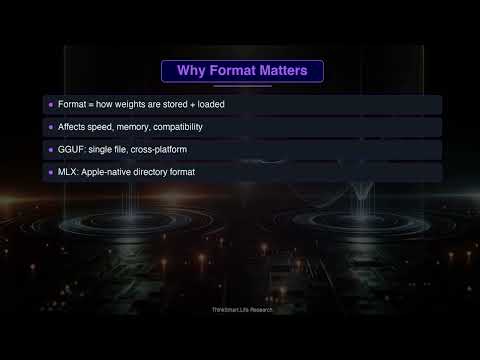
Decide which format to download for a local model like Gemma 4 on a Mac.
The fastest route from zero to your first call against Europe's flagship model provider.
A reality-check on running gpt-oss-120b on one machine — exactly the chapter's 'top one-box local' claim.
Watch the MiniMax family handle real agentic coding and judge the price/quality story yourself.
The freshest plain install walkthrough. Pair with Tim's video if you want the install spelled out before the deeper tour.
The 3-minute version of why MLX is the format to grab for a Mac model like Qwen3.6.
A balanced verdict on whether the EU champion holds up in daily use.
Practical tuning to get usable speed out of a model like gpt-oss-20b on your own machine.
+ 5 more in the video library.
A model's knowledge lives in billions of numbers (weights) normally stored at 16-bit precision. Quantization rounds them to fewer bits — 8, 5 or 4 — so the file is smaller and runs faster, like saving a photo as a smaller JPEG. The trade-off has a 'knee': going to 8-bit is almost lossless, 4-bit costs a small, usually-unnoticeable amount of quality, and below 4-bit quality drops sharply. That is why 4-bit (the 'Q4_K_M' setting in GGUF) is the usual sweet spot: pick Q4_K_M for the biggest model that fits your memory, and step up to Q5 or Q8 only if you have room to spare.
These are containers for a quantized model. GGUF is the standard, used by Ollama and LM Studio on any machine — the safe default. MLX is Apple's format, tuned for Mac (Apple Silicon) and often noticeably faster than GGUF on the same Mac, so prefer it if you are on a Mac. MXFP4 is a 4-bit format that OpenAI's gpt-oss models ship in natively, giving full quality with no separate quantization step. In practice: on a Mac, look for an MLX build; everywhere else, download the GGUF (usually the Q4_K_M file).
A useful rule of thumb at 4-bit (Q4): the memory in gigabytes is roughly the number of parameters in billions. So a 7B–8B model needs about 5–6 GB and runs on a normal laptop; a 70B model needs about 40–48 GB and wants a big GPU or a 64 GB+ Mac; and OpenAI's 120B gpt-oss (in its MXFP4 format) is about 61 GB, fitting a single 80 GB GPU or a 128 GB unified-memory box. Add a few GB on top for the KV cache, which grows with how much context you use. If a model does not fit in your VRAM, it either will not run or runs very slowly.
A Mixture of Experts (MoE) model is split into many specialist sub-networks, but only a few 'fire' for each word generated. So while gpt-oss-120b has 117B total parameters, only about 5.1B are active per token — it runs with the speed of a much smaller model while keeping the knowledge of a big one. Combined with its native 4-bit MXFP4 format (which shrinks the weights to about 61 GB), that is how a 120-billion-parameter model fits and runs on a single 128 GB box. Qwen3.6-35B-A3B uses the same trick: 35B total but only about 3B active per token.
The context window is how much text a model can consider at once — the prompt plus its own answer — measured in tokens (roughly ¾ of a word each). A bigger window lets you drop in more at once: a whole book, a large codebase, or dozens of papers, without first building a retrieval system. A 1-million-token model like Gemini 3.1 Pro can hold all of that together and reason across it. For short chats it makes no difference; it pays off when you genuinely need the model to see a lot of material at the same time. Remember that filling a big context uses more memory (the KV cache) and, on paid APIs, costs more.
GLM (Zhipu AI / Z.ai) and MiniMax are Chinese AI labs shipping frontier-class open-weight models, especially strong at coding and agentic work, at a fraction of US-flagship prices — GLM-5.2 rivals Claude Opus on agent benchmarks for roughly a sixth of the cost, and MiniMax-M2 is cheap enough to leave running on a schedule. You can download the weights or use a cheap API (or OpenRouter). One catch worth learning here: 'open weights' is not the same as 'open licence'. Always check the actual licence — GLM-5.2 is MIT and MiniMax-M2 allows commercial use, but the newer MiniMax-M2.7 quietly switched to a non-commercial licence, so the strongest version can't be used in a paid product without permission. And unless you self-host, your prompts still run on the vendor's servers — keep that in mind for sensitive data.
Jan is a free desktop application that lets you run AI language models (like Llama, Mistral, or Qwen) directly on your own computer, so you can chat with an AI without sending anything to the internet. It is made by Menlo Research and works similarly to ChatGPT, but everything runs locally. You download it once, install it like any app, and use it without a subscription or account.
All three are free tools for running local AI models — the main differences are audience and openness. Ollama is command-line focused and best for developers. LM Studio has a polished interface but its app code is closed-source. Jan sits in the middle: a graphical chat interface resembling ChatGPT and fully open-source, making it a good fit for people who want a familiar UI and want to verify the software. Performance differences are small.
Jan's local models use the GGUF format, a file type designed to package AI models efficiently for consumer hardware. GGUF models come in quantized versions (Q4, Q8, etc.) — lower numbers are smaller and faster but slightly less accurate; higher numbers are larger and more precise. Q4_K_M is a good balance. On Apple Silicon Macs, Jan also supports the MLX format for extra speed.
When you run a local model in Jan, everything happens on your own computer — your conversations are never sent to any server, there is no telemetry by default, and no account is required. After the initial model download, Jan works with no internet connection. Your data is stored in a local folder on your machine and goes nowhere else.
A rough guide: 8 GB RAM runs small models up to about 3B for basic chat; 16 GB handles 7B–8B models well (the sweet spot for quality vs speed on most laptops); 32 GB or more is needed for 13B+ models. Jan's Hub flags if a model likely won't fit, so you can check before downloading.
LM Studio is a free desktop application that lets you download and run AI language models directly on your own computer — no internet needed once a model is downloaded. It provides a friendly graphical interface similar to ChatGPT, but everything runs locally. It works on Mac (Apple Silicon), Windows, and Linux.
Because LM Studio's local server mimics the OpenAI API, many third-party tools connect to it out of the box — for example Obsidian, AnythingLLM, Continue.dev, Open WebUI, and n8n. LM Studio also supports the MCP protocol for connecting AI agents to external data sources.
LM Studio is a graphical desktop app — you click buttons, browse models visually, and chat in a built-in interface, friendlier for beginners with no coding. Ollama is command-line first and better for scripting or automation. Both use the same underlying engine (llama.cpp), so quality and speed are comparable; the difference is interface and workflow. A common pattern is LM Studio for exploring models and Ollama for integrating into code.
Yes, after the initial download. You need internet once to install LM Studio and once to download each model. After that, the app and all your models run entirely offline — useful in settings with restricted internet, or when you want guaranteed privacy.
The number (7B, 13B) refers to billions of parameters — a rough measure of capacity. Bigger models generally give smarter answers but need more RAM and run slower. For most everyday tasks on a typical laptop, a 7B or 8B model at Q4_K_M quantization is a practical starting point. LM Studio's Discover tab warns you if a model is likely too large for your hardware.
Slow output usually means the model is too large for your GPU and is spilling into RAM — try a smaller model or a lower quantization (Q4 instead of Q8). Strange or repetitive output is often the wrong chat template; LM Studio normally auto-detects it, but if it looks broken, check the correct template is selected in the model settings. Out-of-memory errors are solved by a smaller model variant.
Yes. Since mid-2025, LM Studio is free for both personal and workplace/commercial use, so you can run it in a lab or office without a license fee. The models themselves are governed by their own licenses (most popular ones permit research use freely). Organizations needing team-sharing or enterprise controls have optional paid tiers, but they're not required for standard use.
Yes. As of mid-2025, LM Studio is free for both personal use and use at work, with no commercial license required. Optional paid Teams/Enterprise tiers exist for organizations needing private collaboration or SSO, but the core desktop app is free, and the models it runs are free and open-source.
On Mac you need Apple Silicon (M1 or newer) and a recent macOS; Intel Macs are not supported. On Windows you need a 64-bit PC with AVX2 CPU support, at least 16 GB RAM, and ideally some dedicated GPU memory. Linux is also supported. You can run it without a dedicated GPU, but it will be noticeably slower.
+ 18 more in the library.
ollama runollama pullollama listollama psollama stopollama rmollama servehermes setuphermes --tuisystemctl edit ollama.service/bye>>>OLLAMA_HOSTOLLAMA_KEEP_ALIVEhttp://localhost:11434/api/chat/v1/~/.hermes/config.yaml~/.hermes/.envprovider: custom[Service]llama3qwen2.5gemmamistralopenaipip install openaiapi_keybase_urllocalhost"stream": falseifconfigip addripconfiglmslms server startlms server stoplms server statuslms --versionllmsterhermes setuphermes --tuichmod +x start-local-llm.shpip install openaihttp://localhost:1234/v1localhost:1234localhosthttp://<your-ip>:1234/v10.0.0.0openaiapi_keybase_urlconfig.yaml~/.hermes/config.yaml~/.hermes/.envhttp://localhost:1337localhost:1337modelopenaipip install openaiapi_keyhttp://localhost:1337/v1base_urlcurlparametersquantizationtokens per secondcontext windowMoEreasoning modeldistillationmultimodalopen-weightopen weights vs open licenceclosed / API modelper-token pricingfrontier modellocal modelVRAMAsk, share, or report — over on the Heidelberg AI community forum.