Run an AI Model on Your Own Laptop, Offline | Heidelberg AI Curriculum
T11-L01
Run an AI Model on Your Own Laptop, Offline
Install LM Studio, download a small open model that fits your laptop's memory, and get an answer with the network switched off. Learn what running locally gains you, what it costs, and which tasks a small model handles well enough.
T11-L01 · Run your own AI · Level 1 User · 11-minute read, plus 30 minutes of doing (and a download)
When the text must not leave your machine
In a lab it's Tuesday evening. A postdoc has two pages of bench notes on three experiments that nobody outside the group has seen. Her PI, the head of the group, wants a one-page summary by Thursday. Structuring the notes will take her an hour, and a chat assistant would do it in a minute. But the institute's rule is clear: unpublished results don't go into cloud chatbots.
In a company it's the same evening. The owner of a fifteen-person firm has scattered notes on a plan to drop one product line. He wants a two-page memo for his co-owner before anyone else hears about it. The notes must not sit on someone else's server.
Both of them have the same way out. An AI model can run on the laptop in front of them, with the Wi-Fi switched off. Nothing they type goes anywhere. This book shows you how to set that up in half an hour, without a command line, and how to tell when a small model on your own machine is good enough for the job.
You are at Level 1 User: one person, one laptop, one task. If it goes wrong, only you are affected.
After this you can
Install LM Studio and download a model that fits your laptop's memory, with no command line.
Get a fresh answer from that model with every network connection switched off.
Say which of your tasks a small local model does well enough, and which still need a bigger cloud tool.
Explain what running locally changes about the paste rules, and what it doesn't.
A laptop you may install software on. A Mac with an Apple chip, or a Windows PC from the last few years. If IT manages your laptop, ask them first; many will install LM Studio for you.
Free disk space of about 10 GB, and a normal internet connection for the setup.
45 minutes: 11 to read, 30 to do, plus however long the download takes on your connection.
LM Studio is free, also for internal business use. It needs a Mac with an Apple chip or a recent Windows PC. LM Studio recommends 16 GB of memory; 8 GB works with smaller models. Details for experts at the end of this book.
Last verified 23 September 2026.
The idea in one page
A local model is a model file on your own disk, run by a desktop app on your own processor and memory. Once the app and the model are downloaded, you can pull the network cable and it still answers. That is the whole point: the text you paste never leaves the laptop.
The one sizing rule: the model must fit in memory, with room to spare. When the app loads a model, the whole file goes into your working memory (RAM), and your operating system, browser and the conversation need space too. As a rule of thumb, take the download size, add about 4 GB for everything else, and compare that with your installed RAM.
Your laptop's RAM
Pick
Why
8 GB
Gemma 4 E2B (4.2 GB)
Fits with a little room. Close other apps while it runs.
16 GB or more
Gemma 4 E4B (5.9 GB)
Noticeably better writing, and still leaves plenty of room.
Both are small, recent models from Google's Gemma 4 family, built to run on laptops, and their licence allows work use. The letters in the name only mark the size: E2B is the smaller one, E4B the larger. Start with one of them. If your laptop has 32 GB or more you can try bigger models later, but you won't need them for this book.
What you gain and what you give up:
You gain
You give up
Privacy. The text stays on your laptop.
Quality. A small model writes less well and reasons less reliably than ChatGPT or Claude.
No cost per use. Use it as often as you like.
Speed. Answers come word by word, slower on older machines.
Offline. Works on a train or in a basement lab.
Convenience. You manage downloads, memory and battery yourself.
When a small local model is enough. It is good at transforming text you give it: restructuring notes, drafting a memo from bullet points, rephrasing, shortening, sorting items into categories you name. It is weak at anything it must know or work out: facts, references, calculations, careful reasoning. That is the same split as in T01-L01 · From Idea to Working Result: The Four-Quadrant Method, only sharper. Give it the material and judge the result, and a small model does real work.
Local doesn't mean anything goes. Running locally solves one problem: the text doesn't leave your organisation. It doesn't give you permission to use a colleague's personal data or a collaborator's manuscript for a purpose they didn't agree to. The chat history also stays on your laptop, so it falls under the same rules as any other file there.
Structure it."I have two pages of notes on three experiments. My PI needs a one-page summary by Thursday: for each experiment, what we did, what we saw, and what's next. It must not leave my laptop, and every number must match my notes."
Understand it. Today she writes these summaries by hand, and it takes about an hour. The slow part is putting scattered notes into order, not the science. Before touching real data, she installs LM Studio, downloads Gemma 4 E4B (her laptop has 16 GB) and tries it on the public abstract of one of her own published papers. The restructuring is good. But in one experiment it adds a sentence saying the result "confirms the hypothesis", which the abstract never claims. That changes her problem sentence: "The model restructures; I interpret. The summary has three fixed headings, and the interpretation lines are mine."
Choose tools. She goes down the ladder from T01-L01 · From Idea to Working Result: The Four-Quadrant Method, from the simplest means upwards: something that already exists, then a template, and AI only for the part that needs it. A Word template with three headings already exists in the group. The time goes into sorting the notes, so AI help fits that one part. A cloud chatbot is ruled out by the institute's rule. A small local model is enough, because the task is restructuring text she supplies. LM Studio with Gemma 4 E4B, already downloaded.
Build it. She switches off Wi-Fi, starts a new chat, pastes the notes of the first experiment and asks: "Sort these notes under three headings: What we did, What we saw, Next step. Use only what is in the notes. Don't interpret the results." She checks every number against her notebook, then does the other two experiments the same way. Doing them one at a time keeps the model fast and focused. She writes the interpretation lines herself. The summary takes twenty-five minutes. What it taught her: the next time-saver is saving that request as a reusable prompt.
Company: a confidential memo
Structure it."I have a page of notes on dropping one product line: reasons, affected customers, timing. My co-owner needs a two-page memo by Friday. Nobody else may see it yet."
Understand it. He tries Gemma 4 E4B on an old, harmless memo first. His laptop has 8 GB of RAM. The model loads, but the fan roars and every other window freezes. He was over the sizing rule: 5.9 GB plus about 4 GB is more than 8 GB. He switches to Gemma 4 E2B and the laptop stays responsive. The draft reads well, but it includes a cost saving that appears nowhere in his notes. Back to Structure it: "The model drafts the text; every figure comes from my spreadsheet, typed by me."
Choose tools. The ladder again: a memo template exists, and his notes already have the content. The model is there for the prose and the order, which is where it's strong. LM Studio with Gemma 4 E2B.
Build it. Offline, he pastes the notes with the instruction "Draft a two-page memo from these notes. Leave the figures as [FIGURE] and don't invent any numbers." He fills in the figures himself and rewrites two paragraphs. Done in forty minutes instead of an evening. What it taught him: for anything longer, ask for one section at a time.
In both cases the first try taught more than it produced. And in both, the small model does exactly one job: turning notes into ordered text. The judgement, the numbers and the interpretation stay with the person.
Set up LM Studio (while you're still online)
Download LM Studio from lmstudio.ai and install it like any other app. No account is needed.
Open the Discover tab, where you find and download models. The quickest way there is the keyboard: press Ctrl+2 on Windows, ⌘+2 on a Mac. Type gemma-4-e4b into its search box, or gemma-4-e2b if you have 8 GB.
You may see several download options for the same model. They differ in how much the file is squeezed to save space: smaller files lose a little quality. Take the option LM Studio suggests and click download. The file is several gigabytes, so this can take a while.
Go to the Chat tab, where you talk to the model. Open the model loader, the menu where you pick which model to use, and select the model you downloaded. Loading means copying the model into memory; wait until it finishes.
Send a harmless test, such as "Summarise this paragraph in two sentences" with a public text. This lets the app finish any one-time setup while you are still online.
What goes wrong
Downloading a model far too large.Symptom: loading fails, or the laptop freezes and the fan races, and you conclude the app is broken. Fix: apply the sizing rule. Close the app, delete the big model and download the E2B or E4B that fits.
Expecting ChatGPT quality.Symptom: you ask it about a research question or a legal point and get a confident, shallow answer. Fix: give it the material and ask it to transform it. For questions that need knowledge or reasoning, use an approved cloud tool with non-sensitive input.
Trusting the numbers.Symptom: the draft contains a figure or a conclusion that sounds right and isn't in your notes. Fix: tell it not to add numbers or interpretations, and check every figure against your source.
Treating local as permission.Symptom: "It stays on my laptop, so I can paste the team's performance reviews." Fix: local solves where the data goes, not whether you may use it. Personal data and other people's work still follow the rules in T12-L01 · Decide What You May Paste Into AI at Work.
Testing offline without being offline.Symptom: you screenshot an answer you got before you disconnected, or Wi-Fi is off but the network cable or phone hotspot is still on. Fix: switch off every connection first, check that your laptop shows no network, and only then send a new prompt.
Leaving it running.Symptom: the battery drains in two hours and the laptop stays warm. Fix: when you're done, quit LM Studio completely. A loaded model keeps using memory and power even when you're not chatting.
Do it yourself (30 minutes)
Do the setup steps above first; the download time isn't counted here.
Structure it (5 min). Pick one task where the text shouldn't leave your laptop, and where you supply the material: notes to restructure, a draft to shorten, feedback to sort into categories. Write one sentence: what you need, for whom, and what a good result looks like.
Understand it (8 min). Check your RAM. On Windows: Settings → System → About, "Installed RAM". On a Mac: Apple menu → About This Mac, "Memory". Apply the sizing rule and confirm you have the right model. Try it once on a public text that resembles your task, and note what it does well and what it adds that isn't there.
Choose tools (2 min). Decide: is a small local model enough for this task, or does it need knowledge or reasoning a bigger model would bring? If it's the latter, write down which approved tool you'd use instead, and stop here.
Build it (15 min). Switch off Wi-Fi, unplug any network cable, turn off any phone hotspot, and check that your laptop shows no connection. Start a new chat, paste your material with a clear instruction, and let it answer. Take a screenshot showing the answer and your network status. Check the result against your source. Then quit LM Studio and reconnect.
Exit check
What you hand in: one screenshot and three lines.
The screenshot shows LM Studio with your model selected, its answer to your prompt, and your laptop's network status showing no connection.
Model: the name and download size, for example "Gemma 4 E4B, 5.9 GB".
Laptop: your installed RAM, and whether the laptop stayed responsive.
Use: one real task you'll hand to the local model, and one you won't.
It passes when the answer was generated after you disconnected, and a colleague reading your three lines could repeat the setup on their own laptop.
Rule to remember
Fits in memory, or it doesn't run.
Details for experts
Checked on 23 September 2026. You don't need this to follow the book; it's for setting things up or answering a colleague.
What
Details
What it means for you
LM Studio
Version 0.4.25. Free; its terms allow personal and internal business use. No account needed.
If the version number changes, the steps and the sizing rule stay the same.
Mac
An Apple chip (M1 or later) and macOS 14 or newer, the Mac's operating system.
Check under Apple menu → About This Mac. An older Intel Mac won't run it.
Windows PC
Either an x64 processor (the usual Intel or AMD kind) with AVX2, a processor feature LM Studio needs, or an ARM processor, the battery-saving kind found in Snapdragon X Elite laptops.
An older Windows PC may not qualify. If you're unsure, ask IT before the download.
Download options
LM Studio labels them by quantization, meaning how far the model file is compressed (for example 4-bit). Its advice: choose 4-bit or higher if your machine can run it.
Fewer bits means a smaller file and slightly weaker answers. The suggested default is fine.
Memory (RAM)
LM Studio recommends 16 GB. Macs with 8 GB can work with smaller models.
Use the sizing rule in this book to pick between E2B and E4B.
Gemma 4 licence
Released by Google under Apache 2.0, an open licence that allows commercial use.
Searching for models, downloading them, downloading runtimes (the engines that run a model) and updating the app. Chatting with a downloaded model works fully offline.
Do all downloads and updates before you disconnect.
Bionic
A separate app from LM Studio's makers: an agent, meaning it carries out multi-step tasks, and it can use cloud models once you have an account with billing.
Not used here. Cloud models send your text away, which defeats the point of this book.
Jan
Version 0.8.4. Free and open source; it downloads a small default model the first time you open it.
A fallback if LM Studio isn't allowed on your laptop.
Chat with locally running models through an offline-first desktop app.
Before choosing
Local models need capable hardware, and its curated Hub is comparatively smaller.
Watch and read
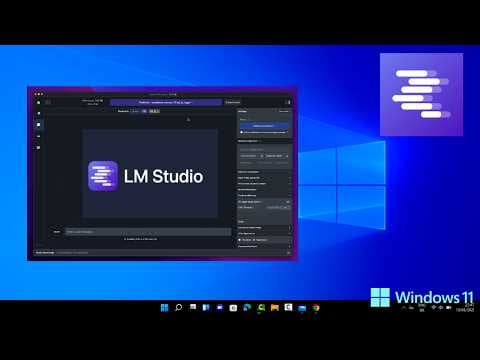
5 minRun AI Locally with LM Studio (NO GPU, NO Cost!) | 2026 Tutorial
Run AI Locally with LM Studio (NO GPU, NO Cost!) | 2026 TutorialZeroTokensAI · 5 min
See the installation-to-first-chat sequence and how the model browser signals hardware fit. The complete automatic captions were reviewed; benchmark, hardware and disconnected-network claims were not independently tested.
10 minHow to Install LM Studio on Windows 11 | Run AI Models Locally (2026)
How to Install LM Studio on Windows 11 | Run AI Models Locally (2026)ProgrammingKnowledge · 10 min
T11-L01: Follow the Windows installation, model download and first graphical chat. Stop before the later developer/server and remote-link tour. The recording does not verify today's model sizing or offline privacy; perform the book's fresh-answer test with every network connection disabled.
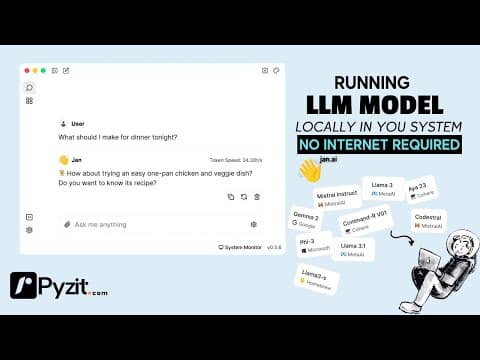
7 minStop Sharing Your Data! Run Your Own Private AI with Jan AI
Stop Sharing Your Data! Run Your Own Private AI with Jan AIDr Lyndon Walker · 7 min
See a graphical local-model workflow with a document example, while learning how model choice, available memory and online features affect how you use it.