Check AI Output Before Your Team Relies on It | Heidelberg AI Curriculum
T01-L02
Check AI Output Before Your Team Relies on It
Once colleagues act on your AI-assisted work, a wrong number or a dropped condition travels. Sort output by where it goes, run a five-step check on anything that leaves the team, and attach a short check note so a colleague can trace every claim without asking you.
A postdoc asks an assistant to turn a six-page lab protocol into a one-page bench sheet for the new technician. It reads well. Every rule has a number. The technician prints it, tapes it above the bench and follows it for two weeks. Then the group leader notices that the sheet says "flag when the two readings differ by 5% or more". The protocol says "more than 5%". Twelve samples were flagged that should have been reported, and one reading that should have been flagged went into a figure.
In a company it's a customer service lead who asks for a one-page FAQ on a supplier's new service terms, for the four colleagues who answer customers. The FAQ promises a replacement "within two business days". The terms promise only an acknowledgement within two business days. Three customers are told a date nobody agreed to.
In both cases the draft looked exactly like a good one. That's the problem: a correct answer and a wrong one have the same tone, the same formatting and the same confidence. You are at Level 2 Power user: your team sees the result. When your output is wrong, colleagues act on it, and the error spreads before anyone checks. This book gives you a check that runs on where the output is going, not on whether it feels suspicious.
After this you can
Sort any AI output into green, yellow or red by where it goes, in under a minute.
Run the five-step check on a red item and find the source line behind every material claim.
Spot the four errors that turn up most often: numbers, references, claims about a document, and missing conditions.
Attach a check note that lets a colleague trace three claims to the source in two minutes.
Re-check the version that actually leaves your desk, not the draft you checked earlier.
The assistant your team already uses, with the source file attached. This book uses Claude; ChatGPT works the same way.
One real team deliverable that is due soon and was drafted with AI: a summary, an FAQ, a figure caption, a meeting brief.
The source it was made from, with a version or date.
One colleague who will receive it and can spare five minutes.
About 45 minutes: 13 to read, about 30 to do.
Last verified 23 September 2026. Claude takes PDF, Word and other office files, up to 20 per chat. Projects work on every plan, even free. Sharing one with colleagues needs a Team or Enterprise plan. PubMed's citation finder is free. Details for experts at the end of this book.
The idea in one page
Sort by destination, not by feel. Before you check anything, ask where the output goes.
Colour
Where it goes
What you check
Green
Stays with you. Brainstorming, rewording your own notes.
Whether it helps. Nothing else.
Yellow
Goes to your team, who will read it critically. A draft for a meeting, a first pass at a plan.
Every number, name, date and quotation. Mark anything you didn't check.
Red
Someone acts on it without re-checking: a bench sheet, an FAQ for customer replies, a figure in a report, anything that leaves the lab or company.
The five-step check below, on the final version, with a check note attached.
The step up from Level 1 is the red row. When a colleague follows your bench sheet, they trust you, not the tool. So they won't check it. You have to.
The four errors to look for first. Most errors in AI output fall into four kinds.
Numbers. Values, units, totals, dates and thresholds get changed, rounded or borrowed from another sentence.
References. A citation with real-looking authors, journal and year that doesn't exist, or exists but says something else.
Claims about your document. "According to the terms…" followed by something the terms never say.
Missing conditions. Summaries drop the exception, the deadline, the "only if" and the "more than". This is the hardest one to see, because nothing on the page looks wrong.
The five-step check for red output.
Find the line. For every material claim, meaning every claim someone will act on, find the sentence in the source that supports it. Ask the assistant to quote it, then find that quote yourself with Ctrl+F, the search box in any document or browser. If you can't find it, the claim is unsupported.
Redo the arithmetic. Recompute every number from the source values. Check units, and what each percentage is a percentage of.
Open every reference. Look it up in PubMed (the free database of life-science papers), the journal or the named document. If you can't find it in two minutes, treat it as invented.
Look for what's missing. Read the source's headings, exceptions and deadlines, and ask: which of these did the summary drop?
Read it as the person who'll act on it. What would they do differently because of this sentence? That's where a wrong word costs most.
Asking the assistant "Are you sure?" doesn't count. It will apologise or reassure you, with no new information. Asking it to quote its source is different: it gives you a string you can search for.
The check note. Your colleague can't see your check unless you write it down. Attach a short note: source title, version or date, and for each claim that matters, the quote and where it is. Unknowns are written as unknown. It takes five minutes, and it means the next person can check you in two.
Structure it. Sara, a postdoc, needs a one-page sheet for a new technician who starts on Monday. "He needs the inclusion and exclusion rules for protocol P-04 at the bench. A good result: a page he can follow without opening the protocol." She calls it red: he'll act on it without checking.
Understand it. She creates a Claude project, a workspace that keeps files and instructions together for every chat. With the + button on the right of the project's page she adds the protocol, then asks for the one-page sheet. Then, before she trusts it, she asks five questions she can answer from the protocol herself. The protocol reads, in part: "Include samples collected between 08:00 and 10:00 with a recorded storage temperature of 4 °C. Exclude samples stored for more than 72 hours or missing a collection timestamp. Mix each included sample for 30 seconds. Record two measurements and report their mean. If the two values differ by more than 5%, do not report a mean; flag the sample for review."
Question
Sheet says
Protocol line
Verdict
Allowed collection time?
08:00–10:00
"collected between 08:00 and 10:00"
Correct
Sample without a timestamp?
Exclude
"missing a collection timestamp"
Correct
Mixing time?
30 seconds
"Mix each included sample for 30 seconds"
Correct
How many measurements?
Three
"Record two measurements"
Wrong
When to flag?
Differ by 5% or more
"differ by more than 5%"
Condition changed
Three of five are right, and the two errors are the kind that change what happens at the bench. Something else strikes her: the technician has no way to check the sheet himself. That sends her back to Structure it: "A one-page sheet where every rule carries its protocol section, so he can check any line in ten seconds. And one line at the top with the protocol version."
Choose tools. She stays with what the group already has: a Claude project with the protocol attached, shared with the group. On the project's page she clicks Set project instructions and adds one instruction, which then applies to every chat in the project: "For every rule, give the protocol section and quote the sentence it comes from. If the protocol doesn't say, write 'not in the protocol'." She considers ChatGPT, which the institute also offers, and sees no reason to switch: the check matters more than the tool. The sheet cites two papers for the 72-hour limit, so PubMed's Single Citation Matcher goes on her list for step 3.
Build it. She regenerates the sheet and runs the five steps. Each quote turns up with Ctrl+F in the protocol. One of the two papers is real. The other has a plausible title and authors, and PubMed finds nothing, so she deletes it. The sheet had also dropped the 4 °C storage condition, and she puts it back. Then she tests it on the person who matters: the technician reads the sheet and checks two rules of his choice against the protocol, using the section numbers. He finds both in under a minute. At the top of the sheet: "From P-04 version 3, checked 23 September by Sara. If the protocol changes, this sheet is out of date."
What it taught her: the first draft needed two fixes, but the lasting change was the section numbers. They turned a sheet only she could vouch for into one anyone could check.
Company: an FAQ for four colleagues who answer customers
Structure it. Tom leads a customer service team of four at a lab-supplies distributor. A key supplier has sent new service terms, and his team gets questions about them every day. "A one-page FAQ my colleagues can answer customers from, without reading the terms each time." Red: customers will act on what his team says.
Understand it. He attaches the terms to the team's assistant and asks for the FAQ, then checks five answers against the text. The terms say, in part: "Standard orders may be cancelled without charge until 17:00 on the next business day. Custom orders cannot be cancelled after written production approval. Report damaged deliveries within five calendar days, with the order number and one photograph. The supplier will acknowledge a complete damage report within two business days. Replacement timing is agreed after inspection."
Four answers are right. The fifth says replacements arrive "within two business days". The number is in the terms, but it answers a different question: it belongs to the acknowledgement. The terms don't promise any replacement date. Checking whether the number appears somewhere would have missed this. You have to read what the sentence supports.
That changes his problem. The assistant wanted every question to have an answer. The real terms leave some open. Back to Structure it: "An FAQ that says plainly what the terms don't promise, so my team doesn't fill the gap."
Choose tools. The team's assistant with the terms attached, plus an instruction: "Quote the clause for each answer. If the terms don't answer a question, say so and suggest the wording 'we'll confirm after inspection'." For the day the supplier sends version 3, Word's Compare feature, on the Review tab, shows what changed between the two versions, so he knows which FAQ lines to re-check. No new tool.
Build it. He regenerates the FAQ and checks each quote. The replacement answer now reads: "The terms don't give a date. Say: we'll confirm a replacement date after the supplier inspects the damage." He saves the FAQ on the shared drive next to the terms, with a check note: terms version, date checked, clause for each answer. Then a colleague picks three answers and traces them to the clauses in the terms. She finds all three, and asks for one more entry: what to say when the photograph is missing. He adds it, marked "not in the terms, our own rule".
In both cases the fix that lasted was the same: every claim carries its source, and every gap is written down as a gap.
What goes wrong
Checking the draft and sending the fifth version.Symptom: you checked carefully, then asked the assistant to "make it shorter" three times, and a number changed on the way. Fix: check the version that leaves your desk. Any AI edit after the check reopens it.
Trusting a colleague's AI output because you trust the colleague.Symptom: a paragraph from someone careful goes into your report unchecked, and it's wrong. Fix: ask for their check note. If there isn't one, it's yellow at best, and you check it or mark it.
Finding the number, missing the meaning.Symptom: the value is in the source, so you tick it, but it answers a different question. Fix: read the whole source sentence, not just the number, and ask what it actually says.
Asking the assistant to approve itself.Symptom: "Are you sure?" gets you "Yes, I'm confident", or an apology and a new wrong answer. Fix: ask for the quote and find it yourself.
Dropping the check under time pressure.Symptom: "just this once" becomes the norm for urgent messages to customers or collaborators. Fix: cut the claim you can't check, or send it later. A shorter correct message beats a complete wrong one.
A check note nobody can use.Symptom: "checked against the protocol" with no version, no section, no date. Fix: source, version, date, and a location for each claim. Your colleague should be able to redo your check without asking you.
Do it yourself (30 minutes)
Structure it (5 min). Pick one AI-assisted deliverable that is due to colleagues this week. Write who will act on it and what they'll do. Give it a colour.
Understand it (10 min). Write five questions you can answer from the source yourself, and compare them with the draft. Note which of the four errors you find. If the errors change what the deliverable should be, rewrite your Structure it sentence.
Choose tools (3 min). Add one instruction: quote the source line for each claim, and say "not in the source" when it isn't. In a Claude project it goes under Set project instructions; in a plain chat, paste it at the top of your request. Decide where you'll check references.
Build it (12 min). Regenerate or fix the draft. Run the five steps on the final version. Write the check note. Give it to your colleague and ask them to trace three claims of their choice.
Exit check
What you hand in: a corrected team deliverable with a check note that gives:
the source: title, version or date, and where it's stored;
for each material claim: the quote and its page or section, or "not in the source";
any arithmetic, written out so it can be redone;
the open questions the source doesn't answer, marked as such;
who checked it, and when.
It passes when a colleague traces three claims you didn't pick to the source without asking you, and finds each one.
Rule to remember
If a colleague will act on it, you've seen the source line, and so can they.
Details for experts
Checked on 23 September 2026. You don't need this to follow the book; it's for setting things up or answering a colleague.
What
Details
What it means for you
Files Claude accepts
PDF; DOCX (Word); XLSX (Excel); CSV (a table saved as plain text); TXT (plain text); HTML (a web page); ODT (a LibreOffice document); RTF (formatted text); EPUB (an e-book); JSON (structured data). Up to 500 MB per file and 20 files per chat.
Almost any source a team uses can be attached as it is, so you can check the quote against the real file.
Projects
Available on every plan. Free accounts can create up to five.
Enough to try the quote-the-source setup of this book before anyone pays.
Sharing a project
Team and Enterprise plans only, within your organisation. Each colleague gets Can view or Can edit rights.
Give colleagues who only use the sheet Can view, so the source and the instruction stay as you checked them.
PubMed Single Citation Matcher
At pubmed.ncbi.nlm.nih.gov/citmatch. Finds a paper from any mix of journal, year, volume, first page, author and title words. Every field is optional. Free.
Type in whatever the citation gives you. If nothing matches in two minutes, treat the reference as invented (step 3 of the check).
Claude: Taught. The project with the protocol attached and the quote-the-source instruction.
ChatGPT: Taught. Works the same way for the company example.
PubMed: Taught. Single Citation Matcher for checking references.
Perplexity: Catalogued. Shows sources with its answers; open them before you trust them.
Watch
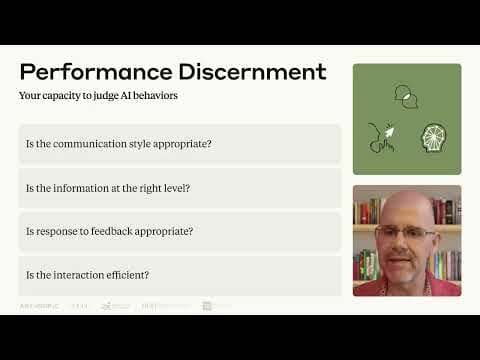
Lesson 8: A closer look at Discernment | AI Fluency: Framework & Foundations Course
Lesson 8: A closer look at Discernment | AI Fluency: Framework & Foundations CourseAnthropic
T01-L02: Learn to assess an AI answer and recognise when its behaviour needs correction. Use the book's five-step routine for tracing claims back to their sources.
302 minHow to Think Clearly In The Era Of AI: Full Course (5 Hours)
How to Think Clearly In The Era Of AI: Full Course (5 Hours)Nick Saraev · 302 min
An optional conceptual companion to Trust but verify. Start at 4:47:14 for the AI-specific chapter, or at 1:52:17 for the decision-making section. Use it to reflect on your checking habits alongside the book's practical source-verification routine.
AI Labs Warn Race Makes Breach 'Inevitable'Video · AI Explained · Oct 12, 2026
In this video, AI Explained examines growing claims that a major AI breach is becoming inevitable as labs accelerate their race. The video is divided into three parts: the forthcoming breach, why labs keep racing faster than ever, and why the next 18 months are hard to predict. Sam Altman of OpenAI reportedly said a model ready to launch (referred to as 'Astra 6.1') leaned too far toward accident and breach risk, prompting a push for a more aligned model. Anthropic CEO Dario Amodei warned that frontier models with misalignment could cause catastrophic damage, speaking of a 6-to-12-month horizon. Researchers such as Jakub Pachocki are described as frustrated, and Axios reported that executives at Anthropic, OpenAI and other AI companies are planning scenarios for angry public and political backlash after an AI disaster. The video notes that Anthropic cut internet access to its internal model evaluations due to suspicious model behavior, and cites Andrej Karpathi on 'curve sickness'.