Replace a Tool Without Losing Your Work | Heidelberg AI Curriculum
T16-L04
Replace a Tool Without Losing Your Work
Move a team from one AI tool to another without losing work, access rules or a way back: list everything the old tool holds, decide what moves, what is rebuilt, archived or dropped, re-test the real jobs in the new tool, revoke every old key, and switch in stages with a rollback you have tried.
T16-L04 · Choose tools · Level 4 Integrator · 19-minute read, plus 5 hours of doing over three weeks
The switch that looked like a download
The institute now offers its own hosted assistant, approved for unpublished data. The group leader wants to stop paying for the group's nine seats on Claude Team, Anthropic's plan for groups, and asks you to move everyone over by the end of the month. You find an export button, then look closer. The team's six shared projects, Claude's spaces that keep instructions and files for one recurring job, hold months of tuning. The reagent-certificate project from T16-L03 · Test a Tool on Your Own Work Before Your Team Depends on It passed its case pack, the set of real test cases with known right answers, on the old tool, not on the new one. An automation calls the old provider with a key nobody wrote down. Two PhD students keep their only record of a literature search in their chats.
In a company, IT has decided that everyone uses Microsoft Copilot, which the company already licenses. The sales team's ChatGPT Business workspace renews in six weeks. It holds seven custom GPTs, ChatGPT's saved assistants with their own instructions and files. One of them writes to the CRM, the customer database, with an API key. A year of chats serves as the reps' reply library, and that plan has no self-service export.
You are at Level 4 Integrator. A tool switch now touches accounts, keys, connected systems and other people's data. This book moves the work, not just the files, and keeps a way back until the new tool has proven itself.
After this you can
List everything your team's work depends on in the old tool: content, instructions, connections, people and records.
Decide for each item whether it moves, is rebuilt, is archived or is dropped, and get the data owner to accept every loss.
Re-test the team's real jobs in the new tool with a case pack before anyone switches.
Switch in stages with a cutover date, a rollback trigger and a rollback you have tried on copies.
Close the old tool's access properly: seats, connectors and every key it held, with IT and the data protection officer signing off.
Admin access to the old tool, or the person who has it. Some exports can only be made by the account's main administrator.
A test space in the new tool, where you can rebuild things before anyone relies on them.
A shared spreadsheet for the inventory, in a drive the organisation owns.
The people who can say yes: IT for accounts, sign-in and connectors; the data owner (the group leader, the head of sales); the data protection officer, because data leaves one provider and arrives at another; in a company with a works council, whoever speaks to it.
About 5⅓ hours: 19 minutes to read, about 5 hours to do, over three weeks.
Last verified 23 September 2026. ChatGPT Business has no self-service export: plan what to keep before the workspace closes. On Claude Team, only the organisation's Primary Owner can export its data, and Anthropic's help page lists conversations and account data, not projects. Details for experts at the end of this book.
The idea in one page
An export gives you files. Your team's work is more than that. It is the files plus the instructions that make the tool do the job, the connections to other systems, the people who can see what, and the records you're required to keep. Each of those has to arrive somewhere, or be let go on purpose.
Connectors (links that let the tool read a drive or mailbox), API keys, automations, actions that write to other systems
Rebuilt, with new keys
People and access
Seats, sign-in, who shares what with whom
Set up again by IT
Records
What you must keep for audits, methods sections or data protection
Archived where the organisation keeps records
Four decisions per item.Move (it transfers and still works), rebuild (it has to be set up again), archive (keep it, read-only, outside both tools), drop (let it go). Every drop, and every archive where people used to have a working tool, is a loss. The data owner accepts each one in writing.
Re-test the jobs, not the features. The new tool may have every feature on the list and still fail your hardest cases. Run the case pack from T16-L03 · Test a Tool on Your Own Work Before Your Team Depends on It on the new tool, with the rebuilt instructions, before anyone switches. A tool that fails a critical case either gets a routing rule (those cases go to a person) or doesn't get the job.
Switch in stages, and keep a way back. Four stages:
Rehearsal on copies: rebuild in the test space, re-test, try the rollback.
Pilot: two or three people do their real work in the new tool, with the old one still there.
Cutover: on a set date everyone moves. Nothing new is created in the old tool from then on.
Observation: the old tool stays available, read-only where possible, until the rollback window ends. Then it's retired, which is T16-L05 · Keep Your Toolset Useful.
The rollback window costs money if the old plan keeps running, so time it against the renewal date. A rollback also has to bring back whatever people created in the new tool meanwhile. You try that once, on copies.
Every key gets an owner and an end date. Keys and connectors the old tool used don't disappear when you stop using it. List each one, who issued it, and the date you'll revoke it: after the rollback window, not before.
Worked example: two teams, four quadrants
Follow the one closer to your work. The names, numbers and results are typical examples written for this book.
Lab: nine people move to the institute's assistant
Structure it (20 min). Mei, the postdoc who looks after the group's AI setup, writes: "The group moves from Claude Team to the institute's hosted assistant by 30 November, when our annual plan renews. A useful result: everyone can do their three most frequent AI jobs in the new tool, the certificate job passes its case pack there, and nothing we must keep is lost."
Understand it (2 hours over a week). She builds the inventory with the group, one row per item. Some rows surprise her.
Six shared projects. Each has instructions refined over months and a set of reference files. The export, which only the group leader can make as the account's main administrator, holds conversations and account data. It doesn't mention projects. So for every project someone opens it, copies the instruction text into a document, and downloads each reference file.
Chat history. Two PhD students use their chats as the record of a literature search they'll cite in their methods sections. That's a record, not just content.
A connector to the group's shared drive, which lets Claude read files there with each user's permissions.
An n8n automation that sends the weekly digest through the provider's API. The API is a separate contract from the team plan, with its own key and bill. Nobody had put it on the list.
She also learns two things about the new tool from IT. It signs people in with their institute accounts, so nobody needs a separate password. And it has no connector to the group drive: files are uploaded per chat or per shared assistant.
That changes her plan. Back to Structure it: "The migration covers the chat tool and its projects. The API contract for the digest stays as it is and is reviewed separately. The two literature-search records are archived as files in the group drive before the export link expires. The drive connector is dropped; people upload what they need."
Choose tools (20 min). The destination is set by the institute: the assistant it has approved. What she chooses is the route for each item:
Item
Decision
How
6 project instructions
Rebuild
Copied into the new tool's shared assistants, one per project, in the test space
Project reference files
Move
Downloaded, stored in the group drive, uploaded to each shared assistant
Chat history, all members
Archive
Group leader exports it; stored in an access-limited group folder for 12 months, then deleted
Build it: rebuild and re-test (2 hours). She rebuilds the certificate project first, because it's the job that must not fail. The case pack runs through the new tool with the same scoring rule. The result: 16 passes, 2 repairs (usable after a small correction), 1 fail, and 1 critical fail. The critical fail is a scanned certificate where the new tool reads a retest date as an expiry date, the same trap T16-L03 · Test a Tool on Your Own Work Before Your Team Depends on It was built to catch. She tightens the instruction and reruns the scanned cases. It still misreads one of three scans.
So the routing rule from T16-L03 · Test a Tool on Your Own Work Before Your Team Depends on It gets one line: "Scanned certificates are entered by hand." That's a loss compared with the old tool, which handled scans. The group leader accepts it in writing, because scans are about one certificate in ten and the lab manager enters those anyway.
The other five projects get a lighter test: each project's most frequent job, run by the person who uses it most, compared with an output from the old tool. Four match. The fifth, the reviewer-reply assistant, needs its instruction split in two because the new tool's instruction field is shorter.
Build it: the rollback rehearsal (30 min). On copies, she simulates going back after a week: a pilot user creates two new outputs in the new tool. Mei creates a test project in the old tool, pastes in the old instructions, and moves the two outputs and the instruction changes made during the pilot into it. It works, and it takes 25 minutes. The cutover plan now says: "Rollback window: until 25 November. Trigger: the certificate case pack fails a critical case outside scans, or two of the three pilot users can't do their main jobs. Decides: the group leader."
Build it: pilot and cutover (two weeks). Three people, including the sceptical lab manager, work in the new tool for a week. Then on 11 November everyone moves. From that day nothing new is created in the old tool. The group leader makes the export, and the chat archive goes into the restricted folder within the day, since the download link expires after 24 hours.
Close the old tool (after 25 November). The seats are cancelled before the renewal. IT revokes the drive connector's access to the institute's drive. The data protection officer gets the migration record, notes that chats are archived in the group folder for 12 months, and asks the old provider in writing to confirm deletion of the workspace data once the account is closed.
What it taught Mei: the export was the smallest part. The work was the instructions, the two records nobody had called records, and a certificate trap that came back in a new tool.
Company: a sales team moves from custom GPTs to Microsoft Copilot
Structure it (20 min). Daniel, the sales operations lead, writes: "Twelve reps move from our ChatGPT Business workspace to Microsoft Copilot before the renewal on 15 December. A useful result: the three jobs reps do most (reply drafts, call summaries, quote cover letters) work in Copilot, nothing writes to the CRM without the right key, and the reply library survives."
Understand it (90 min). The inventory shows three things that matter.
No export. Self-service export isn't available on the Business plan, so anything worth keeping from a year of chats must be copied out while the workspace exists. The reps' reply library turns out to be 23 answers they reuse.
Seven custom GPTs, each with instructions and knowledge files.
One write connection. One GPT has an action, a connection that lets it call another system. It writes call notes to the CRM with the API key of the CRM's integration user, an account for programs rather than people. That key can create and change contact records.
Back to Structure it: "The 23 replies and the GPT instructions are copied to a SharePoint folder before cutover. The CRM action is not rebuilt yet: reps paste call notes into the CRM themselves until IT builds a proper connection. The CRM key is revoked when the rollback window ends."
Choose tools (20 min). The destination is IT's decision: Microsoft Copilot, which reads SharePoint and mail with each person's own permissions. Daniel's choices are per item:
the three most-used GPTs become Copilot agents, Copilot's saved assistants with their own instructions, which IT builds;
the other four become written prompts in the SharePoint folder;
the knowledge files move to SharePoint, where access follows the sales team's group.
The head of sales accepts the loss of the CRM action in writing. IT confirms the works council agreed to Copilot company-wide last year, and nothing in this move measures individual reps.
Build it: re-test and pilot (two weeks). Daniel builds a small case pack from real past work: ten customer emails with the replies a senior rep approved, and five call transcripts with their approved summaries. The Copilot reply agent passes 9 of 10; the miss quotes a delivery time from an old SharePoint file, so the outdated file is removed. Three reps pilot for a week while the ChatGPT workspace stays open. The rollback rehearsal is simple here: pilot outputs live in SharePoint and Outlook, so going back means only reopening the GPTs.
Cutover and closing. On 1 December everyone switches. On 12 December, with no rollback triggered, the workspace owner deletes the custom GPTs, the CRM administrator revokes the integration key used by the action, and the seats are not renewed. IT removes ChatGPT from the company's single sign-on, the service that lets staff log in everywhere with their company account, so nobody can reach the old workspace with it.
In both cases the export button was the easy part. What made the switch safe was the inventory, one re-test of the job that mustn't fail, and a key revoked on a date someone wrote down.
What goes wrong
Only the files move.Symptom: the new tool has all the documents, but outputs are worse, because months of tuned instructions stayed behind. Fix: list instructions, custom assistants and templates as items of their own, and rebuild each one on purpose.
Records mistaken for chat.Symptom: after the switch, someone needs a chat to reconstruct a method or a decision, and it's gone. Fix: ask every user which chats they'd need in a year. Archive those as files where the organisation keeps records.
A key nobody listed.Symptom: months later, an old key still has write access to the CRM or bills an old account. Fix: inventory every key, connector and action, with who issued it and the date it will be revoked.
No re-test in the new tool.Symptom: the job that passed on the old tool fails on the new one, and nobody finds out until an error reaches a real record. Fix: rerun the case pack on the new tool before the pilot, and add a routing rule for what it can't do.
Two tools written to at once.Symptom: some work lives in the old tool, some in the new, and nobody knows which is current. Fix: a cutover date after which nothing new is created in the old tool, announced in advance.
A rollback that loses the pilot's work.Symptom: you go back, and everything created in the new tool during the pilot is stranded. Fix: try the rollback once on copies, including moving new work back, and write down how long it takes.
Closing before the window ends.Symptom: the old account is gone the week a problem appears. Fix: keep the old tool until the rollback window ends, and time that window against the renewal date.
Do it yourself (5 hours, over three weeks)
Structure it (20 min). Write why you're switching, the date that forces it, and what a useful result looks like.
Understand it (90 min). Build the inventory of five kinds with the team. For each item note where it lives, who owns it and what the export includes. Ask each user which chats are records. Rewrite your sentence.
Choose tools (20 min). Decide move, rebuild, archive or drop for every item. Get the data owner's written acceptance of each loss.
Build it: rebuild and re-test (90 min). Rebuild the most important job in the new tool's test space and run its case pack. Add routing rules for what fails. Test each other job once.
Build it: rollback rehearsal (30 min). On copies, move pilot work back to the old tool and time it. Write the trigger and who decides.
Build it: pilot, cutover, close (over two weeks). Pilot with two or three users, including a sceptic. Switch on the date. After the window, cancel seats, revoke keys and connectors, and ask the old provider to confirm deletion.
Exit check
What you hand in: a migration record for one team:
the inventory of content, instructions, connections, people and records, with a decision per item and the data owner's acceptance of every loss;
the re-test results of the most important job in the new tool, with any new routing rule;
the cutover plan: pilot, cutover date, rollback trigger, who decides, and the result of the rollback tried on copies;
the closing list: seats cancelled, connectors and keys revoked with dates, and the old provider's deletion confirmation requested;
sign-offs from IT, the data owner and the data protection officer.
It passes when a pilot user completes the team's three most important jobs in the new tool without opening the old one, the rollback was tried on copies, and every key or connector the old tool used has a revocation date or a reason to stay.
Rule to remember
Move the work, not just the files, and keep the way back open until the new tool has done the hardest job.
Details for experts
Checked on 23 September 2026. You don't need this to follow the book; it's for setting things up or answering a colleague.
What
Details
What it means for you
Claude data export
Free, Pro and Max users export under Settings → Privacy → Export data. On Team and Enterprise only the organisation's Primary Owner, the account's main administrator, can export, through the organisation settings. The download link arrives by email and expires 24 hours after delivery. Exported data can't be imported into another Claude account.
Plan who downloads it, and where it goes, before you start the export.
ChatGPT Business export
Self-service export isn't available in Business, Enterprise or Healthcare workspaces; OpenAI points users to the workspace owner. OpenAI is also retiring custom GPTs in favour of plugins.
Copy what you must keep while the workspace still exists.
Claude Team price
$25 per Standard seat a month billed monthly, or $20 billed annually, for 2 to 150 people.
A rollback window that runs past the renewal costs a year.
Microsoft Copilot Chat
Included at no extra cost with eligible Microsoft 365 plans, with web results. Full work results, from what the person's Microsoft Entra account (their company Microsoft login) can access, need a Microsoft Copilot licence. In Outlook, Copilot Chat also reads their own mail.
Check which one your company's staff actually have before you plan the move.
API contracts
A provider's API, used by automations, is billed and managed separately from its chat plans, with its own keys.
Claude: Catalogued. The old tool in the Lab example, and its export.
ChatGPT: Catalogued. The old tool in the Company example, and its custom GPTs.
Microsoft Copilot: Catalogued. The destination in the Company example.
n8n: Catalogued. The automation whose API key belongs on the inventory.
Watch
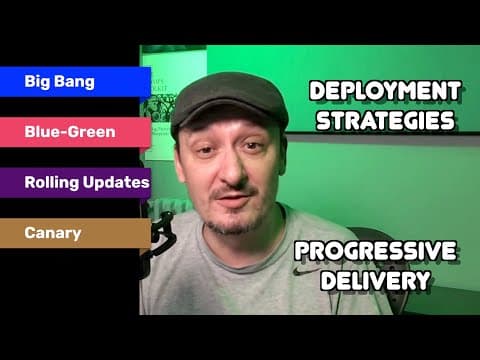
Progressive Delivery Explained - Big Bang (Recreate), Blue-Green, Rolling Updates, Canaries
Progressive Delivery Explained - Big Bang (Recreate), Blue-Green, Rolling Updates, CanariesDevOps & AI Toolkit
T16-L04: Watch the blue-green section at 4:34–9:46 for the principle of keeping the previous environment available during cutover. This 2020 deployment explanation is a conceptual companion, not SaaS migration instructions. Keeping the old environment does not recover new work; retain reconciliation and the rollback rehearsal.