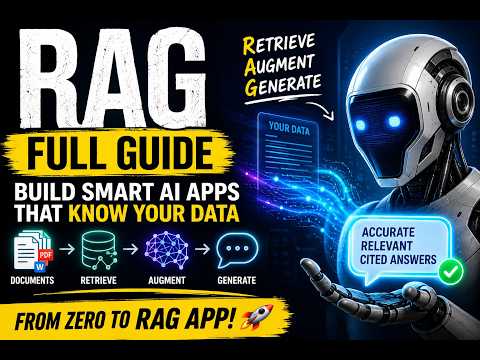
Need exact answers from your own papers
A private research assistant that searches your own literature instead of the whole internet.
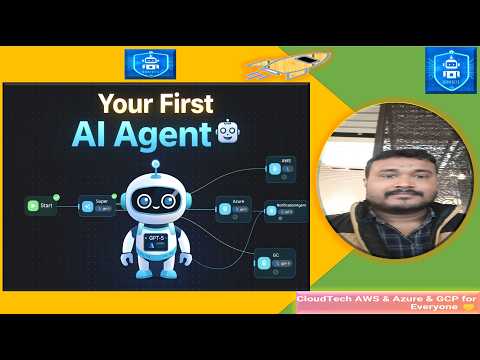
What an agent framework actually is, and which of the three to reach for.
Three open-source ways to build an agent of your own, and the one question that separates them: how much of it belongs in version control, and how much on a canvas?
An agent framework is scaffolding for a program that decides its own next step. You give it a goal, a set of tools it may call and a model to think with; it loops — plan, call a tool, read the result, plan again — until the goal is met or it gives up. That loop is the whole difference from a chatbot: a chatbot answers you, an agent goes and does something and comes back. → The three tools in this section build the same thing three ways. Flowise and Langflow are canvases: you drag nodes, connect them, and watch data move through the graph — Langflow additionally lets you open a node and edit the Python inside it. CrewAI has no canvas at all; you declare each agent, its role and its task list in Python, and the structure lives in your repository like any other code. → That is the trade-off to make deliberately, because it is hard to undo later. A canvas is faster to a working demo and much easier to show someone. Code is what you can diff, review, test and roll back. Pick the canvas when the value is in the idea and the audience is human; pick code when the agent is going to run unattended and somebody will have to debug it at 2am. → All three are free and self-hostable, and none of them includes a model. You bring an API key (see LLM models and EU-sovereign inference) and you pay per token for every loop the agent takes — which is why agents cost more than they look like they should. The three chapters after this one take each tool in turn.
Canvas tools like Flowise and Langflow let you drag nodes and visually connect them, while CrewAI requires you to declare agents, roles, and tasks directly in Python code stored in your repository.
Pick a canvas when the primary value is rapid prototyping for human audiences; choose code when the agent will run unattended and needs version‑controlled, testable logic for debugging.
Flowise is an open‑source, self‑hostable agent framework that provides a drag‑and‑drop canvas for building agents.
You will have a running Flowise instance you can open in a browser and start adding nodes.
Langflow is an open‑source canvas framework that lets you edit the Python code inside individual nodes.
You will build a minimal Langflow graph that calls a custom Python function as a tool.
langflow run to start the local server and open the canvas in your browser.CrewAI is an open‑source framework where agents, their roles, and task lists are defined entirely in Python code.
You will write a small CrewAI script, add it to a Git repository, and commit the changes.
git init to start a repository.crew.run().git log displays your commit.Flowise nodes can call language models via API keys; the framework itself does not include a model.
You will configure a Flowise node to call an LLM using your own API key and see a generated response.
A side‑by‑side implementation of an identical agent task using a visual canvas (Flowise) and pure Python code (CrewAI).
You will implement the same simple data‑fetching task in both frameworks, then observe differences in version control and debugging.
requests, parses the JSON, and returns the field; assign this function as a tool for a single‑task agent and run it.git diff on each commit to see how changes appear in a canvas export versus plain code.96 outcomes in all — one per recipe below.
Need exact answers from your own papers
A private research assistant that searches your own literature instead of the whole internet.
Need to pull a sequence record on demand
A reusable bench assistant the whole group can query — exported as an API endpoint.
First‑pass literature review draft
A first-pass review draft assembled by agents collaborating, ready for you to verify and refine.
Unsure which abstracts to include
A first-pass screening sheet where every borderline call has already been checked by two independent readers, so your two human reviewers only adjudicate the cases where the agents still disagree.
Methods paragraphs turned into spreadsheet‑ready JSON rows
Twenty papers become twenty clean rows you can drop into a spreadsheet, all in the same schema.
Stakeholders want budget numbers with proof
Finance questions are answered from the actual numbers on file, not from memory or stale slide decks.
Board prep questions need real report answers
Board prep questions get answered in seconds from the real reports, not from memory or a hastily built slide.
Quarterly exit data becomes an actionable theme report rather than a folder of unread transcripts.
Need a fast executive summary of survey results
The People team has a ready-to-present engagement brief within minutes of the survey closing, not after days of manual tabulation.
Reps get an up-to-date battle card before a competitive deal, not a stale slide deck from six months ago.
Survey comments are a mess
The support lead gets a structured theme breakdown from each survey batch in minutes, not after a manual analysis session.
Need reliable answers from our docs at any time
A 24/7 support assistant on your site that only answers from your real documentation.
Manually sorting incoming tickets
Tickets arrive pre-classified with a draft reply, so agents work the queue faster and first-response times drop.
Candidates stuck waiting for email updates
Candidates get instant, accurate status updates instead of emailing a recruiter, reducing inbox load and improving candidate experience.
Tickets get misrouted and missing context
The right agent gets the right ticket immediately, with context already assembled, cutting handle time and misrouting.
Too many tickets need human agents
A large fraction of incoming tickets receive a draft resolution without any human touch, and only the genuinely complex ones reach a senior agent.
Customers ask about their order status
Order-status questions are answered automatically around the clock, deflecting a large share of routine support volume.
Closed tickets need a personal check‑in but I’m busy
Every resolved ticket gets a timely, personalised check-in without any manual scheduling, lifting CSAT and catching re-opens early.
Customers stuck in onboarding
Stalled customers receive a relevant, timely nudge from a CS rep before they churn silently, without the rep manually reviewing every account.
Only a topic to start, but want a complete on‑brand draft
A repeatable pipeline that drafts on-brand content from a single prompt.
Need a fresh newsletter each week from a few links
A repeatable pipeline that turns a topic and a few sources into a near-final newsletter draft each week.
Inbox flooded with comments
Your inbox arrives pre-sorted with draft replies waiting, so a backlog of messages becomes a few minutes of approving.
Need a quick first‑draft curriculum
L&D teams get a structured first draft for each new course in minutes, so design effort focuses on content quality rather than structure.
Messy free‑text requests get sorted
Messy free-text requests arrive pre-sorted and structured, with no manual triage.
Weekly numbers are scattered
A consistent Monday-morning ops report assembled from the raw numbers, ready for a human to sanity-check and send.
PDF invoices coming in raw
Dozens of invoices per week are parsed into structured records automatically, eliminating manual data entry.
Expense reports need compliance checks
Every expense batch arrives pre-audited — approvers only review the flagged exceptions, not every line.
Too many resumes to read
A ranked shortlist with reasoning arrives before the first recruiter review, cutting initial screening time sharply.
Chasing email updates for month‑end tasks
The controller sees a real-time close status at a glance instead of chasing status updates by email.
Unsure if purchase order matches invoice
Matching runs on two independently-read documents instead of one agent skimming both at once, so a real mismatch gets caught instead of silently reconciled away by a reader who already expects them to agree.
Unsure which evidence files are missing
Missing evidence gets flagged before the auditor has to ask a second time, not discovered mid-fieldwork.
Need interview questions specific to a role and bias‑free
Interviewers receive a role-specific question bank that has already been screened for compliance, not a recycled generic list a single drafting pass might let slip through.
Bullet‑point manager notes
Managers spend minutes reviewing and refining rather than writing from scratch, and review quality becomes more consistent across the organisation.
Employees need to use a portal for time‑off requests
Employees file leave in a conversation instead of navigating a complex HR portal, and records update automatically.
Refund requests get policy‑checked
Routine refund decisions arrive policy-grounded and independently judged before a human sees them — the policy-checker isn't swayed by how sympathetically the reader summarised the request.
Referral letters arrive unsorted
Referral letters arrive pre-sorted into a queue a clinician can scan and confirm in seconds, instead of reading every letter cold to decide urgency.
When you need only qualified leads emailed to you
Inbound visitors are pre-qualified around the clock, so you only spend time on leads that fit.
Researching prospects is slow
Each outreach email is grounded in something real about the prospect, written in under a minute per contact.
Unstructured call notes
Call notes become structured CRM entries in seconds, so reps spend time selling rather than typing updates.
Need a quick list of passive candidates
Recruiters get a first-pass shortlist of passive candidates in minutes rather than hours of manual searching.
Inbound leads arrive unsorted
Inbound leads arrive pre-tiered so sales works the highest-value contacts first, not the most recent ones.
Need a quick sales proposal that checks stock
Reps get a ready-to-send proposal draft in seconds, and the system prevents quoting unavailable stock.
Can’t find objection replies mid‑call
Reps get playbook-grounded coaching on demand instead of hunting through shared drives mid-call.
I need a weekly list of at‑risk accounts with next steps
CS and sales have a weekly at-risk list to act on rather than discovering churn only at renewal.
Need a quick answer to HR policies
Routine policy questions are answered from the real handbook instead of landing in the ops or HR inbox.
New hires stuck on first‑week tasks
New hires complete setup faster and HR spends less time fielding repeat questions during the first week.
Ticket topics no one answered
Your knowledge base grows automatically from real ticket patterns, keeping self-serve deflection high.
Want to catch risky vendor contract clauses
Finance can spot risky clauses in minutes rather than reading every page, and a summary of deviations lands with each upload.
Creating a new job description takes days
First-draft JDs take minutes rather than a day of back-and-forth, and language stays consistent and bias-reviewed across all roles.
I need a quick support macro in our tone
New macros are drafted in seconds rather than collaboratively written in long docs, and they land in the right tone from the first draft.
Can’t find a component spec in PDFs
Engineers get spec answers in seconds from the actual datasheets on file, without hunting through PDFs or risking a mis-remembered value in a design review.
Need a fast regulatory screen for a design change
Design changes get a first-pass regulatory screen in minutes rather than waiting for a scheduled review, and the gap list arrives with clause references the engineer can act on directly.
Need a test protocol from scratch
A first-draft test protocol arrives ready for engineering review, with requirement and standard traceability already filled in, rather than starting from a blank template.
Weekly cash‑flow brief that flags overly optimistic assumptions
A weekly cash-flow brief arrives with its optimistic assumptions already challenged, not just modelled and shipped straight through.
Need to spot big budget gaps in my spreadsheets
Budget owners receive a focused variance brief with the biggest surprises explained, not a raw spreadsheet to interpret themselves.
Can't manually sort customers
Sales and marketing can target each segment with the right action immediately, rather than waiting for a manual analyst report.
Need an open‑source AI library in your Python setup
You can add CrewAI to any Python environment with a single command
I need to tell each agent what to do and what result to produce
Tasks define the work to be done and link each piece of work to a specific agent
You have separate agent and task YAML files
The short Python script ties the YAML definitions together, creating a runnable crew
Running the crew shows each agent's step-by-step thought process in the terminal
Seeing the researcher's reasoning helps you understand how it plans to solve the goal
The automatic handoff demonstrates how agents collaborate within a crew
Need a finished report you can read now and reuse later
CrewAI not only shows the result in the console but also writes it to a file for later use
Running the crew shows an agent invoking its tool mid-task and passing the result to another agent
Use a Crew when you want agents to self-organise and discover how to work together
Use a Flow when you need explicit, repeatable steps with fixed ordering and branching
Identify tasks that must be repeatable and predictable; those are the right candidates for a Flow
Need to run a crew directly from a GitHub repository
Deploy a code-first crew directly from a GitHub repository without managing servers
Can't pass secret keys to your crew
Supply required secrets (e.g., LLM API key) to the deployed crew via AMP's UI
You can see when a crew is still building and get its live URL and token as soon as it's ready
Compromised bearer token
If a token is compromised you can instantly generate a new one without redeploying
Need to update a live crew after code changes
You can push new code to a running crew without leaving the dashboard
Need to stop a deployed crew
You can cleanly stop a crew and free its resources with one click
Want to build AI agents without paying or giving a credit card
You can start building AI agents without any upfront cost or credit card
Want a clean space to design your chatbot
A fresh visual workspace lets you design an agent by dragging and connecting nodes
Can't link nodes in my workflow
Linking nodes defines how data moves through the agent, turning boxes into a working pipeline
Sending a prompt through the chat panel proves the flow works end-to-end
You can see the assistant decide when to use a tool versus answering from documents
When a query can be satisfied by your own documents, the agent answers directly without invoking a tool
Need to collect info from the web
A Search Agent can retrieve relevant information from external sources for later use
Want to pull data from a web API
The Get Request tool lets the flow call APIs or URLs and bring back raw data
Multiple agent outputs need to be merged
A Summarize node can take results from multiple upstream agents and produce a cohesive response
Executing the flow from the chat panel shows each agent act in sequence and pass results along
Model gives wrong output
Provides a way to send corrective input back to the model so it can generate a better result
Need to correct the assistant’s last reply
Enables the human to supply targeted edits that the agent can incorporate in its next generation step
Scoring runs provides an objective measure of whether changes improve the agent's output
Need a live chat widget on any web page
You can turn a finished Flowise flow into a live chat widget that runs directly on any web page
Want chatbot replies in any app
Your Flowise flow can be invoked programmatically via a REST API, enabling integration with any application
You can run your Flowise agent locally or in scripts without writing code, using the built-in CLI
Want to talk to your chatbot from TypeScript or Python
Flowise provides client libraries so you can call your chatbot directly from TypeScript or Python projects
You decide whether your chatbot runs on managed Flowise Cloud or on your own servers, even in an isolated network
Want a local UI to chat with LLM agents
You can run Langflow on your machine for free using the Desktop app or Docker
Sending a prompt in Playground lets you see step-by-step reasoning and tool selection
You can see the whole application as blocks linked by wires, each block performing a single function
Want to add parts to a workflow
You can build a flow by dragging desired components from the list directly onto the visual canvas
Need to link block ports without code
Wiring blocks left-to-right tells Langflow how messages travel through the app without writing glue code
Every visual block corresponds to actual Python code you can inspect or modify
Executing a Langflow flow on your machine incurs no extra fees beyond your hardware and any external model API costs
Want to test a basic chat flow
Building and wiring three basic blocks demonstrates the core workflow of Langflow
My bot only gives generic answers
Loading your own source file makes the chatbot retrieve information from that content instead of generic model knowledge
Need to point your flow at a new vector store
You can change the retrieval backend without rebuilding the flow
You can watch an agent's step-by-step thoughts and tool picks in real time
The trace tells you exactly which block, role or tool caused an incorrect answer
A reasoning mistake in one part of the workflow
You can correct only the problematic block instead of rebuilding the whole flow
You can verify that an agent picks the right tool for a given request
Want to call your workflow from anywhere
You can turn any finished flow into an instantly callable REST endpoint
Running the generated cURL command proves the flow is reachable as a service
Calling a flow from a Python script
Using the provided Python code lets you integrate the flow into any Python application
These are CrewAI's core building blocks. An agent is a role-playing AI worker with a role, a goal, a backstory, and optionally tools and its own LLM, for example a researcher whose goal is to find the latest facts on a topic. A task is a specific unit of work with a description and an expected output, assigned to an agent. A crew is the team of agents plus the list of tasks, run together with a process (such as sequential) that decides the order. In a scaffolded project you describe agents in agents.yaml and tasks in tasks.yaml, then wire them together in Python. Running the crew makes the agents collaborate and produce a final result.
Agents become useful when you attach tools. CrewAI ships a large library of ready-made tools (web search, scraping, file reading and writing, code execution, database and API access, and more), and you can also write custom tools as simple Python functions. You import a tool, instantiate it, and pass it in the agent's tools list, either in code or wired through the YAML-plus-Python scaffold. When the agent runs, it decides when to call a tool to gather information or take an action, rather than relying only on what the LLM already knows. Some tools need their own API keys (for example a search provider), which also go in your .env file.
Need a code‑only setup for agents and tasks
Learn how to set up agents, tasks, and flows using code instead of a visual canvas
No local installation needed
Start Flowise instantly in the browser without installing anything
Want a local LLM workflow builder?
Learn how to get Flowise running locally on your machine
Want a bot that fetches live data
Learn how to let an agent automatically call external tools like web search or HTTP requests
Know that Langflow requires local installation, API key setup, and a running machine before use
Need a quick way to call a flow
Obtain ready-to-use Python, JavaScript, or curl calls for a flow
Flowise is an open-source platform for building AI agents and LLM workflows visually, instead of writing code. You assemble apps by dragging boxes called nodes onto a canvas and connecting them, so you can see exactly how information flows. It is built for things like document-aware chatbots (RAG over your own PDFs), single chat assistants that can call tools, and multi-agent workflows where several agents hand work to each other. It connects to 100+ sources, tools, vector databases and memories, and major LLM and embedding providers, so most of the work is choosing and wiring nodes rather than programming.
A finished flow can ship two main ways. As an embeddable chat widget: Flowise gives you a small script snippet that imports the flowise-embed module and initializes it with your chatflow ID and API host, which you paste between the body tags of your web page; the widget is themeable. Or programmatically: each flow is exposed via an API, a CLI, and TypeScript and Python SDKs, so other software can call it. You choose where it runs: Flowise Cloud (managed) or self-host the open-source version, including fully air-gapped for sensitive data. Publishing is included on every plan, within your plan's prediction limits.
These are Flowise's three builder types. Assistant is the most beginner-friendly way to create an AI agent: a chat assistant with instruction-following, tool use and RAG. Chatflow is for single-agent systems, chatbots and simpler LLM flows, with support for techniques like Graph RAG and rerankers. Agentflow is the superset of the other two and is where you do multi-agent orchestration: several agents and steps wired together on a canvas, where the connections set the order of work. A good progression is to start with a Chatflow assistant, then move to an Agentflow once one agent is not enough for the task.
This is RAG (retrieval-augmented generation) and it is Flowise's sweet spot. Create a New Chatflow, drag a PDF File loader onto the canvas and upload your document. Add a vector store node and connect it: this indexes your PDF so the model can retrieve the relevant passages before answering. Then connect a chat-model node (for example OpenAI), open the chat panel, and ask something like 'Summarize the main method in this document.' The reply should be grounded in your uploaded file, not generic knowledge. You wire the vector store and embeddings visually instead of coding them, though those concepts do have a real learning curve.
Yes, Flowise has built-in human-in-the-loop review. You add a review step to a flow before the action you do not want fully automated, such as sending an email or finalising an answer. When the run reaches it, the flow pauses and shows the proposed output with Proceed and Reject controls, plus a box to give feedback on the last assistant message. Approving lets it continue; rejecting with a note sends the agent back to revise. The review adds no model cost while it waits, you only spend tokens when the agent resumes. This is how you ship agents you can trust on real tasks instead of running them unsupervised.
Flowise includes tracing and analytics plus Evaluations and Metrics, and the latter is on every plan including Free. After a run you open its execution trace: a step-by-step view from Start through each agent to the final answer, showing each step's inputs, outputs, duration and token count. That is how you find a slow or expensive step, or debug a wrong answer. Evaluations and Metrics let you score runs against expected answers so you can tell whether a change to the flow genuinely improved it rather than just feeling better. Tracing and evaluations are free; running the evaluations themselves spends normal model tokens.
Both are free, open-source, drag-and-drop builders for AI agents and RAG apps, and both let you self-host and bring your own model keys, so they overlap heavily. The clearest difference is the foundation: Langflow is built around Python and LangChain, and every block opens as editable Python — which suits teams comfortable in the Python ecosystem who may want to drop to code or export flows as an API or MCP server. Flowise is built on Node.js and JavaScript, which can fit JavaScript-first teams better. Both have template galleries and visual canvases, so the practical choice often comes down to which language ecosystem and component set your team already uses. Try the Simple Agent template in each and see which canvas feels clearer.
Use a template instead of a blank canvas. After installing, click New Flow and choose the Simple Agent template — it comes with an Agent component already wired to Chat Input and Output plus Calculator and URL tools. In the Agent component click Setup Provider, pick your model provider, and paste your API key (you bring your own key; Langflow is free). Then click Playground and type a simple request like "I want to add 4 and 4." The agent shows its reasoning, picks the Calculator tool, and answers 8. You have a working, tool-using agent in minutes without writing any code.
A flow is blocks wired together. Each block does one job — a chat input, a language model, a document store, an agent, a web-fetch tool — and the wires between them decide how information moves through your app. You drag blocks from the component list onto the canvas and connect their ports left to right, so a typed message flows into the model and the reply flows back out. Wiring is how you design behaviour; for common cases there is no glue code to write. Open any block and you will see it is real, editable Python underneath, because Langflow is a visual layer over Python and LangChain. Beginners never have to touch that code, but it is there when you want to customise a component.
Yes — this is one of Langflow's most common uses, built with retrieval-augmented generation (RAG). Open the template gallery and pick a document-grounded starter, then point its document block at your own source, such as a PDF or a website. RAG means the bot first retrieves the relevant passages from your files, then asks the model to answer using them, so replies are grounded in your content rather than guessed. Open the Playground and ask a question only that document can answer. This is the same pattern researchers use to chat with their own papers or datasets, and the flow generalises from one PDF to a whole folder or a shared literature-Q&A bot.
Langflow is model-agnostic: the README states it supports all major LLMs and vector databases, with a growing library of AI tools. You bring your own provider keys — OpenAI, Anthropic, and others — by pasting them into the model block, and you are not locked into any single vendor. Because every component is editable Python over LangChain, you can swap the language model, the embedding model, or the vector store without rebuilding the whole flow. For private or offline setups you can point the model block at a local model instead of a hosted API. This flexibility is a core reason teams pick Langflow over more closed builders.
Use the Playground, which is built for exactly this. When you chat with your flow there, the agent shows its step-by-step reasoning and which tools it chose, so you can see where a wrong answer came from — a bad retrieval, a missing tool, or an unhelpful prompt. Because each block is a discrete step, you can inspect inputs and outputs at each stage rather than treating the app as a black box. If you need to go deeper, open the underlying Python of any component to understand exactly what it does. Watching the agent think out loud is usually faster than reading raw logs for spotting why a flow misbehaves.
I need a starter folder for my AI crew
The `crewai create crew <name>` command auto‑generates a ready‑to‑edit directory containing agents, tasks, tools and config files in YAML, saving manual setup time.
Need a reproducible workflow with hidden API keys
Locking with `crewai install` creates a reproducible UV lock file; adding OpenAI and SerpAPI keys in `.env` secures credentials; `crewai run` orchestrates agents, tools, and tasks to produce the final report.
Need a short article created by three roles
CrewAI abstracts multi‑agent work into a simple crew definition: you list role classes, set each role’s goal, and the framework automatically schedules agents to fulfill those goals. This reduces boilerplate and makes the codebase highly readable.
A rough draft email you wrote
Using Crew AI's `Agent`, `Task`, and `Crew` classes, the tutorial creates an agent with role, goal, and backstory prompts, then defines a task that rewrites a rough email. This shows how prompt engineering drives agent behavior.
My AI agent can’t understand company abbreviations
The video builds a subclass of `BaseTool`, implements a `run` method that replaces organization‑specific abbreviations, and registers the tool in an agent. This demonstrates how to give agents domain knowledge they otherwise lack.
Want a short, fact‑based blog post
By defining a researcher agent and a writer agent, then creating two tasks (research facts → write blog), the tutorial shows how Crew AI passes output from one agent as input to the next, enabling complex pipelines.
Your AI stops at its knowledge cutoff
The tutorial imports `SerperTool`, supplies a SerpAPI key, and attaches the tool to the researcher agent. This enables the agent to perform live Google searches, overcoming LLM knowledge cutoffs.
Prompt text hard‑coded in Python
Crew AI can load agent and task definitions from YAML files. The video moves role, goal, backstory, and task descriptions into `agents.yml` and `tasks.yml`, then uses a subclass of `CrewBase` to reference those files, achieving loose coupling.
When you want your AI crew to plan before acting
Setting `reasoning=True` makes Crew AI perform a planning step before acting, improving task decomposition. The tutorial explains the difference between reactive and reasoning modes.
Want agents to remember their output across steps
Crew AI provides `ReadDirectoryTool` and `WriteFileTool`. The tutorial uses them to store generated social‑media drafts in a folder structure, demonstrating persistent storage across agent steps.
Need a ready project layout to start coding
The CLI can generate a starter project with the correct folder layout, config files and an executable script. You just name your crew and it creates source, test, and knowledge directories.
Want the latest stock price, change and headlines for a ticker
CrewAI agents can call Python functions annotated as tools. By wrapping a yfinance query in a function and decorating it with `@tool`, the agent can retrieve price, change and recent headlines as plain text.
Need a market data collector that works for any ticker
Agents are described in simple YAML with three fields: role, goal, and backstory. Placeholders like `{ticker}` can be used so the same definition works for any input.
Want an agent to call a specific tool
Tasks link an agent to a concrete action. The description tells the agent which tool to call, and `expected_output` defines the format you want back.
Need to use a locally hosted AI instead of OpenAI
CrewAI reads provider settings from an `.env` file. By replacing the OpenAI key/model with `OLAMA_MODEL`, `OLAMA_API_BASE`, you can run the same crew on any locally hosted model.
Need a daily stock snapshot
With agents, tasks, and tools wired together, invoking `crewai run` executes the workflow: collector fetches data, summarizer condenses it, risk checker flags issues, and brief writer produces the final report.
Want to add an OCR step to your workflow
You can grow the workflow by adding another YAML agent (e.g., OCR extractor) and a matching task, then list it in `crew.py`. The framework will orchestrate the new step automatically.
Need separate AI helpers for each task
CrewAI’s low‑code studio lets you split a complex task into multiple specialized agents, each with a single responsibility. Clear role separation prevents hallucination caused by overlapping duties.
Need multiple AI agents to collaborate
Crew AI lets you define multiple specialized agents that collaborate to solve a larger problem. By specifying each agent's role, goal, backstory and tools, the framework orchestrates sequential task execution, passing results between agents automatically.
Need an AI with a specific role, goal and backstory
Each Crew AI agent is a self‑contained LLM with a clear purpose. The role is its job title, the goal describes the concrete result it must deliver, and the backstory provides context that guides its behavior. Attaching tool decorators makes external functions (e.g., calculator or search) available to the agent.
Agents need to perform calculations themselves
Custom tools expose Python functions to agents via the @tool decorator. The calculator example shows how to accept an expression string, safely evaluate it, and return the result, enabling agents to perform arithmetic without hard‑coding logic.
Agents need to look up info online
The search tool lets agents query Google via Serper, returning top results with titles, URLs, and snippets. Storing the API key in a .env file keeps credentials safe, and the @tool decorator makes the function callable by any agent.
The same set on /recipes, filtered by tool and role.
The 'one concrete result in 10 minutes' video. A useful multi-agent pattern you can copy for research or writing tasks.
The deep build once the basics click. Watch when you want a Flowise assistant grounded in your own documents.
The follow-along build if you learn by doing. Pair with IBM's explainer above for the why-plus-how.
The gentler on-ramp if NeuralNine's code-first pace is too fast. Same tool, more scaffolding.
The 'blank canvas to working agent' walkthrough. Start here to learn the node types by building.
Best framing video if you already know n8n — it tells you when to reach for Flowise's LLM-first canvas instead.
The clearest code-first CrewAI intro from a respected Python educator. Watch with the repo open and build along.
The 'past hello-world' video. Watch when you want agents that call tools and pull from your data, not just chat.
The most credible 'what even is this' intro. Watch first for the mental model before opening the canvas.
These are CrewAI's core building blocks. An agent is a role-playing AI worker with a role, a goal, a backstory, and optionally tools and its own LLM, for example a researcher whose goal is to find the latest facts on a topic. A task is a specific unit of work with a description and an expected output, assigned to an agent. A crew is the team of agents plus the list of tasks, run together with a process (such as sequential) that decides the order. In a scaffolded project you describe agents in agents.yaml and tasks in tasks.yaml, then wire them together in Python. Running the crew makes the agents collaborate and produce a final result.
Agents become useful when you attach tools. CrewAI ships a large library of ready-made tools (web search, scraping, file reading and writing, code execution, database and API access, and more), and you can also write custom tools as simple Python functions. You import a tool, instantiate it, and pass it in the agent's tools list, either in code or wired through the YAML-plus-Python scaffold. When the agent runs, it decides when to call a tool to gather information or take an action, rather than relying only on what the LLM already knows. Some tools need their own API keys (for example a search provider), which also go in your .env file.
Flowise is an open-source platform for building AI agents and LLM workflows visually, instead of writing code. You assemble apps by dragging boxes called nodes onto a canvas and connecting them, so you can see exactly how information flows. It is built for things like document-aware chatbots (RAG over your own PDFs), single chat assistants that can call tools, and multi-agent workflows where several agents hand work to each other. It connects to 100+ sources, tools, vector databases and memories, and major LLM and embedding providers, so most of the work is choosing and wiring nodes rather than programming.
A finished flow can ship two main ways. As an embeddable chat widget: Flowise gives you a small script snippet that imports the flowise-embed module and initializes it with your chatflow ID and API host, which you paste between the body tags of your web page; the widget is themeable. Or programmatically: each flow is exposed via an API, a CLI, and TypeScript and Python SDKs, so other software can call it. You choose where it runs: Flowise Cloud (managed) or self-host the open-source version, including fully air-gapped for sensitive data. Publishing is included on every plan, within your plan's prediction limits.
These are Flowise's three builder types. Assistant is the most beginner-friendly way to create an AI agent: a chat assistant with instruction-following, tool use and RAG. Chatflow is for single-agent systems, chatbots and simpler LLM flows, with support for techniques like Graph RAG and rerankers. Agentflow is the superset of the other two and is where you do multi-agent orchestration: several agents and steps wired together on a canvas, where the connections set the order of work. A good progression is to start with a Chatflow assistant, then move to an Agentflow once one agent is not enough for the task.
This is RAG (retrieval-augmented generation) and it is Flowise's sweet spot. Create a New Chatflow, drag a PDF File loader onto the canvas and upload your document. Add a vector store node and connect it: this indexes your PDF so the model can retrieve the relevant passages before answering. Then connect a chat-model node (for example OpenAI), open the chat panel, and ask something like 'Summarize the main method in this document.' The reply should be grounded in your uploaded file, not generic knowledge. You wire the vector store and embeddings visually instead of coding them, though those concepts do have a real learning curve.
Yes, Flowise has built-in human-in-the-loop review. You add a review step to a flow before the action you do not want fully automated, such as sending an email or finalising an answer. When the run reaches it, the flow pauses and shows the proposed output with Proceed and Reject controls, plus a box to give feedback on the last assistant message. Approving lets it continue; rejecting with a note sends the agent back to revise. The review adds no model cost while it waits, you only spend tokens when the agent resumes. This is how you ship agents you can trust on real tasks instead of running them unsupervised.
Flowise includes tracing and analytics plus Evaluations and Metrics, and the latter is on every plan including Free. After a run you open its execution trace: a step-by-step view from Start through each agent to the final answer, showing each step's inputs, outputs, duration and token count. That is how you find a slow or expensive step, or debug a wrong answer. Evaluations and Metrics let you score runs against expected answers so you can tell whether a change to the flow genuinely improved it rather than just feeling better. Tracing and evaluations are free; running the evaluations themselves spends normal model tokens.
Both are free, open-source, drag-and-drop builders for AI agents and RAG apps, and both let you self-host and bring your own model keys, so they overlap heavily. The clearest difference is the foundation: Langflow is built around Python and LangChain, and every block opens as editable Python — which suits teams comfortable in the Python ecosystem who may want to drop to code or export flows as an API or MCP server. Flowise is built on Node.js and JavaScript, which can fit JavaScript-first teams better. Both have template galleries and visual canvases, so the practical choice often comes down to which language ecosystem and component set your team already uses. Try the Simple Agent template in each and see which canvas feels clearer.
Use a template instead of a blank canvas. After installing, click New Flow and choose the Simple Agent template — it comes with an Agent component already wired to Chat Input and Output plus Calculator and URL tools. In the Agent component click Setup Provider, pick your model provider, and paste your API key (you bring your own key; Langflow is free). Then click Playground and type a simple request like "I want to add 4 and 4." The agent shows its reasoning, picks the Calculator tool, and answers 8. You have a working, tool-using agent in minutes without writing any code.
A flow is blocks wired together. Each block does one job — a chat input, a language model, a document store, an agent, a web-fetch tool — and the wires between them decide how information moves through your app. You drag blocks from the component list onto the canvas and connect their ports left to right, so a typed message flows into the model and the reply flows back out. Wiring is how you design behaviour; for common cases there is no glue code to write. Open any block and you will see it is real, editable Python underneath, because Langflow is a visual layer over Python and LangChain. Beginners never have to touch that code, but it is there when you want to customise a component.
Yes — this is one of Langflow's most common uses, built with retrieval-augmented generation (RAG). Open the template gallery and pick a document-grounded starter, then point its document block at your own source, such as a PDF or a website. RAG means the bot first retrieves the relevant passages from your files, then asks the model to answer using them, so replies are grounded in your content rather than guessed. Open the Playground and ask a question only that document can answer. This is the same pattern researchers use to chat with their own papers or datasets, and the flow generalises from one PDF to a whole folder or a shared literature-Q&A bot.
Langflow is model-agnostic: the README states it supports all major LLMs and vector databases, with a growing library of AI tools. You bring your own provider keys — OpenAI, Anthropic, and others — by pasting them into the model block, and you are not locked into any single vendor. Because every component is editable Python over LangChain, you can swap the language model, the embedding model, or the vector store without rebuilding the whole flow. For private or offline setups you can point the model block at a local model instead of a hosted API. This flexibility is a core reason teams pick Langflow over more closed builders.
Use the Playground, which is built for exactly this. When you chat with your flow there, the agent shows its step-by-step reasoning and which tools it chose, so you can see where a wrong answer came from — a bad retrieval, a missing tool, or an unhelpful prompt. Because each block is a discrete step, you can inspect inputs and outputs at each stage rather than treating the app as a black box. If you need to go deeper, open the underlying Python of any component to understand exactly what it does. Watching the agent think out loud is usually faster than reading raw logs for spotting why a flow misbehaves.
ChatflowAgentflowAssistantNodeCanvasLLMAgentToolRAGDocument StoreVector StoreEmbeddingChunkUpsertFlow StateHuman Input nodeMemoryBuffer Window MemoryStreamingMCPRetrieverExecute Flow nodepipuvPlaygroundcanvaspip install crewaicrewai create crewcrewai run.envagents.yamltasks.yamlcrew.pyCrewrolegoalbackstoryexpected outputAsk, share, or report — over on the Heidelberg AI community forum.