▸How-to  Claude Cowork Scientist +1
Claude Cowork Scientist +1Need a quick, cited summary of recent papers on my topic
A structured, cited literature summary built from current sources — without leaving the task to copy-paste between tabs.
Delegate whole tasks to Claude — the third way to use it, no terminal
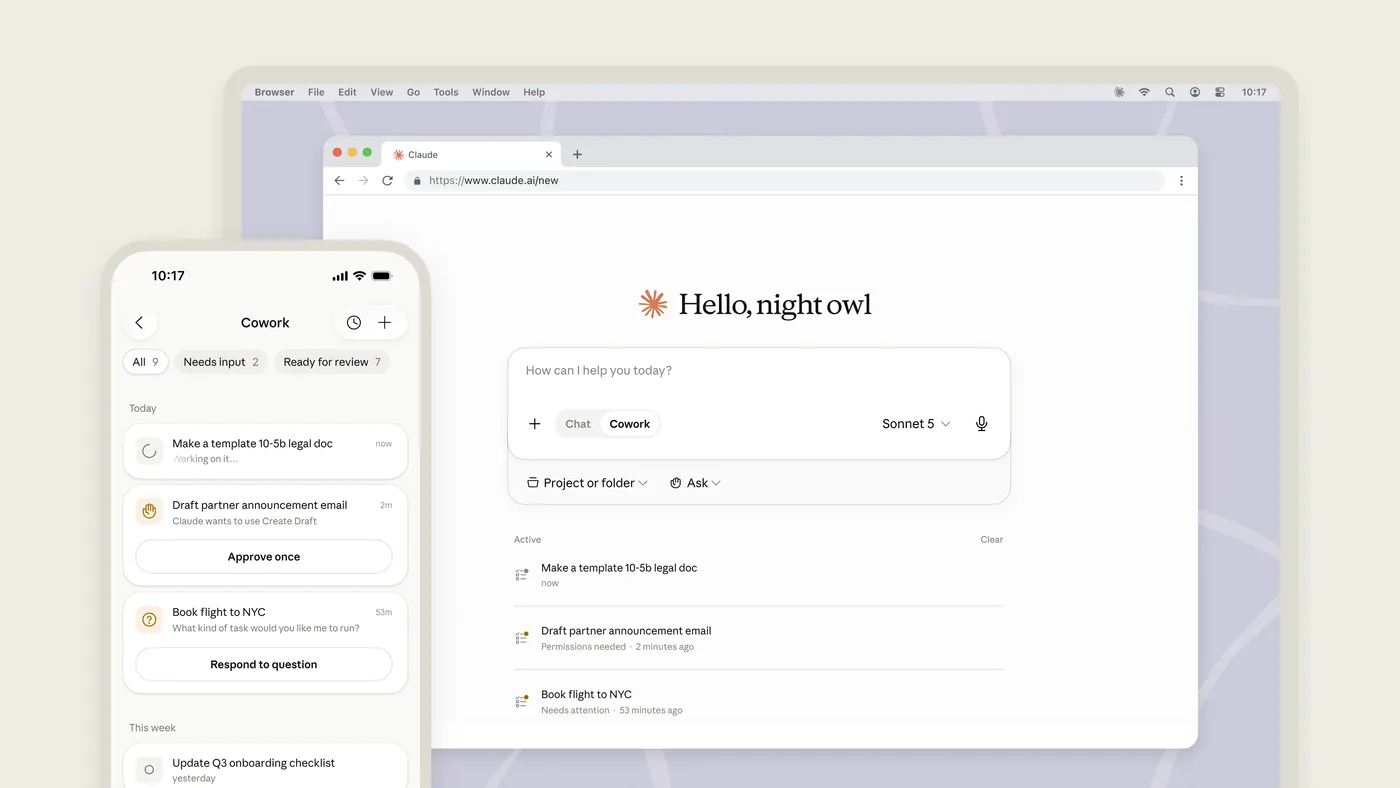
Claude's "Tasks" mode in the desktop app — one of three ways to use Claude, alongside Chat and Claude Code. Same agent, no terminal.
Claude Cowork is the third way to use Claude — a "Tasks" mode inside the Claude Desktop app, alongside Chat and Claude Code. It runs the same agentic engine as Claude Code but with no terminal: you describe an outcome, review the plan Claude proposes, then let it work across your local files and apps to return a finished deliverable. → Unlike Chat (one turn at a time) or the coding assistants (built for developers in a codebase), Cowork is built for non-technical knowledge work — organising files, preparing documents, synthesising research, extracting data — and coordinates multiple sub-agents in parallel for bigger jobs. Plugins add your job's tools and know-how (Finance, Sales, Support, Bio-Research and more).
When you want non-technical work handed off completely rather than driven turn by turn — organising files, digging through research, or extracting data — especially once a job plugin like Finance or Bio-Research already carries the tools you need.
A plan-then-work flow, job-function plugins (Finance, Sales, Support, Bio-Research…), scheduled tasks, and access across your files and apps.
Claude Desktop has three modes side by side. Chat is conversation, Code is the terminal, and Cowork is where you hand over a task and get a result back.
Open Claude Desktop, switch to the Cowork tab, and decide when to use Chat, Cowork or Code
Download Claude Desktop from claude.com/download and sign in (Cowork needs a paid plan: Pro, Max, Team or Enterprise).Open the Cowork tab and type: "List the files in my Downloads folder and tell me, in one short paragraph, what kinds of things are in there and which are taking up the most space."This is a read-only first task — Cowork looks but changes nothing — so it's a safe way to see the describe-an-outcome flow before you hand it real work. Cowork is desktop-only (macOS/Windows) and needs a paid plan.
One Cowork loop end to end: you describe the outcome, Claude proposes a plan, you Approve, it runs, and you check the output against the source files yourself.
Do this first Delegate whole tasks to Claude with the Cowork tab
Complete a Cowork loop that produces a verified spreadsheet based on your input files
Make a copy of my Receipts folder first, then read every receipt in it and build one spreadsheet with a row per receipt (date, vendor, amount, category), add a totals row, and save it as expenses.xlsx. List any receipt you couldn't read.Describe the OUTCOME and the guardrails ('make a copy first', 'list anything you couldn't read'), not the click-by-click steps — Cowork plans the steps itself, and you approve the plan before it runs. Asking it to flag what it couldn't read gives you a built-in verification list.
Best viewed on desktop — tap Enlarge to read the numbered controls.
Two guardrails, set before the work starts: an approval mode that decides when Claude must ask, and a sandbox scoped to one folder so its shell commands cannot reach the rest of the drive.
Do this first Run a Cowork task from description to finished file
Configure safe guardrails so Claude only acts where you allow and asks before irreversible steps
Before you start: only work inside my Project-X folder, never delete anything, and ask me before overwriting any existing file. Now reorganise Project-X into subfolders by document type and give me an index.Stating the boundaries up front ('only inside this folder', 'never delete', 'ask before overwriting') is how you keep an autonomous agent safe. Combine this with the 'Ask before acting' approval mode for anything sensitive.
Connectors are the services you switch on in Settings — Gmail, Drive, Slack, Chrome — so one task can read across all of them and return a single combined result.
Do this first Control Claude’s actions with approval modes and sandbox settings
Enable Cowork to access Gmail, Google Drive, Slack and your browser so a single task can gather data from multiple sources
Using my Google Drive connector, find the three most recent versions of the Q3 report, compare what changed between them, and save a short 'what changed' summary to my Desktop.Connectors are added in Settings then Connectors — you choose which ones to turn on. With no passwords handed to Claude, it acts through the connector you authorised. Start with read-only tasks on a connector before letting it write.
A plugin is a role's toolkit: skills, tool connections and slash commands installed together, so /sales:call-prep already knows which tools to use.
Do this first Use connectors to let Cowork work across Gmail, Drive, Chrome and MCP
Add a plugin built for your function so its skills, tools and slash commands are ready to use
Finance team: after installing the Finance plugin, run /finance:reconciliation on this month's invoices and payments. Scientist: after installing the Bio-Research plugin, search PubMed and ClinicalTrials.gov for recent work on my topic and write a cited brief.Anthropic ships 11 open-source plugins for Cowork (Finance, Sales, Customer Support, Marketing, Legal, Data, Bio-Research and more). Each bundles skills (how your role works), connectors (your tools), slash commands, and sub-agents. Install them from inside Cowork.
/schedule turns a task into a recurring one and lists it under Scheduled — but it produces its report only while the desktop app is open.
Do this first Install a role‑specific plugin in Cowork
Create a task that Claude runs automatically on a defined cadence
Every Friday at 4pm, pull this week's numbers from my analytics export, drop them into my weekly-report template, and save the finished report to my Reports folder named with the date.Type /schedule in a task, or open 'Scheduled' in the sidebar, to set the cadence. Important caveat: scheduled tasks only run while your computer is awake and the Claude Desktop app is open — they're not cloud jobs.
A job shaped as “do X for each of N items, then combine” is the one Cowork splits across parallel sub-agents — which is why you spot-check a few source items against the combined output.
Do this first Schedule a recurring Claude task
Create a single synthesis from many similar items by letting Claude Cowork split and run the work in parallel
I have a folder of 40 customer-interview transcripts. Read all of them, and for each one pull out the top pain point, the feature requests, and the overall sentiment. Then combine everything into one themes report with counts and a representative quote per theme.Big 'do the same analysis across many items, then synthesise' tasks are where Cowork shines: for complex work it can coordinate multiple sub-agents working at once, then merge their results. You still review one final plan and one deliverable.
The chapter's pieces on one real deliverable of your own: the folder or connector, the plugin, the guardrails, the outcome description — then verify, and either schedule it or package it with Plugin Create.
Do this first Run large analyses with parallel sub‑agents
Deliver a complete, repeatable work output by combining connectors, plugins, guardrails and scheduling.
Pick one real recurring deliverable from your job — a weekly report, a reconciliation, a research brief, a ticket-themes summary, a prospect list. Tell Cowork: the outcome you want, which folder or connector to use, the guardrails (copy first, ask before overwriting), and the template to fill. Review its plan, run it, verify it — then /schedule it if it repeats.This is the real test: a deliverable from your own work, not a demo. Use the Finance, Sales, Support or Bio-Research plugin if one fits your role. Want to go further? Cowork's 'Plugin Create' lets you package your own workflow into a reusable plugin.
33 outcomes in all — one per recipe below.
Claude Cowork Scientist +1Need a quick, cited summary of recent papers on my topic
A structured, cited literature summary built from current sources — without leaving the task to copy-paste between tabs.
Claude Cowork Scientist +1Extract tables from experiment photos into one spreadsheet
A clean dataset extracted from images, plus a list of any figures it could not read so you can verify the gaps.
Claude Cowork Investor +1Too many data‑room files to read
A structured risk register assembled across dozens of files, with provenance — so nothing slips through and the human reviewer can triage fast.
Claude Cowork HR / People +1Too many resumes to read
A structured shortlist draft you can annotate and present to the hiring manager, built in minutes instead of hours — with the agent's reasoning visible so you can override it.
Claude Cowork Scientist +1Messy project folder
A tidy, predictably-named folder and a README index — a one-off cleanup you review before it moves anything.
Claude Cowork HR / People +2Having to scan Slack, Notion and Asana every week
One weekly digest of what moved across every tool, instead of checking five apps.
Claude Cowork Operations +2My Downloads are a mess
A tidy Downloads folder on a scheme you choose — reviewed before anything is moved.
Claude Cowork Scientist +1Scattered lab notes need a Methods paragraph
A submission-ready first draft you correct, instead of a blank page — with its assumptions called out for review.
Claude Cowork HR / People +1Too many interview notes to read
A themed summary across many conversations you can act on, instead of re-reading every file.
Claude Cowork HR / People +1A first-draft onboarding doc to refine — with the holes in your process made visible.
Claude Cowork Operations +1A sourced answer assembled from across your stack, with links back to the originals.
Claude Cowork Support +1Resolved tickets are scattered
A first-draft support article grounded in real questions, ready to edit and publish.
Claude Cowork Investor +2Need a first‑draft investment committee memo from many data‑room files
A first-draft IC memo you edit rather than write from scratch, with the gaps surfaced rather than papered over.
Claude Cowork HR / PeopleInterview notes are scattered
A single debrief document the panel can review together, with disagreements made explicit rather than lost in separate files.
Claude Cowork PhysicianTurning clinician bullet notes into a patient leaflet
A first-draft leaflet built from your own notes and house template, with every clinical claim flagged for your sign-off rather than presented as settled fact.
Claude Cowork Finance +2Receipt photos in a folder
A finished expense spreadsheet from a pile of receipts — with anything unreadable flagged for a manual check.
Claude Cowork FinanceInvoice IDs vs payment records don’t line up
A reconciled workbook with live formulas you can keep using — not a static, one-off answer.
Claude Cowork Finance +1Board needs monthly metrics summary
A board-ready summary drawn straight from your data warehouse, repeatable each month.
Claude Cowork Finance +2Want a completed weekly metrics report every Friday
A finished weekly report waiting for you each Friday, built from the same template every time.
Claude Cowork Sales +1Need a fast pre‑call brief
A focused pre-call brief — recent activity, open threads, and suggested talking points — in one step.
Claude Cowork Sales +1Just a list of company names
An enriched, sortable prospect sheet from a bare list — ready to work down.
Claude Cowork Sales +2Need a fast brief on a target company
A briefing you can read before a meeting, synthesised from many public sources.
Claude Cowork Support +1Weekly pile of support tickets
A weekly themed view of what customers are hitting — and which issues to fix first.
Claude Cowork Creator +1Got a webinar transcript you never use
A ready-to-use content brief from raw audio, instead of a transcript you never reopen.
Claude Cowork Creator +3Have only a meeting transcript
A first-draft deck from a conversation, so you start from structure instead of a blank canvas.
Claude EveryoneNeed to hand off a whole job instead of chatting
You can switch Claude into a task-delegation workflow instead of a turn-by-turn chat
Claude EveryoneNeed a quick look at my Downloads folder without any changes
You can ask Claude to inspect files and report findings without modifying anything
Claude Cowork EveryoneNeed to specify the goal, source folder and constraints
Naming the desired end result, input folder, and guardrails lets Claude generate a complete plan automatically
Claude Cowork EveryoneManually confirming a few rows and reviewing the 'couldn't read' list guarantees the spreadsheet's accuracy
Claude Cowork EveryoneNeed a reliable way to handle many files
The three-step loop (describe outcome, approve plan, verify deliverable) keeps you in control while Claude handles the execution
Claude Cowork EveryoneMid-task interruption
You can stop and steer Claude while it is executing, preventing unwanted actions before they happen
Claude Cowork EveryoneWant to pull info from Gmail, Drive and Chrome
A single Cowork task can read from multiple services and return one combined result
Claude Cowork EveryoneNeed to try a new data source without risk
Starting with read-only access prevents accidental changes while you evaluate a connector
Claude Cowork EveryoneDon’t know which plugin fits your role
Selecting the appropriate plugin gives you pre-wired skills, tools and commands so you never have to re-explain your workflow
Claude Cowork EveryoneNeed a role‑specific add‑on for your workflow
Installing a plugin automatically wires the needed tools, skills and commands into Cowork for your job
Claude Cowork EveryoneNeed identical reports from recurring tasks
Linking a scheduled task to a fixed template guarantees the same report shape each run
Claude Cowork EveryoneConfirming a few source items ensures the combined report accurately reflects the underlying data
Claude Cowork EveryoneYou identify a concrete, recurring piece of work from your job that Cowork can automate
Claude Cowork EveryoneAutomation uses wrong folder
Cowork knows where to pull data from, ensuring the automation works on the correct inputs
Claude Cowork EveryoneCan’t find the right role plugin
Installing the appropriate role-specific plugin gives Cowork the logic it needs to produce the deliverable
Claude Cowork EveryoneAfraid the AI will overwrite your work
Setting guardrails prevents unwanted changes and forces a review step before finalizing the deliverable
Claude Cowork EveryoneCheck a report’s output once
You ensure the first run is correct, then turn it into a recurring job that runs on schedule
Claude Cowork EveryoneThey are three ways to use Claude. Chat is a conversation — you ask and it answers a turn at a time. Claude Code is the developer tool that works inside a codebase from the terminal. Cowork is the no-terminal, non-developer way to hand Claude a whole multi-step task on your own files and apps; Anthropic describes it as ‘Claude Code power for knowledge work.’ Cowork and Code share the same agentic engine, but Cowork is point-and-review rather than command-line.
Claude Cowork EveryoneYes. Cowork is available on all paid Claude plans — Pro, Max, Team and Enterprise — through the Claude Desktop app, and runs on macOS and Windows. There is no free tier for Cowork itself, though the Chat side of the same desktop app has a free tier. Pro and Max users can also assign tasks from mobile.
Claude Cowork EveryoneCowork is built for human oversight. It proposes a plan before it acts, and you choose an approval mode — ‘Ask before acting’ (it pauses for your OK on new tools and sensitive steps) or ‘Act without asking’ (faster, for low-stakes work). Any shell commands and code it writes run inside an isolated virtual machine, separate from your operating system, and it can only touch the folders you authorise. You can also interrupt and redirect it mid-task. The safe habit is to scope it to a specific folder and keep ‘Ask before acting’ on for anything irreversible.
Claude Cowork EveryoneCowork connects to external tools through connectors (MCP servers) that you enable in Settings › Connectors — commonly Google Drive, Gmail, Slack and your browser via Chrome — plus built-in web search and fetch. Plugins go further: each one bundles skills, connectors, slash commands and sub-agents for a job function. Anthropic ships 11 open-source plugins — including Finance, Sales, Customer Support, Marketing, Legal, Data and Bio-Research — which you can install from inside Cowork, customise, or use as a template to build your own.
Claude Cowork EveryoneYes. Type /schedule in any task, or open ‘Scheduled’ in the sidebar, to set a cadence — for example, build a weekly report every Friday — so Claude repeats the task without re-prompting. One important caveat: scheduled tasks only run while your computer is awake and the Claude Desktop app is open, so they are not cloud jobs. For work that must run unattended overnight, a server-side automation is a better fit.
No coding is required to use Cowork
The same set on /recipes, filtered by tool and role.
Primary source: the engineer who built it explaining the intended mental model and how he actually works with it.
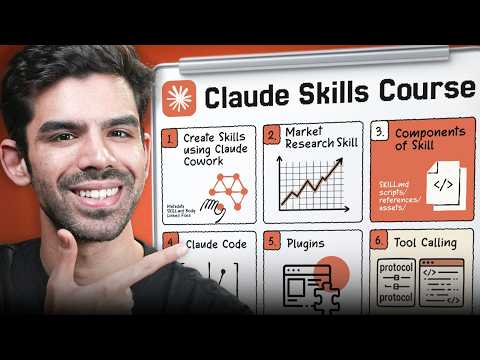
The course-style intro to Cowork. If you learn by following along with a notebook open, this is the one.
If you want the whole picture in one coffee break. Watch this before the longer AI Foundations course to decide whether Cowork fits your team.
An efficient, beginner-friendly tour of the 80% of Cowork you will actually use.
The disambiguator. Most Cowork frustration comes from confusing these three; watch this and the rest of the docs make sense.
A clear framing of why Cowork is a distinct third way to use Claude, alongside Chat and Claude Code.
They are three ways to use Claude. Chat is a conversation — you ask and it answers a turn at a time. Claude Code is the developer tool that works inside a codebase from the terminal. Cowork is the no-terminal, non-developer way to hand Claude a whole multi-step task on your own files and apps; Anthropic describes it as ‘Claude Code power for knowledge work.’ Cowork and Code share the same agentic engine, but Cowork is point-and-review rather than command-line.
Yes. Cowork is available on all paid Claude plans — Pro, Max, Team and Enterprise — through the Claude Desktop app, and runs on macOS and Windows. There is no free tier for Cowork itself, though the Chat side of the same desktop app has a free tier. Pro and Max users can also assign tasks from mobile.
Cowork is built for human oversight. It proposes a plan before it acts, and you choose an approval mode — ‘Ask before acting’ (it pauses for your OK on new tools and sensitive steps) or ‘Act without asking’ (faster, for low-stakes work). Any shell commands and code it writes run inside an isolated virtual machine, separate from your operating system, and it can only touch the folders you authorise. You can also interrupt and redirect it mid-task. The safe habit is to scope it to a specific folder and keep ‘Ask before acting’ on for anything irreversible.
Cowork connects to external tools through connectors (MCP servers) that you enable in Settings › Connectors — commonly Google Drive, Gmail, Slack and your browser via Chrome — plus built-in web search and fetch. Plugins go further: each one bundles skills, connectors, slash commands and sub-agents for a job function. Anthropic ships 11 open-source plugins — including Finance, Sales, Customer Support, Marketing, Legal, Data and Bio-Research — which you can install from inside Cowork, customise, or use as a template to build your own.
Yes. Type /schedule in any task, or open ‘Scheduled’ in the sidebar, to set a cadence — for example, build a weekly report every Friday — so Claude repeats the task without re-prompting. One important caveat: scheduled tasks only run while your computer is awake and the Claude Desktop app is open, so they are not cloud jobs. For work that must run unattended overnight, a server-side automation is a better fit.
Claude CoworkTasks modeagenticdeliverableClaude Codeplan-then-workjob-function pluginscheduled taskClaude DesktopAsk, share, or report — over on the Heidelberg AI community forum.