 Hermes
Need a daily digest of new PubMed papers
Zero-cost and fully local — abstracts and queries never leave the lab, and it gets more relevant the longer you use it.
Ready-made agents you install and chat with — 24/7, on your own machine
Ready-made AI assistants you install and chat with — like a 24/7 digital employee. They run errands, browse the web, remember across sessions, and reach you from your chat apps; self-hosted and always on. Below, compare the two always-on agents we teach — then open Hermes or OpenClaw for the full hands-on course. → For a private ChatGPT over your own documents, see "Onyx" or "AnythingLLM" on the Your docs & data line; to build your own agent from scratch, see "Agent frameworks".
Pick a ready‑made assistant when you need an always‑on helper without building from scratch, want self‑hosted control, and prefer a free solution that works with your own models.
Both are self‑hosted, but Hermes focuses on conversational tasks while OpenClaw emphasizes autonomous web browsing and scheduling; each showcases different strengths for an always‑on AI employee.
Otter.ai is an AI‑powered meeting assistant that transcribes conversations and offers an AI chat about your meetings.
You will have a functional Otter.ai account with the desktop client ready to capture audio.
Otter’s transcription engine converts spoken audio into searchable text in real time.
You will produce a transcript of a live conversation that you can later query with AI chat.
Otter AI Chat lets you query the content of a meeting transcript using natural language.
You will retrieve specific information from the transcript by asking the assistant simple questions.
Otter can schedule reminders and avoid double‑bookings by integrating with your calendar.
You will create a recurring reminder that prompts you to start a new recording at a specific time each week.
Transcripts can be downloaded from Otter and fed into other self‑hosted assistants such as Hermes or OpenClaw for deeper processing.
You will download a meeting transcript and load it into a second AI assistant to generate a summary report.
hermes-cli or openclaw serve).hermes import meeting.txt).243 outcomes in all — one per recipe below.
Need a daily digest of new PubMed papers
Zero-cost and fully local — abstracts and queries never leave the lab, and it gets more relevant the longer you use it.
Can't keep track of ML sweep results
The bookkeeping of an ML sweep runs itself; you just decide the next direction.
Need an approved‑compound shortlist for my target molecule
Heavyweight computational-chemistry workflows become a chat you can run anywhere.
Messy instrument CSVs that need the same cleanup every time
Teach a fiddly procedure once; the agent owns it from then on and gets faster every run.
Want accurate answers from your research PDFs
Answers that respect how a paper is actually organised, with fewer hallucinated links.
Slow, fragile weather analysis pipeline
A slow, fragile scientific pipeline becomes a fast, agent-drivable tool.
Need private, deep‑web research without external APIs
Deep web research on your own infrastructure, squeezing the free tiers instead of paying per query.
Too many news tabs every morning
One self-improving morning brief instead of ten tabs you never get to.
Want a fast literature review
A first-pass literature scan that runs while you do something else.
Too many noisy Hacker News posts
The signal from a noisy feed, on a schedule, without the doomscroll.
I can’t keep track of what I did in my analysis
Reproducibility for free — the record writes itself as you work.
I want fresh SaaS ideas from Reddit and X each morning
An always-on researcher that hands you pre-qualified, personalised opportunities plus working prototypes to test; run it on a free local model so the scanning costs nothing.
Want fresh AI tool ideas each week
Fresh, sourced topic research lands before you sit down to plan content.
Get a weekly email of the top five new arXiv papers on your topic
Implements a skill to query arXiv on a schedule, surfacing newly published papers matching specified topics.
Need a conference‑ready ML paper draft
Offers a research‑paper‑writing skill that organizes ML results into the standard sections required for conference manuscripts.
Need to log experiment metrics and compare runs
Provides a skill that records runs and generates dashboards directly in Weights & Biases.
Team wants private AI responses without external calls
When a team needs private inference at scale, the built‑in skills run local vLLM or llama.cpp so all members query a single model.
Exploring data cell by cell without losing variables
For analyses that require preserving state, the built‑in skill executes Python step‑by‑step in a live Jupyter kernel across cells.
No annotations in microscopy images
When microscopy images lack annotations, the Segment Anything skill provides zero‑shot segmentation of imaging data without any training.
Need my fine‑tuned model version kept in sync
To keep model versions synchronized, the built‑in skill pulls, pushes and manages Hugging Face models and datasets directly from the agent.
Need systematic LLM comparison
When systematic LLM comparison is needed, the built‑in skill runs evaluation harnesses and generates score reports.
Need alerts for new ML blog and Nature posts that match my keywords
To stay updated on new research content, the built‑in skill monitors blogs and RSS/Atom feeds and flags relevant items.
For access to authoritative forecasts, the community plugin exposes National Weather Service models and NEXRAD radar imagery to the agent after installing the hermes‑weather‑plugin skill.
Big ML model runs slowly on Apple Silicon
When running MLX models on Apple Silicon, Hermes drives TurboQuant to optimise a model such as Qwen3.5‑9B for local inference.
Want to test my model’s tool‑calling skill
To assess tool‑calling capabilities, Hermes trains and evaluates models against a benchmark of one hundred tasks.
Need insights from Reddit, X, YouTube, Hacker News and Polymarket
When a question spans multiple online communities, a single query is dispatched to Reddit, X, YouTube, Hacker News and Polymarket and the results are synthesised.
Need rover navigation testing without hardware
Provides a Mars rover simulation using ROS2 and Gazebo, driven by Hermes, after installing the Hermes‑mars‑rover community skill.
Robots keep messing up
Enables continuous improvement of robot behavior by fine‑tuning vision‑language‑action models, requiring the hermes‑embodied community skill.
Need a weekly competitor snapshot
Runs scheduled research on competitors and summarises any changes using the agent.
Can't tell why deals win or lose each month
The sales team gets a data-grounded read on what is working without a manual spreadsheet audit.
Missing updates on saved companies each morning
You start every day with the material moves on your watchlist already summarised; nothing slips through because you were too busy to scan five tabs.
Never miss a new dataset release
You are the first to pull fresh data for your pipeline — no more daily manual checks or missed release windows.
Want a focused daily paper list delivered to Telegram
A focused reading list lands before you open your laptop — no manual search, no information overload.
Need quick research on an unfamiliar topic
Deep-enough research on an unfamiliar topic arrives in minutes — sourced, readable, and ready to share or act on.
Need to screen a batch of applicant CSVs fast
A first-pass shortlist arrives in minutes rather than hours — the team only reads applications that already meet the baseline.
Don’t know what’s driving repeated escalations
Systematic problems behind escalations surface before they become reputational issues — product and support teams can address root causes, not just symptoms.
Product feedback hidden in tickets
Product feedback buried in the support queue is surfaced as a ranked theme list each week — no manual tagging session or data export to a separate tool.
My research notes get messy as they grow
Your notes compound over time instead of rotting, because something actively tends them.
Need my AI to remember past chats
The agent’s knowledge lives in files you own and can read, not a black box.
Scattered notes are hard to browse
Your scattered notes become a navigable structure instead of a flat pile.
Need a flowchart but don’t want to open a drawing app
Flowcharts and architecture diagrams without opening a diagram tool.
Want meeting notes filed and a follow‑up task created
Enables agents to file notes, tasks and records into your Notion workspace via a built‑in Notion skill.
Unclear benefits question in Telegram
Employees get instant, accurate answers to benefits questions at any time of day; the People team spends time on edge cases, not repetitive queries.
Customers ask common questions
Common questions resolved in seconds without an agent touching them; only genuinely novel issues reach the queue.
Need weekly help‑center articles for the biggest unanswered questions
The knowledge base improves automatically each week based on actual customer confusion, not guesses.
Need fast draft replies from my docs
First-response time drops to seconds; the knowledge base improves automatically from every gap.
Need to pull together IC memo sections from pitch decks
The first draft of an IC memo takes minutes instead of an afternoon; analysts spend time on judgment, not formatting.
Need a ready‑to‑use interview summary
Every interview starts well-prepared; the brief surfaces the right questions so the conversation goes deep where it matters.
Want protocol answers from internal clinic docs while keeping PHI local
A private, in-house reference that answers "what is our protocol for X?" from your own documents, with no PHI sent to a third-party API and every draft reviewed before use.
I need a quick policy answer in Slack
Policy and process questions get a precise, document-grounded answer in seconds — reducing interruptions to senior staff and keeping remote teams unblocked.
Need a fast HR policy answer in Slack
Routine HR questions are answered instantly from the source of truth — the people team is freed from repetitive policy lookups.
Can’t tell which help articles are missing or outdated
KB gaps are surfaced automatically before they become repeat-ticket patterns — content work focuses on real coverage holes.
When resolved tickets have long solutions or knowledge‑gap tags
Every reusable resolution automatically seeds a KB article draft — the knowledge base grows from real cases with no extra authoring effort.
Want to keep Whoop health data on your computer
Your health data stays on your machine while still being queryable like a dataset.
I want daily job suggestions tailored to my résumé
A bespoke tool, coded by the agent on request — and a clean demo of Hermes building software.
Need dinner ideas from what’s in the fridge
A reusable template for low-friction inventory the agent keeps in its head.
Team asks for PTO in chat
Leave is tracked accurately from day one without buying a separate HR tool.
Don’t know which contracts renew soon
Renewals are engaged well before the window closes; account owners get a draft instead of a blank page.
Tickets getting close to SLA breach
SLA breaches caught and acted on before they happen instead of reported after.
Need real‑time competitor price, feature or hiring news
You catch pricing moves, new feature announcements, or hiring signals within hours instead of stumbling on them weeks later.
Reference requests older than three days
Reference checks no longer stall hiring decisions — slow-responding referees are nudged promptly without the recruiter manually chasing each one.
Can’t see which employee certifications will expire soon
Expired mandatory certifications do not slip through year-end audits — the people team has 60 days of runway to arrange renewals.
Job posts go offline or stay empty for three days
Accidentally taken-down listings are caught within 24 hours and low-traffic posts trigger review before they waste the posting budget.
No timely news on target accounts
Outreach goes out within hours of a trigger event rather than weeks later when the moment has passed — reply rates improve with a relevant reason to contact.
Solo founder needs a full build cycle
A solo founder gets a plan-build-test-fix loop that normally needs a small team.
I have just an idea
A fundraising starter pack drafted in one prompt, ready for you to sharpen.
Need to get multiple tiny apps up fast
Idea-to-launch compresses to hours when the agent remembers your stack between builds.
I need a daily WhatsApp roundup of all project updates
One coordinating brain that remembers every project — and reports proactively.
Our code reviews never match the team’s style
Code review that fits your team’s taste because it actually remembers it.
My autonomous workflow stops mid‑run
Long autonomous runs that self-correct instead of silently failing.
Need to split a goal into research, plan and execution steps
A repeatable way to throw several agents at one objective without chaos.
I need to make big code changes safely
Bigger changes land safely because the agent reasons over the full codebase.
Automatically draft and send Gmail replies every 30 minutes
Proof Hermes holds up as real backend infrastructure, not just a demo.
When a merge hits main
Your agent improves on a normal git workflow, hands-off.
Chat app can’t run commands or read files
Your favourite chat app gets Hermes’s hands without leaving its window.
Need to break a huge build into tiny tasks
A blueprint for decomposing a big build across many narrow agents.
Need my agent’s config backed up each night and GitHub edits to apply automatically
Your agent’s setup is recoverable and reviewable like any other code.
Weekly client reports are a pain
Evidence a self-hosted agent can be durable, revenue-generating infrastructure.
Multiple family members need different AI helpers
Several paid AI subscriptions collapse into one self-hosted agent.
A real agent within a hobby budget; output matters more than fancy setup.
Need an inexpensive always‑on AI assistant
An always-on personal agent for the price of a couple of coffees.
Don’t want to run your own server for a chatbot
A self-hosted-style agent for non-technical owners who don’t want a server.
Telegram groups want different bot personalities but shared memory
Run multiple audience channels from a single agent without them bleeding together.
Need a daily solo business standup
A self-running operating rhythm for a one-person business.
Send receipt photos in chat
Bookkeeping that happens as you spend, not in a Sunday-night panic.
Need nonstop help for project, code, ops and copy
A blueprint where each function has an always-on agent doing the routine work.
Team keeps forgetting completed work
A non-tech SME turning a real operational pain — forgetting things — into a trusted AI workflow.
Production alerts keep firing
On-call that gets smarter over time, combining memory, cron, messaging and sub-agents.
Unassigned Plane.so tickets stay idle
The PM busywork of routing and documenting work handled automatically.
Need private Google Meet notes
Meeting notes and follow-ups for a team, with sensitive data kept in-house.
Need untampered audit logs and a compliance report
A path to running agents in a regulated company without crossing compliance lines.
Want an isolated Kubernetes agent to send a daily cyber‑AI briefing
Enterprise-grade isolation with a useful daily output to justify it.
Need a teammate who can answer code, data and doc questions
A shared team agent that knows the codebase, the data and the docs.
Need email, web browsing and forms done automatically from my chats
A clean division of labour: one brain to think, one to do.
When your org’s knowledge disappears after a restart
Org knowledge that persists and is retrievable beyond a single machine.
Keeping contracts confidential
Useful AI for a confidentiality-bound practice, with nothing leaving the box.
Agent gets fooled by prompt injections
A safer baseline for an agent that has real access.
Procedures live in a few heads
The knowledge that usually lives in three people’s heads becomes a shared, growing agent.
Need a ready‑to‑run monitoring stack
Installs a complete Hermes agent stack with 29 pre‑configured plugins via a single command.
Want my AI assistant to auto‑improve its skills and prompts
Runs a GEPA and DSPy loop that refines an agent’s skills, prompts, and tool definitions into PR‑ready updates, after adding the self‑evolution plugin.
Need a cheap app that keeps its files
Deploys Hermes as a Fly.io machine with a volume‑backed data directory for roughly $15 per month.
Need an always‑on daemon on a cheap VPS
Sets up Hermes as an always‑on systemd service under a dedicated user on a low‑cost VPS.
Just a rough idea
Converts informal prompts into structured runbooks, RSS curation lists, diagrams, and notes through an automated workflow.
Need to use a premium API just once
Gives the agent a wallet for on‑demand calls to over 300 premium APIs, after installing the AgentCash skill.
Doing the same workflow over and over
Observes session activity and automatically creates reusable skills from repeated workflows once the hermes‑skill‑factory plugin is installed.
Need a ready‑to‑deploy container for your app
Packages Hermes into a production‑ready cloud Docker image using the hermes‑agent‑template.
Need a code review of the current file with full context
Provides a VS Code sidebar that streams chat, supplies editor context and supports file attachments by connecting to Hermes, after installing the Hermes VS Code extension.
Want to split a job into coding and reasoning
Enables task delegation across Hermes, Codex and Claude via the Agent Client Protocol, requiring the hermes-agent-acp-skill installation.
Tasks need to run on their own
Runs Hermes as a managed worker within Nous Research’s Paperclip orchestration system, after installing the Paperclip skill.
Can't reply to an unread Outlook email or add a deadline
Allows agents to access Outlook mail, calendar and contacts through the Microsoft Graph API using the community microsoft‑workspace‑skill.
Inbox full of follow‑ups
Provides agents with integrated access to Gmail, Calendar, Drive, Docs and Sheets via a built‑in Google Workspace skill.
Log a new lead in my contacts table
Lets agents read from and write to Airtable bases through its REST API using the built‑in Airtable skill.
Getting data from scanned invoices
Provides OCR of scanned documents and natural‑language driven PDF text editing via built‑in skills.
Need the closest plumbers sorted by drive time
Supplies geocoding, points of interest, routing and timezone data through a built‑in maps skill for field service operations.
Support tickets pile up
Implements a documented pattern where the agent reviews incoming support tickets and categorises them for you.
Need to sort through inbox and reply
Offers a built‑in Himalaya CLI skill that gives the agent IMAP/SMTP access to triage and send email.
Can’t keep track of Teams meetings
It automates generation of meeting summaries within Microsoft Teams through an integrated pipeline skill.
Need my team to access project notes and tools
It offers a collaborative web workspace featuring chat, terminal, memory browser and skills manager, pending installation of the workspace plugin.
Only team members can use the bot and each sees their own terminal output
It delivers a shared Telegram bot that supports per‑user sessions, an isolated terminal and allowlist control once the team‑telegram skill is added.
It evaluates agent configurations and prompts with HERM scoring to ensure quality before deployment, after installing the lintlang linter.
Need a risk‑flagged contract report for English and Turkish clauses
It examines contracts for risk in English and Turkish, provided the legal skill is installed.
Need an approved pentest with scope checks
Provides a repeatable pattern for conducting authorized security assessments with Kali tools, including scope confirmation and approval gates, after installing the required pentest skill.
Invoices past due aren’t being chased
Overdue invoices get chased automatically on a consistent cadence; nothing slips through because someone forgot to follow up.
Payroll CSV has missing entries or crazy overtime
Payroll errors caught before submission instead of after pay day.
Vendor contracts land in a folder
No more surprise auto-renewals or missed termination windows; every financial commitment is tracked the day the contract arrives.
Submitting expense receipts via chat
Policy breaches surface before approval, not during audit; employees get instant feedback instead of a rejection email a week later.
Invoices pile up in my inbox
AP reconciliation that runs itself daily — no Sunday-night backlog of unread invoices.
Incoming resumes need fast scoring
Time-to-shortlist drops from days to hours; the ranking is consistent and auditable.
Back‑and‑forth emails trying to set interview times
Interviews booked in minutes, not days; interviewers never get double-booked.
Want a quick feel of team morale every two weeks
A lightweight, consistent signal on team health that surfaces problems before they become attrition.
Need to track every departure task
Nothing falls through the cracks during a departure; IT, Finance and the manager each know exactly what they own.
Performance reviews get lost in inboxes
Review completion rates go up because the chasing is automatic; the People team gets a clean dataset instead of a scattered inbox.
New hires ask handbook questions
New joiners get instant answers at any hour; unanswered questions surface the handbook gaps automatically.
Closed tickets aren’t tracked for satisfaction
Every closed ticket generates a satisfaction score; the support lead sees trends without manual data collection.
High‑risk tickets stuck in the main queue
High-risk tickets reach the right agent immediately instead of sitting in a general queue until someone notices.
Need a clear shift handoff
Shift transitions are smooth and context is preserved; the incoming shift knows exactly what needs attention.
Raw customer bug reports
Engineers receive structured, actionable bug reports instead of raw customer text; triage time drops significantly.
Non‑English support emails arrive
International customers get a relevant first response in seconds; agents only need to handle exceptions.
Too many unread deal emails
You open a ranked digest, not a cluttered inbox; the time that used to go on triage goes on the actual conversations.
Can't tell which candidates replied
You end the day knowing exactly where every candidate stands and what to do next, without manually triaging a full inbox.
Need morning backup status in Telegram
Backup status is visible every morning with zero manual effort; failures surface immediately instead of on the day you need to restore.
New hire added to HR sheet
Every new hire receives a consistent, timely onboarding experience without the people team manually tracking parallel to-do lists.
Support tickets aren’t organized
Every ticket is triaged and routed within minutes of arrival — agents spend time solving, not sorting.
Payroll data doesn’t match headcount or salary ranges
Payroll errors are caught before funds are sent — mismatched headcount or out-of-range figures do not reach the bank.
Month‑end close stalls in inboxes
The month-end close runs as a coordinated, visible workflow — nothing stalls in someone's inbox and the timeline is logged without a project-management tool.
Employee quits
Every departure follows the same consistent process regardless of who is handling it — equipment and access removal are never forgotten in the handover rush.
Tickets about to miss their SLA
SLA breaches are intercepted before they happen rather than flagged after the fact — the team can prioritise the right tickets in real time.
Agents overloaded with tickets
Overloaded agents are spotted and tickets redistributed before response times degrade — queue imbalances no longer hide until end-of-day reviews.
Tickets sitting over a day with no reply
Customers with open tickets always receive a proactive update within 24 hours — silence-driven chaser tickets and frustration drop sharply.
Can’t see which agents are busy or their cost
Multi-agent work becomes observable and budgetable instead of a black box.
Need real‑time HK, US and A‑share prices
Live market data and analysis on tap for a solo trader or analyst.
Unsure which AI is working on what
Agent work becomes visible and manageable like any team’s board.
Need real‑time insight into an agent’s actions
Operational visibility so you trust what the agent is doing across the org.
No visibility into tool call costs across channels
Finance-grade cost and usage visibility before you scale agents to a team.
Can’t tell which agents are active
It adds a native dashboard that visualizes agent activity metrics, requiring the agent‑analytics plugin.
Need to spot cost spikes or slow tool calls from yesterday's runs
It records detailed audits of each run, reporting cost, latency, health and anomalies after installing the agenttrace tool.
Don’t know which expenses exceed the budget
Finance teams walk into the monthly review already briefed; the report writes itself the night before.
Need a weekly cash‑flow snapshot
A finance briefing that arrives before the week starts, without anyone pulling it manually.
Finance and people out of sync on hiring numbers
Finance and People stay aligned on hiring pace without a weekly sync call to reconcile spreadsheets.
Deals that stall or lack next steps
At-risk deals surface before they go dark; the manager has a call list, not a post-mortem.
Need fresh news on each account before outreach
Reps open conversations with relevant, timely hooks instead of generic check-ins.
Need a quick morning sales update
The sales standup prep happens automatically; the team spends the meeting on strategy not status updates.
Can’t gauge ticket mood each morning
The support lead sees the emotional health of the queue every morning without reading individual tickets.
Metric crosses its limit
You are notified the instant a KPI or system metric crosses a threshold, without running a monitoring stack or paying for an alerting service.
When a category’s weekly cost jumps 20 %+
Budget anomalies surface in minutes at the start of each week — without building a BI dashboard or waiting for month-end reconciliation.
Need a variance narrative for the month
Finance has a variance narrative ready before the first team standup — no spreadsheet wrangling, no waiting for a report to be emailed.
Need a weekly CSAT overview and low‑score tickets highlighted
Support leads see their weekly satisfaction numbers and any problem tickets before the Monday standup — no manual report to pull.
Can't manually pull cash data each week
Finance has a forward-looking cash position before the weekend without manually pulling and reconciling multiple exports.
Unexpected SaaS renewals or price hikes show up
Unrecognised subscription renewals and price increases surface before they become budget surprises — no spreadsheet audit required.
Want to see weekly vendor payment aging
The weekly AP snapshot lands automatically — overdue vendor payments are visible before they become relationship or penalty issues.
Unsure who has excess or negative PTO
Accrual risks and policy breaches surface weekly with no manual report — the people team can intervene before year-end leave spikes.
Don’t know which hiring pipelines are stuck
Stalled pipelines surface before they delay hiring — the team sees at a glance which roles need attention without building a recruitment dashboard.
Want a monthly win‑loss pattern recap
The team starts each month knowing exactly where they won and lost — competitive patterns and weak segments are visible without a BI tool.
Can’t track agents’ response‑time trends daily
Response-time trends and outlier agents are visible every morning with no manual report — the team lead can coach on real data, not guesswork.
Onboarding tickets spike to twice the weekly norm
A sudden surge of onboarding-type tickets triggers an alert within hours rather than being noticed at month-end review — product or docs issues get fixed faster.
Need a launch from idea to live site
A whole micro-launch — build and deploy — handled in one instruction.
Want automated welcome, re‑engagement and weekly newsletters
Marketing automation a solo operator can run without a marketing-ops hire.
Need a quick ad brief from winning hooks
An ad concept grounded in what’s already working, before your coffee’s cold.
Need consistent social posts in your voice
On-brand drafts that stay consistent because the agent remembers your voice.
Saved X bookmarks turned into a structured podcast script
Your saved reading turns into a listenable show — a pipeline the agent designed.
Need fresh video topics
You always know what’s fresh enough to keep a video relevant.
Writing drafts in your own voice takes forever
First drafts that already sound like you, ready to edit not rewrite.
Want social content without writing it yourself
Every video quietly becomes a week of social posts.
Need on‑brand visuals without leaving your content plan
Visuals generated in the same place you plan the content.
Need both pictures and a short video from one place
A whole creative-media toolbox drivable by the agent.
Finding generative visual coding too hard
Creative-coding assistance for live visuals and installations.
Need a quick visual novel you can play
A playable creative project assembled end-to-end by the agent.
Two daily playlists with no repeat artists
A personal radio that refreshes itself on a schedule.
I need to keep design work local and skip proprietary suites
Design output without a proprietary suite, all local-first.
No idea what to post next week
You approve a calendar instead of staring at a blank one.
Need a client presentation deck
Creates and edits PowerPoint (.pptx) presentations through a built‑in skill for generating client decks.
Get the top three niche X trends sent to you on Telegram every morning
Provides a native X plugin for searching trends and reading accounts so the agent can manage your social presence.
Want a complete novel with cover art and audiobook
Executes Nous's Autonovel pipeline to produce a full 79,456‑word, 19‑chapter novel together with art and audio, requiring the autonovel skill.
Upscale all photos in a folder automatically
Provides a built‑in skill that launches and runs node‑based ComfyUI image, video, and audio workflows on demand.
I need a quick math explainer video
Supplies a built‑in skill that creates Manim CE animations in the maths‑explainer style.
Need a different visual each time the page reloads
Delivers a built‑in skill that writes p5.js sketches for generative and interactive visual content.
Need catchy podcast intro lyrics and a matching music cue
Provides built‑in songwriting skills that draft lyrics and generate matching Suno AI music prompts.
Want a quick rundown of a YouTube video
Uses a built‑in skill to retrieve a YouTube transcript and convert it into a summary or content outline.
My raw screen capture is just footage
It streamlines raw screen captures into tutorial videos using an AI avatar, after installing the screen‑tutorial skill.
Turn a GSAP‑animated HTML title card into an MP4 video
It converts HTML designs with GSAP animation directly to MP4 video, removing the need for a separate video editor.
Need daily on‑brand tweets from drafts and a Telegram alert
It provides a ready collection of 43 X/Twitter actions for scalable account management, once the x‑43 skill is installed.
Need a job description fast
Hiring managers get a polished JD in minutes instead of facing a blank template; consistent format across every role.
Need a proposal draft from Airtable data
A personalised first draft in minutes rather than hours; reps adjust rather than write from scratch.
I have a shortlist but no outreach drafts
A morning's worth of bespoke outreach drafted in minutes; you review and personalise the edge cases rather than writing from scratch for each contact.
Staring at an empty weekly calendar
You start Monday with a full week planned instead of staring at a blank content calendar.
Need fast, on‑brand copy in your voice
First drafts that already sound like you arrive in under a minute — no blank page, no brand-drift from a generic prompt.
Finding low‑cost local roofing jobs
A pipeline for finding local jobs at the cost of tokens, not a monthly SaaS bill.
Manual email hunting is burdensome
Prospecting and first-draft outreach handled by the agent instead of by hand.
Managing my small business via chat
The admin side of a small business handled from a chat window.
Job applications pile up in my inbox
Every applicant is logged and acknowledged within minutes; the hiring manager sees a live Airtable board instead of an unread email pile.
Call notes are just text
CRM is always current after every call; reps spend 2 minutes on admin instead of 20.
Inbound leads get ignored
Response time drops from hours to minutes; reps walk into every first call already knowing the company.
CRM contacts missing company details
Reps start each day with research already done; no more manual LinkedIn tab-switching before a call.
Need a custom three‑email outreach for each prospect
A full outreach cadence drafted in minutes; reps approve, not write.
Routine support tickets get auto‑sorted and drafted
Routine enquiries get a fast, on-brand first response and the team only touches threads that actually need judgment.
Overdue invoices need a nudge
Overdue invoices get a timely, professional nudge without the awkward manual chase — days-sales-outstanding drops with no extra effort.
When a new lead shows up with no details
Reps open every lead with instant company context already researched — no manual lookup, faster first call.
Need a custom cold‑email series fast
Personalised outreach that used to take 20 minutes per prospect is ready in under 2 — and sounds like you actually read their site.
Quiet deals for over a week
Deals that have gone quiet surface before they slip out of the quarter — reps are prompted to re-engage while the prospect is still warm.
Proposals over three days old with no reply
No sent proposal goes more than a few days without a follow-up — close rates improve without reps having to remember each outstanding quote.
Telegram call notes are just text
CRM notes are filed in a consistent format within seconds of the call — no post-call admin delays and no inconsistent free-text fields in the tracker.
Can’t tell which contracts need renewing soon
Renewals are never a surprise — account owners have a 90-day runway to open re-engagement conversations before the renewal date arrives.
Clients never get a follow‑up after booking
Every client is acknowledged and followed up on automatically — no booking falls through the cracks at busy periods.
Interview participants not confirming in time
No-shows and last-minute scrambles are cut sharply — every participant is confirmed at least a day before the interview.
People skip the first two days of a survey
Response rates climb without the HR team manually chasing individuals — everyone is nudged once and the team sees live completion numbers.
Want a fresh AI agent instantly
A single command can provision a fresh cloud computer with Hermes and Grok 4.5 pre-installed, enabling rapid duplication of agents
Want to text your AI from iMessage
Use your phone to chat with Hermes directly in iMessage
Complex prompts stall the chat
Hermes will spawn sub-agents automatically when a prompt is complex
I need a skill that fits my workflow
Generate a secure, custom skill from a markdown file
Want to show tables, lists and bold text in Telegram
Send tables, lists, bold text and smooth streaming via Telegram
Installed a new command but the shell can’t find it
Reloading your shell ensures the newly installed `hermes` executable is on the PATH
Need a config file with provider and model settings
Running the setup wizard writes a configuration file that tells Hermes which model provider to use
Need just the facts about cloud‑cost optimization
You get a factual summary from Hermes while keeping all decisions yourself
You receive a short-list of options, their trade-offs, and the agent's preferred choice that you can accept or overrule
You learn how to ask the agent to suggest ways to confirm its answer, turning the result into something you can trust
A vague one‑line ask
Transforming a lazy one-liner into a full four-part prompt yields clearer, more useful results
Need to stop accidental data saves
Enabling write approval forces Hermes to ask before storing any new fact, preventing accidental persistence
Rejecting a memory write prevents transient statements from contaminating future sessions
Rejecting a proposal stops Hermes from performing the potentially unwanted change
You can see exactly what Hermes intends to write into the skill file, ensuring accuracy
A skill is only staged and disappears
Approving a staged skill writes it to your local skills directory, making it reusable
All approved skills live under a known directory, so you can edit or share them
Need to fire a pre‑approved skill by name
Once approved, you can trigger the whole procedure with a single command
Deliberately breaking input shows whether the skill's error handling and verification catch problems
Want separate approvals for each task step
You can assign different autonomy levels to parts of a standing errand for finer control
Prevent unwanted actions
You can prevent autonomous actions by defining a clear prohibition
Embedding a forbidden operation shows whether Hermes respects the hard rule
Attempting to persuade Hermes reveals if the gate can be bypassed
The Artifacts panel gives an objective record of every file, link, or image the assistant produced
Can’t tell which jobs you can hand off or how much freedom they get
A structured map lets you see which tasks are safe to delegate and at what autonomy level
Need unbreakable approval rules
Marking "never without asking" rules creates immutable guardrails for the assistant
Want automatic policy enforcement
Programming the assistant with your policy makes enforcement automatic
A follow-up test proves that your written policy is actively enforced by the assistant
You identify a concrete, useful task to automate, ensuring it truly adds value
Need a clear way to judge the automated version
You create an objective standard to judge the automated version
You understand how memory, skill, channel, schedule and delegation levels combine into a self-running assistant
Need to match each assistant step to a delegation level
You match each step of the assistant to an appropriate delegation level, balancing autonomy and control
Need the assistant to know the data beforehand
The assistant has the knowledge it needs before running
Don’t know where the assistant’s replies go
The assistant sends its results to a place you actually check
Want a manual safety check before send, spend or delete
Potentially risky actions are gated behind manual confirmation
You confirm the fully assembled assistant meets the success criteria without supervision
Need a clear record of why each component runs at its level
You produce a clear record of why each component runs at its assigned level
AI app is calling a cloud model but you need it to use your local LM Studio
Changing two lines tells Hermes to send requests to your local LM Studio instance instead of a cloud API
Need a text‑based prompt interface
Launching Hermes with `--tui` opens an interactive terminal UI ready to accept prompts
LM Studio only runs on one PC
Changing `localhost` to another machine's IP lets Hermes talk to an LM Studio server on your network
Want your AI assistant to use a local model
Setting `provider: custom` and the local Ollama base URL makes Hermes use your own model instead of a cloud service
Launching Hermes in TUI mode lets you verify that it is now talking to the local Ollama model
Need Node.js and its helper script installed together
Installs both Node.js and OpenClaw in a single command
Guides you through linking an LLM provider and a chat app
Confirms the agent is running and can respond through your chosen chat app
Unsure which LLM you selected and why
Writing down why you selected a particular LLM helps you revisit the decision later
Want a desktop file with your exact text
You can instruct OpenClaw to write arbitrary text to a file on your computer
Need new actions from a community plug‑in
Installing a skill enables OpenClaw to perform new actions via the connected service
You can confirm the skill works by receiving live data from its service
Need an external service to act for you
Connecting an integration lets OpenClaw act on your behalf within that service
A successful request proves the integration works end-to-end
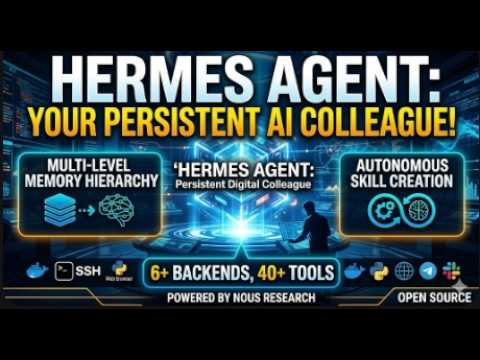
Hermes Agent is a free, open-source autonomous AI agent made by Nous Research that runs continuously on your own server or computer. Unlike a chatbot you open in a browser, it lives in your messaging apps (Telegram, Discord, Slack, etc.), remembers everything across conversations, and can take actions — running code, scheduling tasks, searching the web — on its own, without you starting a new session each time.
On Linux, macOS, or WSL2 (Windows) you paste one command into a terminal to run the installer, then run a setup command. The installer automatically sets up its dependencies — no coding knowledge is needed, though you do need to be comfortable opening a terminal. A desktop installer is also available on Windows.
Hermes Agent is model-agnostic. Cloud options include OpenRouter, OpenAI, and others. For fully offline use, it works with any local OpenAI-compatible server: Ollama (lowest-friction) or LM Studio (GUI-friendly) running locally. Lightweight local models in the few-billion-parameter range run on a typical laptop.
It uses agent-curated memory: the agent automatically creates and updates memory entries as it works, and periodically reviews and consolidates them. It also stores full conversation history with search plus AI-generated summaries, so it can recall relevant past context even from weeks ago, and tracks your preferences and working style over time.
Hermes Agent connects to many platforms through a single gateway process — including Telegram, Discord, Slack, WhatsApp, Signal, Microsoft Teams, Matrix, and email. You interact with the agent directly inside those apps; it responds to your messages, sends reports, and can transcribe voice memos.
After the agent completes a multi-step task, it automatically writes a short plain-text 'skill' file documenting the approach — essentially a reusable procedure. It does not write arbitrary code from scratch; it writes structured instruction files. Skills can be browsed, installed, and shared through a community hub, and the agent can patch or delete its own skills as it learns better approaches.
Yes. Hermes has a built-in scheduler you configure in plain language. You can tell it things like 'send me a Telegram summary of my emails every morning at 8am' or 'run a nightly backup and post the result to Discord,' and it executes those tasks unattended, delivering results to your chosen messaging platform.
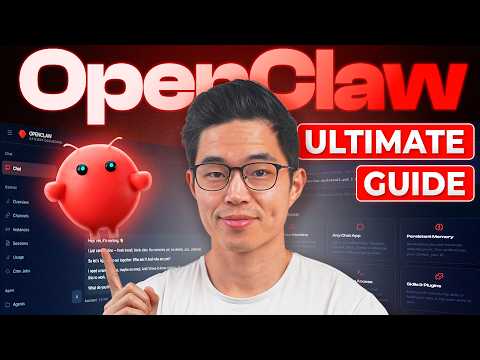
OpenClaw is a free, open-source personal AI assistant you run on your own computer. It connects to messaging apps you already use (WhatsApp, Telegram, Discord, Slack, Signal, and more) and lets you interact with an AI through them. It stores data locally on your device and supports voice on several platforms.
Yes. OpenClaw is released under the MIT License, so you can download, use, and modify it at no cost. You do pay for the AI model API you connect it to (e.g. an OpenAI or Anthropic key), but the OpenClaw software itself is free.
On Mac or Linux, open Terminal and paste one line: curl -fsSL https://openclaw.ai/install.sh | bash. On Windows, open PowerShell and paste the install command from the site. The installer handles everything, including dependencies, and a guided onboarding wizard walks you through the rest of setup.
OpenClaw can manage files, control a browser, send and read messages across channels, schedule reminders, answer questions, and run multi-step automated workflows. Extensibility comes through community-built 'skills.' Users report using it for daily briefings, tracking, calendar management, and integrating with note-taking tools.
OpenClaw was created by Austrian programmer Peter Steinberger, first published in November 2025. In 2026 Steinberger announced he was joining OpenAI, and stewardship of the project was set to transfer to a newly formed non-profit foundation.
The same set on /recipes, filtered by tool and role.
Pairs with lessons 2, 5 and 8: the 'make the pieces work together' video for when basic install isn't enough.
The 'now what?' video once Hermes is running. Concrete use cases from a well-known builder, so you copy working patterns instead of staring at an empty agent.
The fastest way to absorb hard-won lessons before you sink the same hours yourself. Good overview after you've installed it.
Idea fuel for the capstone. Watch when you're deciding what real job your own assistant should do.
The most current Hermes setup video. Use this when you've outgrown the beginner Telegram setup and want a self-hosted browser UI.
The most energetic 'just install it and see' intro from a big hands-on creator. Watch first if you want momentum before lesson 0's setup.
The right starting point for Hermes — install plus first messaging gateway in one video. After this you have a working agent you can actually talk to.
Start here before any tutorial. The thesis is what makes the tool worth learning — without it, OpenClaw looks like just another agent.
The only good Windows walkthrough. Save yourself two hours of WSL detours if you're on Windows.
The most current broad tutorial. Watch right after the TED talk to see the thesis turned into a working install.
A six-minute primer on the 'grows with you' idea. Watch alongside lesson 2 (Give it a memory of you).
Hermes Agent is a free, open-source autonomous AI agent made by Nous Research that runs continuously on your own server or computer. Unlike a chatbot you open in a browser, it lives in your messaging apps (Telegram, Discord, Slack, etc.), remembers everything across conversations, and can take actions — running code, scheduling tasks, searching the web — on its own, without you starting a new session each time.
On Linux, macOS, or WSL2 (Windows) you paste one command into a terminal to run the installer, then run a setup command. The installer automatically sets up its dependencies — no coding knowledge is needed, though you do need to be comfortable opening a terminal. A desktop installer is also available on Windows.
Hermes Agent is model-agnostic. Cloud options include OpenRouter, OpenAI, and others. For fully offline use, it works with any local OpenAI-compatible server: Ollama (lowest-friction) or LM Studio (GUI-friendly) running locally. Lightweight local models in the few-billion-parameter range run on a typical laptop.
It uses agent-curated memory: the agent automatically creates and updates memory entries as it works, and periodically reviews and consolidates them. It also stores full conversation history with search plus AI-generated summaries, so it can recall relevant past context even from weeks ago, and tracks your preferences and working style over time.
Hermes Agent connects to many platforms through a single gateway process — including Telegram, Discord, Slack, WhatsApp, Signal, Microsoft Teams, Matrix, and email. You interact with the agent directly inside those apps; it responds to your messages, sends reports, and can transcribe voice memos.
After the agent completes a multi-step task, it automatically writes a short plain-text 'skill' file documenting the approach — essentially a reusable procedure. It does not write arbitrary code from scratch; it writes structured instruction files. Skills can be browsed, installed, and shared through a community hub, and the agent can patch or delete its own skills as it learns better approaches.
Yes. Hermes has a built-in scheduler you configure in plain language. You can tell it things like 'send me a Telegram summary of my emails every morning at 8am' or 'run a nightly backup and post the result to Discord,' and it executes those tasks unattended, delivering results to your chosen messaging platform.
OpenClaw is a free, open-source personal AI assistant you run on your own computer. It connects to messaging apps you already use (WhatsApp, Telegram, Discord, Slack, Signal, and more) and lets you interact with an AI through them. It stores data locally on your device and supports voice on several platforms.
Yes. OpenClaw is released under the MIT License, so you can download, use, and modify it at no cost. You do pay for the AI model API you connect it to (e.g. an OpenAI or Anthropic key), but the OpenClaw software itself is free.
On Mac or Linux, open Terminal and paste one line: curl -fsSL https://openclaw.ai/install.sh | bash. On Windows, open PowerShell and paste the install command from the site. The installer handles everything, including dependencies, and a guided onboarding wizard walks you through the rest of setup.
OpenClaw can manage files, control a browser, send and read messages across channels, schedule reminders, answer questions, and run multi-step automated workflows. Extensibility comes through community-built 'skills.' Users report using it for daily briefings, tracking, calendar management, and integrating with note-taking tools.
OpenClaw was created by Austrian programmer Peter Steinberger, first published in November 2025. In 2026 Steinberger announced he was joining OpenAI, and stewardship of the project was set to transfer to a newly formed non-profit foundation.
hermes setuphermes setup --portalhermes --tuihermes --continuehermes doctorhermes modelhermes gateway setuphermes gateway statushermes sessions list/skills pending/skills diff/skills approve/skills reject~/.hermes/config.yaml~/.hermes/.envprovider: custombase_urlOPENAI_API_KEYSKILL.mdconfig.yamlcurlbashiexirmsource ~/.bashrc.dmg.exeCLITUILM Studiocrontokencontextlocalhostgatewayartifactsnpm i -g openclawopenclaw onboardlocal modelskillsAsk, share, or report — over on the Heidelberg AI community forum.
 OpenClaw