Write a Prompt You Can Reuse | Heidelberg AI Curriculum
T03-L01
Write a Prompt You Can Reuse
Write a prompt with a role, a task, constraints and an example, test it on five real inputs, improve it one change at a time, and tell an unclear instruction from missing information, so a weekly task gives the same clean result every time.
Every Friday you pull the same few details out of a pile of documents.
In a lab it's the week's new abstracts in your field: organism, sample size, method and main finding, for the group's literature table. In a company it's the week's supplier invoices: supplier, invoice number, date, amount and due date, for the payments sheet.
You've started asking a chatbot to do it, and the output is nearly right every time, in a different way each time. One week the sample size comes back as "24 mice", the next as "n = 24", the next as "twenty-four". One week you get a table, the next week bullets. And once, for an abstract that never stated a sample size, the chatbot supplied one anyway.
Asking it to be "more careful" doesn't help. What helps is a prompt you write once, like a short job description, then test on real inputs and improve one change at a time. You'll write that prompt in this book, and you'll learn to tell a prompt problem from a missing-information problem. At Level 1 User, a wrong row only lands in your own table, so this is the place to learn it.
After this you can
Write a prompt with a role, a task, constraints and an example.
Fix a bad output by changing one thing at a time, and say which change worked.
Tell an unclear instruction from missing information, and fix each the right way.
A chat assistant: the one you used in T02-L01 · Get Answers You Can Use from a Chatbot. If you have none yet, use Claude on the free plan. It follows detailed instructions well. It also has projects: a project is a folder in Claude that keeps your prompt as standing instructions, so you don't paste it every week.
Five real inputs of the same kind: five abstracts, five invoices, five order emails. Include one awkward case, such as one with a detail missing. Published abstracts are fine to paste. Invoices contain bank details and names, so use your organisation's approved assistant, or remove those parts first ().
A text file for the prompt and a short log of your changes.
40 minutes: 12 to read, about 25 to do.
Last verified 23 September 2026. Claude's free plan includes up to five projects, and each project keeps one set of saved instructions. A plain text file you copy the prompt from works in any assistant. Details for experts at the end of this book.
The idea in one page
A reusable prompt has four parts, followed by the input:
Part
What it does
Lab
Company
Role
Sets the job and the standard
"You extract study details for our literature table."
"You extract invoice details for our payments sheet."
Task
Says exactly what to produce
"Return organism, sample size, method and main finding."
"Return supplier, invoice number, invoice date, gross amount and due date."
Constraints
The rules the output must follow
Format, units, "use only the text", what to write when a detail is missing
The same
Example
One input with its correct output
One abstract and its finished row
One invoice and its finished row
Three things decide whether it works.
One example beats ten adjectives. "Precise, consistent, professional" gives the model nothing to copy. One finished row shows the format, the units and the level of detail at once. Pick an example with a tricky case in it, such as a missing field, so the model also sees how you want gaps handled.
Change one thing, then look. When the output is wrong, change one part of the prompt, run it again on the same five inputs and compare. Keep a short log: R1: added an example, and all five rows now use the same format. It's the only way to know what worked, and it stops you from breaking a part that was already fine.
Missing information can't be fixed with wording. Before you touch the prompt, ask one question: is the answer actually in the input? If an abstract doesn't state a sample size, no instruction will produce the right number. The best a prompt can do is make the model say so. The same goes for the role: "You are an expert" adds no knowledge and no authority. So you have two repairs, and they don't mix:
An unclear instruction means the answer is in the input but comes out wrong. Change the prompt.
A missing fact means the answer isn't in the input. Get it from somewhere else, or accept "not stated".
The prompts are real templates you can copy. The results described are typical examples written for this book.
Lab: five abstracts into the literature table
Structure it."Each Friday I add about five new abstracts to our group's literature table. I need four details per abstract, in the same format every time, so I can copy them straight in as rows. A missing detail must show as missing, never guessed."
Understand it. Jonas, a postdoc who keeps his group's table, pastes one abstract and asks: "Extract organism, sample size, method and main finding." That works. He pastes the other four in the same chat. The answers come back in three different formats. The sample size appears as "24 mice", "n=24" and "24 animals (12 per group)". For abstract 4, which only says "a cohort of mice", the answer gives "approximately 20". He learns two different things. The format problem is his: he never said what a row should look like. "Approximately 20" is the other kind of problem: that fact isn't in the abstract, so no wording will make the answer right. Back to Structure it: "…sample size as the total number only, or 'not stated'."
Choose tools. Five abstracts a week is too few to automate. A saved prompt in his chat assistant is enough, kept as the instructions of a Claude project. If it grows to fifty a week, the next step is an automation, a small set-up that runs the prompt for him without pasting (T05-L01 · Your First Automation: Build It, Break It, Switch It Off).
Build it. His first full prompt has the role, the task and the constraints, but no example yet. He types it into a new chat, pastes the five abstracts where the square-bracket line is, and sends it all as one message. The lines in angle brackets only mark where the abstracts start and end:
Role: You extract study details from abstracts for our group's literature table.

Task: For each abstract below, return one table row with these columns,
in this order: Organism | Sample size | Method | Main finding

Constraints:
- Use only the abstract. Don't use outside knowledge.
- Sample size: the total number of subjects, as a number only.
  If the abstract doesn't state it, write: not stated
- Main finding: one sentence, at most 20 words.
- Return the table only, with no comments before or after it.

Abstracts:
<abstracts>
[paste the abstracts here, separated by a line of dashes]
</abstracts>
On the same five abstracts, the format is now identical and abstract 4 says "not stated". Two details still vary: how the method is worded and how the organism is named. Then come three revisions, one change each. For each one he opens a new chat, so the earlier answers don't steer the new one, and pastes the changed prompt with the same five abstracts:
R1, add an example. He adds one finished row, for a zebrafish study: "Danio rerio | 36 | fin regeneration assay | Compound X reduced fin regeneration by 40%." The method column changes from long phrases to short labels like the one in the example.
R2, one constraint on the finding. Two findings had borrowed the authors' interpretation from the conclusion ("suggesting a new therapeutic target"). He adds: "Main finding: the measured result only, not the authors' interpretation." Now five of five findings are results.
R3, one constraint on the organism. "Mice", "mouse" and "Mus musculus" (the Latin name of the house mouse) all appear. He adds: "Organism: species name in Latin." All five now match.
For abstract 4 he opens the full paper and takes the sample size from the methods section himself. That was never a prompt problem. He saves the final prompt as the project instructions, with the three-line log in his text file. Next Friday he pastes five new abstracts and checks five rows.
Company: supplier invoices into the payments sheet
Structure it."Every Friday I enter about eight supplier invoices into the payments sheet. A useful result is eight rows I only have to check, not type."
Understand it. Sara, who enters the invoices in accounts, pastes one and asks for "the invoice details". She gets a friendly paragraph that includes the bank details and the VAT breakdown, with the date written as "12/09/2026", which could be 12 September or 9 December. For an invoice that says "payable within 30 days" and prints no due date, the chatbot works one out. The date format is a prompt problem. The due date is a missing fact: the invoice gives a payment term, not a date, and working out dates is exactly the kind of arithmetic a chatbot shouldn't do for her (T01-L01 · From Idea to Working Result: The Four-Quadrant Method). Back to Structure it: "…the due date only if it's printed. Otherwise the payment term as written, and the sheet calculates the date."
Choose tools. Invoices carry bank details and sometimes names, so she uses the assistant her company approved. It's a saved prompt, and there's no automation yet.
Build it. Her prompt has the same parts as the lab one: a role, a task (supplier, invoice number, invoice date, gross amount with currency, due date or payment term), constraints, and then the pasted invoices. Then three revisions, each in a new chat on the same eight invoices:
R1, add an example row with the date as 2026-09-12. Every date now comes out in one format.
R2, one constraint on the amount:"Gross amount including VAT, with the currency code." Two invoices had given the net amount. Now none do.
R3, one constraint on the due date:"Due date only if printed. Otherwise write the payment term as it appears, for example 'net 30'." No more calculated dates. Her spreadsheet works out the date from the invoice date.
She checks each row against its invoice, the same way every week. It takes her a few minutes instead of the half hour of typing.
In both cases the example fixed the format and the constraints fixed the content. The one detail no prompt could fix was the one that wasn't in the input.
What goes wrong
Politeness instead of rules.Symptom: "please be very careful and accurate", and the same errors come back. Fix: replace every adjective with a rule or an example.
Asking for "professional" or "consistent" without showing it.Symptom: each run has a different idea of what that means. Fix: add one finished example of the output.
Changing five things at once.Symptom: the output improved and you can't say why, or it got worse and you can't find the cause. Fix: one change per revision, one line in the log.
Blaming the prompt for missing information.Symptom: you reword the prompt five times for a detail the input doesn't contain. Fix: check the input first. Add a "not stated" rule and get the fact from somewhere else.
Testing on one input.Symptom: the prompt works on the abstract you wrote it for and fails on the next one. Fix: always run it on the same five inputs, including the awkward one.
A prompt that works once and is never saved.Symptom: next Friday you write it again from memory, slightly differently. Fix: keep it as project instructions or in a text file, with the log at the top.
Do it yourself (25 minutes)
Structure it (4 min). Pick a task where you pull the same details out of documents again and again. List the details you need, the format you want, and what counts as missing. Collect five inputs, including one awkward one.
Understand it (5 min). Ask for the details in a plain request on all five inputs. List every problem. For each one, write instruction or missing fact.
Choose tools (2 min). Decide where the prompt will live: in a Claude project or in a text file. Check that you're allowed to paste these inputs into this assistant.
Build it (12 min). Write the four-part prompt in your text file. Open a new chat, paste the prompt with all five inputs, and send it. Then make three revisions, one change each. Run each one in a new chat on the same five inputs. Write one line per revision: what you changed, what it did.
Build it (2 min). Save the final prompt. In Claude, create a project and paste the prompt as its instructions (the clicks are in Details for experts). Otherwise keep it at the top of your text file, above the log.
Exit check
What you hand in: one saved prompt, its three revisions, and a one-line note for each saying what it changed on the same five inputs, plus the final output.
It passes when a colleague can see what each change did, and every detail missing from an input reads "not stated" instead of a guess.
Rule to remember
Change one thing, then look.
Details for experts
Checked on 23 September 2026. You don't need this to follow the book; it's for setting things up or answering a colleague.
What
Details
What it means for you
Claude project
A project is a workspace in Claude with its own saved instructions and its own chats. The free plan allows up to five.
Five reusable prompts fit before you have to delete one or pay for a plan.
Saving the prompt
At claude.ai/projects, click + New Project, then Set project instructions, paste your prompt and click Save instructions.
Every chat you start in that project follows the prompt, so each Friday you only paste the new inputs.
If the menu names change
The labels above are the ones shown on the check date.
Keep a copy of the prompt in your text file as well. It works in any assistant, whatever the buttons are called.
Use a terminal, desktop app, or IDE extension to work with coding agents.
Before choosing
Bring your own provider access and monitor its token usage.
Watch
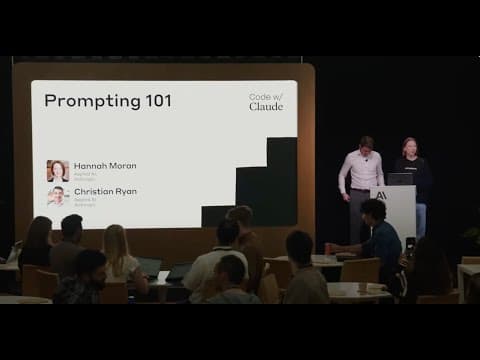
Prompting 101 | Code w/ Claude
Prompting 101 | Code w/ ClaudeAnthropic
T03-L01: Learn how task context, examples and output formatting shape a reusable prompt. This 2025 Anthropic presentation complements the book's composition skill; use the book for the one-change-at-a-time test on five inputs.
T03-L02: Use the task-context and background-detail sections to organize what the model receives. This 2025 prompting lesson does not teach source-version control or colleague reruns, and prompt structure does not enforce protection against hidden instructions.