Ask Your Own Documents and Check Every Citation | Heidelberg AI Curriculum
T04-L01
Ask Your Own Documents and Check Every Citation
Load a set of your own documents into Gemini Notebook, or a local tool, ask questions they can answer, and follow every citation back to its passage, labelling each claim supported, unsupported or not found before you use it.
The answer is in one of forty documents, and you have twenty minutes.
In a lab it's a reviewer's comment: "Your introduction says the literature agrees on the effective dose. Does it?" You have twenty papers in a folder and a vague memory that two of them didn't agree.
In a company it's a customer on the phone: "Your order confirmation says delivery in five days. Your terms say ten. Which is it?" The answer is somewhere in the framework agreement, two amendments, the general terms and a month of order confirmations.
A document assistant can read all of them in a minute and answer with citations: markers in the answer that point to the passages it used. That saves real time. It's also where people get caught, because a citation only shows where the tool looked. It doesn't show that the passage says what the answer claims. This book shows you how to ask, and how to follow every citation back before you use the answer. You're at Level 1 User: if you check before you pass anything on, the only person a wrong answer can mislead is you.
After this you can
Get answers with citations from a set of your own documents.
Check each citation against its passage, and label the claim supported, unsupported or not found.
Ask questions narrow enough that your documents can actually answer them.
Say where your documents go when you upload them, and pick a tool that fits.
Gemini Notebook, Google's document assistant, which was called NotebookLM until July 2026. It runs in your browser at notebook.google.com, so there's nothing to install. You need a Google account; the free plan is enough. Pick it because it's built for this job: it answers from the sources you add and puts a citation on each point. If your documents mustn't leave your computer, use AnythingLLM Desktop instead: a free app with a built-in local model, which means the AI runs on your own computer.
, as PDF, Word or text files. Published papers are fine. For contracts and other internal documents, read in the company example first.
10 to 20 documents on one topic
Choose tools
45 minutes: 13 to read, about 30 to do.
Last verified 23 September 2026. Gemini Notebook is free: 50 documents per notebook, with a chat allowance that refills every five hours. On work or school accounts, your files aren't reviewed or used for training. AnythingLLM Desktop is free and keeps files on your computer. Details for experts at the end of this book.
The idea in one page
A document assistant does three things. It takes the files you add. It finds the passages that look relevant to your question. And it writes an answer from those passages, with a citation for each point. Three consequences follow.
A citation is a pointer, not a proof. It tells you which passage the tool used. It doesn't tell you whether that passage supports the sentence. The slips are small and easy to miss: dispatched becomes delivered, within five days becomes in five days, not before day 8 becomes after 8 days, and a paper's introduction describing someone else's result becomes that paper's finding. So for every claim you'll use, open the citation, read the passage and the sentences around it, and give the claim one of three labels:
Label
Meaning
What you do
Supported
The passage says this, within its scope
Keep the claim. Note file, page and a short quote.
Unsupported
The passage says something weaker, different or unrelated
Rewrite the claim from the passage, or drop it.
Not found
You can't find it in your documents
Say so. Name who or what could answer it.
The answer is only as good as the set. The tool answers from what you added. Leave out the latest amendment, and it answers confidently from the old one. Ask about something none of your files cover, and you may still get a fluent answer.
A later date doesn't settle anything either. An amendment may cover only some products, or may never have been signed. Dates tell you the order of the documents, not which rule applies. That question goes to whoever is responsible for the documents.
One more oddity: the tool reads every word in your files, including words that look like orders to it. If a file contains a line such as "ignore all previous instructions", treat it as text someone wrote, not as something the tool should obey, and be suspicious of any answer that seems to follow it.
Know where your documents go. A cloud tool like Gemini Notebook sends your files to Google's servers, even though you only dragged them into a browser tab. AnythingLLM Desktop with a local model keeps them on your computer. A desktop app connected to a cloud model, an AI running on a vendor's servers, sends the text out, even though its window is on your screen. Before you upload, know which of the three you're using, and whether your documents may go there.
Worked example: find the disagreement
Both versions follow the same path. Follow the one closer to your work. The answers described are typical examples written for this book.
Lab: where do twenty papers disagree?
Structure it."A reviewer questions our statement that the literature agrees on the effective dose of compound X. By tomorrow I need to know which of the twenty papers we cite report a different effective dose, with the page for each."
Understand it. She creates a notebook, Gemini Notebook's name for one project's set of documents and chats, adds the twenty PDFs and asks: "Summarise these papers." She gets a pleasant overview that answers nothing. So she asks the real question: "Which papers report an effective dose of compound X, and what dose?" The answer lists eleven papers with citations. She opens the first five. Four are fine. The fifth citation points to a paper's introduction, where the authors summarise someone else's result; their own experiments tested a different range. That's the lesson. The tool finds passages that mention a dose, not passages that report one. Back to Structure it: "…the dose each paper found in its own experiments, not doses it quotes from others."
Choose tools. Gemini Notebook fits. The twenty papers are published, the free plan holds 50 sources per notebook, and every point comes with a citation she can open. A general chat assistant with the PDFs attached would also answer, but she'd have to hunt for every passage herself. Her own unpublished data stays out of the personal account.
Build it. She asks again: "For each paper, what effective dose of compound X did its own experiments find? Ignore doses the paper cites from other studies." Then: "Where do these papers disagree on the effective dose, and do they differ in animal model or route of administration?" She opens every citation she plans to use and labels each claim. Most are supported. One is unsupported: the answer says a paper found "no effect below 10 mg/kg", but the passage reports "no significant effect at 5 mg/kg", a single tested dose, which is a narrower statement. She rewrites it from the passage. Her third question, "Do any of these papers test oral dosing?", comes back empty, and after searching the PDFs herself she labels it not found. Her reply to the reviewer uses only supported claims, each with its page. What it taught her: next time she'll build the notebook while she writes and add each paper as she cites it.
Company: which delivery term applies?
Structure it."A customer asks why the order confirmation promises delivery in 5 business days when our terms say 10. I need to tell them what our documents say, and find out who decides which one applies."
Understand it. He adds the framework agreement, both amendments, the general terms and last month's order confirmations, and asks: "What do these documents say about delivery times for standard orders?" The answer: "The current delivery time is 5 business days, per Amendment 2, which replaces the general terms." He opens the citations. Amendment 2 says standard orders must be dispatched within 5 business days: dispatch, not delivery. Nothing in it says it replaces the general terms; the answer inferred that from the later date. The general terms say delivery within 10 business days after order confirmation. And the order confirmations say "estimated delivery: 5 business days". The customer has found a real inconsistency, and the tool's tidy answer had hidden it by merging dispatch with delivery and picking a winner by date. Back to Structure it: "…keep dispatch and delivery apart, and don't decide which document governs."
Choose tools. Contracts are confidential. His company uses Google Workspace, Google's paid office package for organisations, and its AI rules allow contracts in Gemini Notebook with a work account, where uploads aren't used for training or read by reviewers. Without that approval he'd use AnythingLLM Desktop with its local model, or simply read the three relevant documents himself, which would take twenty minutes, not an afternoon.
Build it. He asks: "For standard orders, what do these documents say about dispatch time and about delivery time? Keep the two apart, quote the passage for each, and don't decide which document applies." He labels each claim. Dispatch within 5 business days: supported (Amendment 2, section 3). Delivery within 10 business days: supported (general terms, section 7.2). "Amendment 2 replaces the general terms": unsupported. His reply to the customer states both terms plainly and says he's checking which applies. He sends the two passages to the contracts team with one question. What it taught him: the confirmation template may be the real problem. That's the next trip round the quadrants.
What goes wrong
Trusting the citation without opening it.Symptom: a claim with a citation marker says more than its passage does. Fix: open every citation you'll use, and read the sentence before and after.
Uploading documents that mustn't leave the building.Symptom: contracts, patient data or unpublished results in a personal account. Fix: check T12-L01 · Decide What You May Paste Into AI at Work first. Use a work account under your organisation's agreement, a local tool, or no tool.
Believing an answer the documents can't give.Symptom: a confident answer on a topic none of your files cover. Fix: ask "which document says this?" and look. If you can't find the passage, the claim is not found.
One giant notebook.Symptom: answers mix three projects, and citations point to the wrong one. Fix: one notebook per question area, with 10 to 20 documents you know.
Letting the latest date decide.Symptom: "the newer document applies", with nothing in either document saying so. Fix: dates give the order. Which rule applies is a question for the person responsible for the documents.
Asking for a summary when you have a question.Symptom: a tidy overview that answers nothing. Fix: ask the question you'd ask a colleague who has read everything.
Understand it (10 min). Go to notebook.google.com and sign in with the account you checked in step 1. Select Create new notebook, choose Upload a source in the window that opens, and pick your files. Type your question in the chat box and send it. The answer carries small citation markers: hover over one to see the quoted text, and select it to jump to that passage in the document. Open three citations. Where did the answer claim more than the passage? Sharpen your question.
Choose tools (3 min). Confirm whether you're working in the cloud or locally, and with which account. If the documents may not go to the cloud, switch to AnythingLLM Desktop, or read them yourself. AnythingLLM installs like any other app from anythingllm.com; use its built-in AnythingLLM provider so the model runs on your computer.
Build it (12 min). Ask three questions. For each answer, open every citation you'd use, label each claim, and note the file, the page or section, and a short quote.
Exit check
What you hand in: three answers from your own documents, with every claim labelled supported, unsupported or not found, and every supported claim traced to its file, page or section, and a short quote.
It passes when a colleague can open your files and find each quoted passage within a minute, and nothing you marked supported says more than its passage.
Rule to remember
A citation is a pointer, not a proof.
Details for experts
Checked on 23 September 2026. You don't need this to follow the book; it's for setting things up or answering a colleague.
What
Details
What it means for you
The name
Gemini Notebook was called NotebookLM until 16 July 2026.
Older guides and colleagues may still say NotebookLM. It's the same tool.
Free plan
The Standard plan is free with a Google account: up to 100 notebooks and 50 sources (documents) per notebook; chat use refills every five hours, up to a weekly limit.
Enough for this book. If you hit a limit, split your documents into one notebook per question.
Size of one source
Up to 500,000 words or 200 MB, a measure of file size.
A long report or thesis fits in one source.
File types
PDF, Word, text and Markdown files (plain text with a few formatting marks), Google Docs, Slides and Sheets, web pages and more.
Most office files work as they are. No converting needed.
Adding files
Use Add sources in the left panel. The same panel can also search the web for sources.
For this book, add only your own files, so every answer comes from your set.
Personal Google account
Google says your data isn't used to train Gemini Notebook unless you send feedback. People may review feedback you send.
Don't send feedback on an answer that contains anything confidential.
Work or school account
With a Google Workspace account, your uploads, questions and answers aren't reviewed by people or used to train AI models.
Free for Windows, macOS and Linux. Its built-in provider, the part that supplies the AI, downloads a model that runs on your computer. The vendor says your models, documents and chat history stay on your machine.
The pick when your documents must not leave your computer. More in the AnythingLLM review.
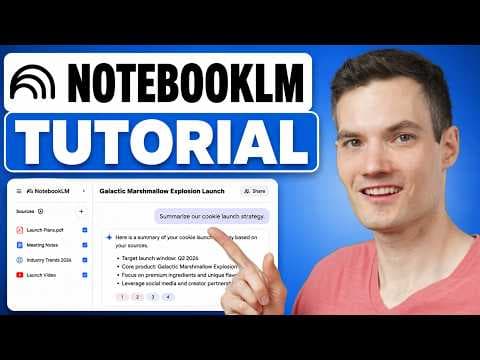
How to Use Google NotebookLM (Full Tutorial)Kevin Stratvert
T04-L01: See how to add documents and ask questions with citations. Then use the book's checks to decide whether each cited passage supports the answer. The NotebookLM interface is historical.
T04-L02: See the notebook organisation and sharing workflow before giving colleagues access to your curated document set. Use the book for the source register and check current permission behaviour.