Pick the Right Tool for One Task by Trying It | Heidelberg AI Curriculum
T16-L01
Pick the Right Tool for One Task by Trying It
Choose a tool for one task of your own: write the must-haves, knock out candidates on paper, then try one challenger against the way you do it today on the same input. Compare finished results, including repair time, cost, data handling and how you get your work out.
A colleague swears by one assistant. A newsletter says another one is better now. A vendor offers a free trial of an app built "for exactly your field". You have one task that eats an hour every week, and you'd happily hand it to the right tool. You just don't know which one, and reading reviews all Tuesday won't tell you.
In a lab it's a postdoc who turns every new supplier kit protocol into a one-page bench checklist with the group's own changes. Retyping takes forty minutes, and last month a wrong incubation time slipped through.
In a company it's a sales assistant at a small reagent supplier. A distributor in France wants the product datasheets in French. The translation agency charges per page and takes a week, and the distributor wants them sooner.
Both have the same problem. Demos and reviews show a tool on someone else's task. The only test that counts is your task, your material and the mess you have to clean up afterwards. This book shows you how to get from twelve candidates to one choice in under an hour: most of them are ruled out on paper, and a single fair trial settles the rest. You are at Level 1 User: the task is yours, so a wrong choice costs you one week of switching back.
After this you can
Write the must-haves for one task, and tell them apart from preferences.
Knock out candidates on paper by checking data handling, cost and export before you try anything.
Run a fair trial: one challenger against your current method, same input, finished results.
Make a choice you can explain in one sentence, including keeping what you already use.
One task from your own week that you'll do again, with one real example of its input.
Your current way of doing it. It's a candidate too.
Access to one challenger. For most tasks, start with the assistant your organisation provides, or Claude on the free plan. It works well on material you hand it, and you can attach files.
About 50 minutes: 12 to read, about 40 to do.
Last verified 23 September 2026. Claude's free plan lets you attach PDFs and other files. DeepL's free translator handles one document a month and may use your texts for training; paid plans don't. DeepL Individual costs €7.49 a month. Details for experts at the end of this book.
The idea in one page
Choosing a tool goes wrong in two ways. You pick the one with the best demo, or you spend a week comparing features you'll never use. The fix is a funnel: a clear job, a quick knockout on paper, then one fair trial.
1. Write the job and the must-haves. Finish the sentence "When I ___, I need ___, so I can ___." Then list three to five must-haves you can check by looking at the result: "every volume and temperature exactly as in the source", "our twelve technical terms, always the same way". Everything else is a preference. A preference can break a tie. It can never make up for a missing must-have.
2. Knock out on paper. Before you try anything, check each candidate against the must-haves you can verify from its own website. Five questions do most of the work:
Question
What to look for on the vendor's page
Data: may my material go there?
Is it used to train the vendor's AI, meaning your text helps shape what the tool writes for others? Is it stored, and for how long? Is there a plan without training?
Cost: what does it cost at my volume?
The price at the volume you'll actually use each month, not today's free trial
Limits: does the free or cheap plan cover my task?
File size, number of files, glossary entries (fixed translations for your own terms), characters per month
Exit: can I get my work out?
Export to a normal format (Word, plain text, or CSV, a plain table that any spreadsheet opens) that opens without the tool
Fit: does it take my input and give my output?
PDF in, Word out? Keeps the layout?
Most candidates fall out here in ten minutes. "Not used for training" doesn't mean "not stored", so read both answers.
3. Run one fair trial. Take one challenger against your current method, on the same input, judged by the same must-haves. Compare finished results, not first answers: a first draft that needs twenty minutes of repair didn't take five minutes. Count the repair time, and count your checking time for both.
4. Decide in one sentence."For this task I'll use ___ because ___; I'll still check ___." Keeping your current method is a perfectly good result. So is "neither yet". Write down what would make you look again: a price change, a new volume, a failure.
Structure it."When a new kit arrives, I need a one-page bench checklist from the supplier's PDF with our two lab changes, so I can run it without flipping through eight pages. Must-haves: all 14 steps in order; every volume, time and temperature exactly as in the PDF; our two changes included; editable in Word."
Understand it. She times her current method once: forty minutes of retyping, then ten minutes of checking. She notices the checking is where it matters. Last month's error was a time she mistyped and then read past. She also looks at three candidates: the institute's chat assistant, Claude's free plan, and a protocol app she saw advertised. Back to Structure it, with one addition: "The check against the PDF must be easy: numbered steps that match the supplier's numbers."
Choose tools. On paper: the protocol app wants the lab's modified protocols in its own cloud and exports only to its own format. It fails Exit, and it's out. The supplier's PDF is public, so Data is fine for either assistant. Her two lab changes aren't public, so she'll type those in herself afterwards rather than upload them. The institute's assistant needs an access request that takes a week, so she trials Claude now and notes the institute tool as the long-term option. The challenger is Claude. The baseline, the method she compares it against, is retyping in Word.
Build it. She attaches the PDF (the + at the lower left of Claude's message box) and asks:
Turn the attached kit protocol into a checklist I can print on one page.
Keep the supplier's step numbers 1 to 14, in order. Give each step one
empty checkbox. Copy every volume, time, temperature and speed exactly;
do not round, convert or merge steps. Keep every "on ice", "do not vortex"
or other condition inside its step. Add nothing that isn't in the PDF.
The draft takes two minutes. Her line-by-line check against the PDF takes eight, and finds one problem: steps 7 and 8 were merged, and "on ice" disappeared. She points to the exact loss ("Restore step 8 as its own step, including 'keep on ice'"), rechecks, adds the two lab changes by hand, and pastes the result into Word. Total: about fifteen minutes, against fifty for her current method. The checking time is the same either way.
Her decision: "For kit protocols I'll use Claude for the draft, because it saves half an hour and keeps the supplier's numbering; I'll still check every number and condition against the PDF, line by line." What would make her look again: when the institute's assistant arrives, she'll run the same trial on the next kit.
Company: a datasheet in French
Structure it."When a distributor asks for a French datasheet, I need a first translation that keeps our layout and uses our twelve fixed technical terms, so our French-speaking colleague can review it in an hour instead of translating it in a day. Must-haves: the twelve terms exactly as in our glossary; every number and unit unchanged; layout kept; about two datasheets a month."
Understand it. The sales assistant's current method is the agency: good, but priced per page and slow. He pastes one paragraph into two tools to get a feel: his chat assistant, and DeepL, a translation service with a free web version. Both translations read well. The difference is elsewhere: the chat assistant returns plain text, so he'd rebuild the layout by hand. DeepL translates the whole Word file and keeps the layout. Back to Structure it: "Layout matters more than I thought. It's where the time goes."
Choose tools. On paper: the datasheets are published on the website, so Data allows DeepL's free service, which may train on the texts. For an unpublished document he'd need a paid plan. Limits: the free plan's one document a month is fewer than his two. Cost: the Individual plan covers the volume, but its glossary has only 5 entries, not his 12. The Team plan's glossary is big enough, but it costs more than he needs to spend. The challenger is DeepL on the Individual plan, with the five terms it most often gets wrong in the glossary. The chat assistant stays as the fallback. The baseline is the agency's last translation of the same datasheet.
Build it. He enters the five terms in DeepL's glossary, uploads last month's datasheet as a Word file to DeepL's document translator, and compares the result with the agency version against his must-haves. The layout is intact, every number is unchanged, and the five glossary terms are right. Three of the other seven terms come out differently from the agency version. He fixes them with Word's find-and-replace in five minutes and saves the replacements as a list for next time. His colleague reviews the result in forty minutes.
His decision: "For datasheets I'll use DeepL Individual, because it keeps the layout and costs less per month than one agency page; I'll still run the term list and have our colleague review every file." The agency stays for brochures, where the tone matters more than the terms. What would make him look again: more than three datasheets a month, or the Team plan's price.
In both cases the trial took less than an hour, and it settled a question that reviews couldn't. In neither case was the answer "the most powerful tool".
What goes wrong
Choosing by demo.Symptom: the tool that looked best on a video fails on your first real file. Fix: only a trial on your own input counts. Watch demos to build the shortlist, never to decide.
Comparing first answers.Symptom: the challenger "wins" in two minutes, then you spend twenty repairing it. Fix: compare finished results, and write down the repair time for both.
Forgetting the current method.Symptom: you switch, and the new tool turns out to be slower than what you had. Fix: the way you do it today is always one of the candidates. Time it once.
Reading "free" as "fine".Symptom: the free plan covers the trial but not your monthly volume, or it trains on your texts. Fix: check the price and the limits at your real volume, and the data answer for your actual material, before the trial.
No way out.Symptom: six months of work lives in an app that exports only to its own format. Fix: make Exit a must-have. Keep your source files and a plain copy of every result outside the tool.
Too many challengers.Symptom: a week later you're still comparing five tools. Fix: knock out on paper, then trial one challenger. If it fails, trial the next.
Deciding once, forever.Symptom: two years later you're still paying for a tool nobody questions. Fix: write down what would make you look again, and when.
Do it yourself (40 minutes)
Use a task from your own week that you'll do again.
Structure it (8 min). Write the job sentence and three to five must-haves you can check by looking at the result. Mark everything else as a preference.
Understand it (10 min). Do the task once with your current method, and time it, including the checking. List two or three candidates you've heard of or already have access to.
Choose tools (7 min). Check each candidate on its own website against Data, Cost, Limits, Exit and Fit. Knock out what fails. Pick one challenger.
Build it (15 min). Run the challenger on the same input. Repair it until it meets your must-haves, and time that. Compare the finished results and write your one-sentence decision.
Exit check
What you hand in: a one-page choice note with:
the job sentence and must-haves;
the candidates you knocked out, and the question each one failed;
the trial: challenger and current method, same input, time to a finished result for each, and what you repaired;
the decision sentence, and what would make you look again.
It passes when a colleague could repeat your trial from the note and would reach the same choice.
Rule to remember
Try it on your task, against what you already do, and count the repair.
Details for experts
Checked on 23 September 2026. You don't need this to follow the book; it's for setting things up or answering a colleague.
What
Details
What it means for you
Attaching files in Claude
Click + at the lower left of the message box. Up to 20 files per chat, PDFs included.
A protocol and its appendices fit in one chat.
DeepL Free
50,000 characters a month (letters, spaces and punctuation all count), one document translation a month of up to 5 MB, and one glossary with 5 entries.
Enough to try DeepL on one file. Not enough for two datasheets a month.
DeepL and your data
DeepL says it may use texts from the free service to train its models. On paid plans, texts are deleted after translation and never used for training.
Put only published material into the free service. Unpublished documents need a paid plan.
DeepL Individual
€7.49 a month, billed annually, so you pay for the year at once. One glossary with 5 entries.
Covers a few documents a month, but only five fixed terms.
DeepL Team
€24.99 per user a month, billed annually. 5 glossaries with up to 1,000 entries each.
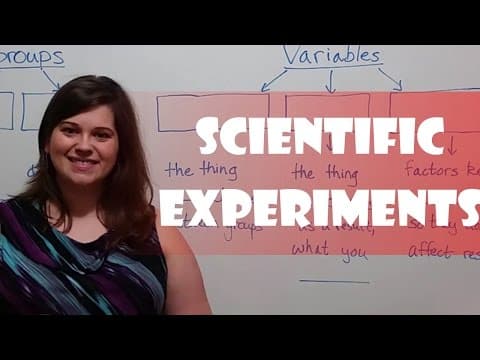
Experimental Design: Variables, Groups, and Controls
Experimental Design: Variables, Groups, and ControlsBiology Professor
T16-L01: Learn experimental groups, controls and variables. Apply that foundation to a challenger versus your current method with identical inputs and criteria. This 2016 biology lesson is not AI-tool selection guidance; count checking and repair time, and do not treat three replicates as universally sufficient.
Muse from Meta Can Work Through Your To-Do ListVideo · Matthew Berman · Oct 1, 2026
A sponsored video by Matthew Berman demonstrates Muse, a new app from Meta. The presenter texts Muse like a friend and asks it to perform real tasks: creating a personalized birthday card based on what a person loves, planning dinner around food preferences, budget, and what is in the fridge, building a grocery list, and ordering groceries (with approval before the order goes out). It can negotiate a refund by giving order details and explaining the problem, then asking permission before contacting support. Muse can also manage a to-do list, find unused subscriptions for the user to review and cancel, and accept tasks added from a phone while out. The presenter notes users can name Muse, give it a look and shape its personality, that it remembers preferences, and that users choose what it can access. The Muse app can be downloaded from ai.meta.com/muse/download/.
I Tested Sonnet 5.5 vs Opus 5.5. What You Need to Know.
I Tested Sonnet 5.5 vs Opus 5.5. What You Need to Know.Video · Nate Herk · Sep 29, 2026
In a video by Nate Herk, Claude Sonnet 5.5 is tested against Opus 5.5 across seven real workflows (landing pages, messy data turned into spreadsheets, motion design/video editing, live dashboards, project planning) to determine when to use each model. Sonnet 5.5 is described as a clear upgrade over Sonnet 5, running 30% faster and costing 30% less for most work. Pricing: Sonnet 5.5 costs $2 per million input tokens and $10 per million output tokens, while Opus 5.5 costs $4 and $20 respectively—roughly double. Drawing on Claude's own guidance, Sonnet suits well-scoped, high-volume, clearly-specified tasks with a way to verify results (everyday coding, bug fixes, polished documents, slides, spreadsheets), whereas Opus suits complex work requiring judgment, creativity, and the most intelligence. In a landing-page demo for 'Perk Form' using identical prompts with both on high effort, Opus produced the better overall output by using real generated product images within brand guidelines, though Sonnet's hero section was stronger. Sonnet ran 28 minutes with 20M input/134K output tokens; Opus ran 52 minutes with 37M input/148K output tokens, costing about double.
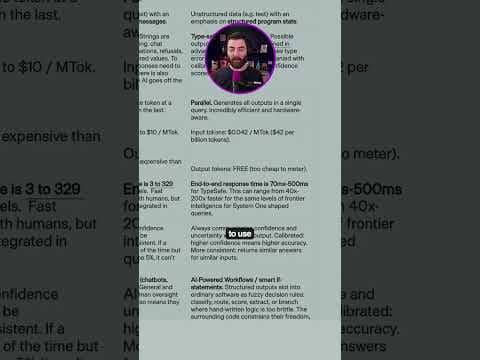
Jev - The New AI model that has people talkingVideo · Matt Wolfe · Sep 28, 2026
This video introduces Jev, an AI model from Typesafe AI that skips generating text and instead outputs structured values—a choice, a score, or true/false—making it fast and cheap. Input tokens cost 4¢ per million (or $42 per billion) and output tokens are free because they are too cheap to meter. The speaker notes you can plug Jev into tools like Claude Code to write the code that runs it, giving an example app that detects whether a destination URL is malicious before visiting it.