Build a Small Browser Tool You Will Actually Use | Heidelberg AI Curriculum
T06-L01
Build a Small Browser Tool You Will Actually Use
Describe a small calculator or helper by its input, action and output, have OpenCode Desktop build it as one HTML file, check it against answers you worked out by hand, then improve it once because using it showed you what was missing.
Three times a week you work out the same thing on paper. In the lab it's a dilution: how much stock, how much water, for 50 mL of working solution. It takes a minute, and once a year you slip a decimal point and make a buffer ten times too strong. You find out two days later, when the experiment fails.
In a company it's a quote line: unit price times quantity, minus the discount, plus VAT. You do it on your phone's calculator during a call, the customer waits, and last month you forgot the discount and had to send a corrected offer.
Both jobs have the same shape: a few numbers go in, a fixed rule runs, and one line comes out that you copy somewhere. That shape is a small app. You don't need to be a developer to have one. You describe it, a coding assistant (an AI that writes small programs for you) writes it, and you check it the way you'd check a new colleague's arithmetic. You are at Level 1 User: the tool is for you, so if it's wrong, only you are affected. That's why checking it is your job, and this book shows you how.
After this you can
Describe a small tool by its input, action and output, and write down the answers it must give before you build it.
Have OpenCode Desktop build it as one HTML file that runs in your browser with nothing to install.
Check it against cases you calculated by hand, and report a fault as input, what you saw and what you expected.
Make one improvement that using the tool showed you was needed, and say what the file keeps and sends.
OpenCode Desktop, the coding assistant app this course uses, installed on your computer. The course's starting point for apps is the AI Lab portal at https://ai.32dots.de/ (opens in a new tab). To install it, open opencode.ai/download, pick the version for your computer (Mac or Windows), open the downloaded file and follow the installer as for any other app. If your work computer doesn't let you install apps, ask your IT team.
A model in OpenCode, the AI that reads your description and writes the file. Use the one your lab or company has set up. If there is none, OpenCode's free models are enough for this book, as long as you type only made-up numbers into the chat.
A web browser and a folder where you can create files, such as Documents. You'll work in your file manager, which is Finder on a Mac and File Explorer on Windows.
About an hour: 10 minutes to read, 45 to do.
Last verified 23 October 2026. OpenCode Desktop is a free download for Mac, Windows and Linux. It comes with free models, so you can start without paying. During their free period, some may use your prompts to improve themselves. Details for experts at the end of this book.
The idea in one page
A small app does three things: it takes input, applies an action, and gives output. Write those down before you ask for anything. "A dilution calculator" is a wish. "Stock, target and final volume in; stock volume and diluent volume out; refuse a target above the stock" is something an assistant can build and you can check.
One HTML file is enough. HTML is the format web pages are written in, and a web page can hold its layout, its style and its logic in a single file called index.html. You open it by double-clicking. It runs in your browser, needs no server (a computer that hands the page out to others), no account and no installation, and works offline. For a personal tool, that's the simplest thing that works.
Two programs, two jobs. You'll have two windows open:
Window
What happens there
OpenCode Desktop
You describe the tool. The assistant writes and changes the file in your folder.
Your browser
You use the tool. This is the only place you find out whether it works.
The assistant's reply ("Done! The calculator handles all cases") is a description of what it meant to do. The browser shows what it actually did.
Decide the answers first. Before you open the tool, work out two or three cases by hand, including one the tool must refuse. A calculator that gives confident wrong numbers looks exactly like one that gives right numbers. Your hand-worked cases are the only difference.
What the file keeps and sends. A file built as below sends nothing anywhere and saves nothing: close the tab and the numbers are gone. What does leave your computer is your conversation with the assistant, which goes to the model provider, the company that runs the AI. So describe the tool with made-up numbers, never with real patient, customer or unpublished data.
Structure it."Several times a week I work out dilutions on paper, and about once a year I get one wrong by a factor of ten. A good result: I type three numbers and get one line to copy into my notebook, and impossible inputs are refused."
Understand it. She first tries what already exists: a web search finds several free dilution calculators. They work, but they want her to pick from long unit lists, and none gives her a line to paste into her notebook. She looks back at her two real mistakes. Both came from mixing units: stock in M, target in mM. Back to Structure it: "Same unit for stock and target in version one. Units are the first thing to add once it works." Then she works out her test cases by hand:
Stock
Target
Final volume
Expected
10
1
50 mL
5.00 mL stock + 45.00 mL diluent
20
2
250 mL
25.00 mL stock + 225.00 mL diluent
1
5
10 mL
Refused: target higher than stock
Choose tools. One HTML file, built with OpenCode Desktop, because it works offline at the bench and nobody else has to approve it. The rule (stock volume = target × final volume ÷ stock) is plain arithmetic, so the finished tool contains no AI. AI only writes it.
Build it.
Set up the folder. In your file manager, create a new folder dilution-tool in Documents. In OpenCode Desktop, click the folder-and-plus icon (Add project) under Projects and choose that folder. Click the folder in Projects, then New session. Check which model is selected. If OpenCode asks you to select one, pick your organisation's model or a free one.
Describe the tool. Paste this into the message box. It gives the input, the action and the output, and keeps everything in one file; HTML, CSS and JavaScript are the page's layout, style and logic.
Create one file, index.html, in this folder: a dilution calculator I open
in my browser. Put HTML, CSS and JavaScript in that one file. No libraries,
no internet access, no saved data, nothing to install.

Input: stock concentration, target concentration, final volume in mL.
All three required, numbers greater than zero. Stock and target use the
same unit for now.
Action: a button "Calculate" computes stock volume = target × final volume
÷ stock, and diluent volume = final volume − stock volume.
Output: one line I can copy, for example
"Take 5.00 mL stock + 45.00 mL diluent (final 50.00 mL)".
If the target is higher than the stock, show "Target is higher than stock"
instead of a result.

Tell me when the file is saved and how to open it.
OpenCode creates the file without asking first. By default it doesn't ask before it goes outside this folder either; T08-L01 · Start With OpenCode: Set It Up, Change One Line, and Undo It shows the one-line rule that makes it ask. If it asks, choose Deny. If it proposes installing packages (extra software) or starting a server, answer: "One HTML file only, nothing to install."
Open it and run your cases. In your file manager, double-click index.html. It opens in your browser, and the address starts with file:. Enter each row of your table and compare. All three must match exactly, including the refusal.
Use it once for real. Now her real job: 150 mM NaCl, 500 mL, from a 5 M stock. She types 5 and 150, and the tool says Target is higher than stock. It's right: in the numbers she typed, 150 is higher than 5. The units mistake she found in Understand it is exactly what the tool can't see. Converted by hand (5 M = 5,000 mM), it gives 15.00 mL stock + 485.00 mL diluent.
Make the one improvement that use showed. Back in the same session, ask for the unit choice and give the check it must pass:
Add a unit choice (M, mM, µM) next to stock and next to target, and
convert both to the same unit before calculating. Keep everything else
exactly as it is. Check: stock 5 M, target 150 mM, final 500 mL must
give 15.00 mL stock + 485.00 mL diluent.
Reload the page in the browser with F5 on Windows or Cmd+R on a Mac (the old version stays on screen until you do). Run the new case and all three old ones. The old ones must still match.
What it taught her: the tool was right both times, and she learned more from its refusal than from its answers. Next trip round the quadrants: a dropdown with her five usual stocks, so she types only the target.
Company: a quote-line calculator
Structure it."During calls I calculate quote lines on my phone, and last month I forgot a discount. A good result: price, quantity and discount in, one line with net, VAT and gross out, ready to paste into the offer."
Understand it. He checks what exists: the company's offer spreadsheet does this, but it takes a minute to open, and he once overwrote a formula in it. He also finds that he has twice sent 19 % VAT on books, which carry 7 % in Germany. His test cases, worked out by hand:
Unit price
Quantity
Discount
Expected (19 % VAT)
45.00 €
12
10 %
486.00 € net + 92.34 € VAT = 578.34 € gross
20.00 €
5
0 %
100.00 € net + 19.00 € VAT = 119.00 € gross
10.00 €
1
120 %
Refused: discount above 100 %
Choose tools. The same shape as the lab tool: one HTML file, amounts rounded to cents, no AI inside it.
Build it. He uses the same steps with his own description in step 2. Using it for a real call shows the gap he suspected: there's no way to pick 7 %. His one improvement is a VAT choice of 19 % or 7 %, with the check "486.00 € net at 7 % must give 34.02 € VAT and 520.02 € gross". What it taught him: the tool's value is the discount field he can't skip. His next step is to ask colleagues whether they want it too. That makes it a shared tool, which is a Level 2 job (T06-L02 · Build a Small Shared Tool From a Prompt, and Test It With a Colleague).
In both cases the hand-worked table came before the tool, and the improvement came from one real use, not from imagining features.
What goes wrong
Judging it by how it looks.Symptom: a tidy page with a nice button, and you start using it without checking a single number. Fix: write your hand-worked cases before you open it. The tool passes when the numbers match, not when it looks finished.
The file isn't where you think.Symptom: OpenCode says the file is saved, but your folder is empty. Fix: check which project is open in OpenCode, or ask "Which folder are you working in? Give me the full path of index.html." The full path is the file's complete address, such as Documents/dilution-tool/index.html. Open the right folder and ask again.
The request grows into a project.Symptom: the assistant suggests extra software to install, a server or a database. Fix: repeat the limit: "One HTML file, nothing to install, no saved data." Everything this book asks for fits in one file.
"It doesn't work."Symptom: you describe the problem vaguely and get a rewrite that breaks something else. Fix: report it in three parts: "I entered 1, 5 and 10. I saw 50.00 mL stock. I expected the message 'Target is higher than stock'. Fix only that."
You're looking at the old version.Symptom: the assistant says it changed the tool, but the page looks the same. Fix: reload the page in the browser. If it's still unchanged, check that the browser has the same file open that OpenCode edited.
Real data in the chat.Symptom: to "test properly", you paste a real sample list or a customer's order into OpenCode. Fix: the chat goes to the model provider. Build and test with made-up numbers. The finished file sends nothing, so real numbers are fine inside the tool itself (T12-L01 · Decide What You May Paste Into AI at Work).
Do it yourself (45 minutes)
Pick a sum or a small text job you do by hand at least weekly: a dilution, a quote line, a unit conversion, a standard email assembled from four details.
Structure it (5 min). Write the input, the action and the output in three lines. Add what the tool must refuse.
Understand it (10 min). Search for an existing tool and try it once. If it does the job, use it and stop. If not, write down what's missing, then work out three cases by hand, one of which must be refused.
Choose tools (5 min). Confirm it fits in one HTML file with no saved data and no internet access. If it needs to remember things or be used by colleagues, pick a smaller first version.
Build it (25 min). Describe it in OpenCode Desktop: copy the lab description from step 2 and replace its Input, Action and Output lines with your own three lines. Then open the file in your browser, run your three cases, use it once for real, and make one improvement that use showed you. Rerun all cases after the change.
Exit check
What you hand in: your index.html plus a table of three test cases: the input, your hand-calculated answer and the tool's answer. Add one line naming the improvement you made and the real use that showed you needed it.
It passes when all three answers match, the impossible input is refused with a clear message, and the improvement came from using the tool, not from a list of features.
Rule to remember
Work out the answer before you ask the tool.
Details for experts
Checked on 23 September 2026. You don't need this to follow the book; it's for setting things up or answering a colleague.
What
Details
What it means for you
Download
OpenCode Desktop, from opencode.ai/download: macOS for Apple Silicon (Macs with M chips) and Intel, Windows x64 (ordinary Windows PCs), and Linux as .deb or .rpm (install packages for the two main Linux families).
Pick the download that matches your computer.
Free models
They come through OpenCode Zen, OpenCode's own model service, so you need no account with a model provider.
You can start today and connect a work account later.
Where Zen runs
Zen's models are hosted in the US and the EU. During their free period, some free models may use your prompts to improve the model.
Type only made-up numbers into the chat, as this book asks.
Other models
To use Claude, GPT or Gemini instead, connect that provider in OpenCode.
This is how your lab's or company's model gets into OpenCode.
Use a terminal, desktop app, or IDE extension to work with coding agents.
Before choosing
Bring your own provider access and monitor its token usage.
Watch
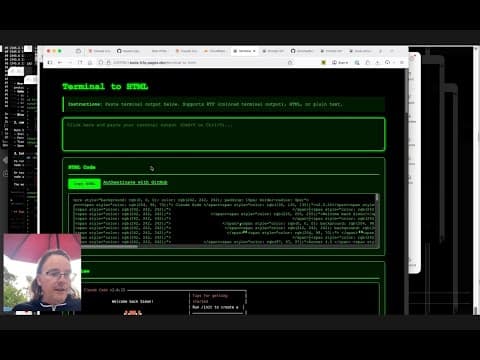
Using Claude Code for web to build a tool to copy-paste share terminal sessions
Using Claude Code for web to build a tool to copy-paste share terminal sessionsSimon Willison
T06-L01: Follow Simon Willison's October 2025 example of describing a small browser tool and checking its result. It uses Claude Code for web, not OpenCode Desktop. Its GitHub authentication, storage and Gist-sharing features differ from the book's offline file: do not copy private terminal output or adopt those network features.
Opus 5.5: Web Design Is FINALLY Fun Again (No More AI Slop!)
Opus 5.5: Web Design Is FINALLY Fun Again (No More AI Slop!)Video · Alex Sprogis · Sep 28, 2026
The video explains how to build websites that no longer look like AI-generated 'slop' using Claude Opus 5.5 (released by Anthropic and described as leading benchmarks). The presenter follows a structured four-step workflow across five example projects: a SaaS landing page, two e-commerce sites, an agency website, and a creative hobby project. Step one is collecting inspiration from web-design platforms such as Dribbble, Pinterest, Awwwards (nominated top-quality sites) and the paid Mobbin (which offers an MCP server with 6000 interface/website examples). Step two is generating a full design system via claude.ai/design, feeding in project descriptions, existing code, Figma references or uploaded assets. The presenter also mentions using license-free asset libraries like Lottie. The final step uses JavaScript libraries GSAP and Three.js to add 3D objects, cameras, lighting/shadow simulation, scroll animations and product configurators, turning sites into 'digital experiences'. Cookiebot is mentioned as a cookie-consent tool.