n8n
n8nEngineers have to scan dozens of nightly CSVs
Engineers arrive in the morning with a clear overnight pass/fail report instead of manually scanning dozens of CSV files, and out-of-spec runs are visible before the morning stand-up.
Use AI assistants on firmware, robots and constrained hardware
This chapter assumes a robotics / embedded background — the rest of the curriculum needs none. A domain, not a tool: how a robotics, mechatronics or embedded engineer uses everyday AI assistants on their real work. Write firmware and ROS 2 code with a coding agent, get a model small enough to run on the device (quantize → TFLite-Micro / ONNX / TensorRT → MCU, edge accelerator or Jetson), and add an LLM/VLM reasoning layer to a robot — plus the honest limits, including why "AI writes my FPGA" is still research-grade. → Unlike the coding chapters, this applies those tools to your hardware world. You keep the engineering; the assistant speeds up the parts it can.
Robotics, mechatronics and embedded engineers who know their domain but are new to AI assistants — and want them on firmware, ROS 2 and edge hardware.
Boilerplate and drivers, refactors, tests, datasheet/standards Q&A, and the conversion/quantization plumbing to get a model onto a device — all under your review.
Safety-critical control you have not verified, novel control laws, and production FPGA HDL — AI drafts C/C++ HLS you check, it does not hand you trustworthy Verilog.
Robotics‑edge is an AI coding assistant that analyses your firmware repository and suggests C/C++ or ROS 2 code while you verify it on the target hardware.
Generate embedded and ROS 2 code quickly while respecting hardware constraints
Create a new C driver for an I2C temperature sensor (TMP102) in the existing firmware repo. Use the HAL in src/hal/, add init and read functions, ensure no blocking calls or malloc inside ISR, and include a unit test under tests/. Follow the project's memory map: place buffers in .bss and keep stack usage <256 bytes.Paste this prompt into the Prompt field of the robotics-edge UI while the repository is loaded. After generation, review the diff and run the hardware‑in‑the‑loop test to verify timing and safety constraints.
Robotics‑edge assists you in preparing a model for deployment on edge hardware such as NVIDIA Jetson modules using the JetPack SDK and TensorRT tools.
Run a trained model on an edge board and verify its latency and size
robotics-edge assist me to quantize and convert my trained model for deployment on the STM32 microcontroller, then generate a benchmark to measure inference latencyEnter this request in the robotics-edge interface and click Submit. Ensure the assistant returns a conversion script followed by a small benchmark program that reports timing results.
Robotics‑edge helps you decide where large language and vision models fit into robot software stacks and guides deployment using NVIDIA TensorRT Edge‑LLM for efficient inference on embedded platforms.
Select appropriate roles for LLMs/VLMs in a robotic system and prepare them for edge execution
Ask the robotics-edge assistant to generate a high-level plan for the task "Place the blue cube on shelf three" and display the resulting step list.Paste this into the Command Input field of the robotics-edge UI and click Run. Verify that the output contains only abstract planning steps—not direct servo or motor commands.
Robotics‑edge is an AI assistant that drafts C/C++ code for High‑Level Synthesis, which you then verify in the Vitis HLS environment.
Produce correct hardware from AI‑drafted C/C++ using High‑Level Synthesis and verify it yourself
Generate synthesizable C++ code for a 16‑tap FIR low‑pass filter targeting Vitis HLS, including a complete HLS testbench that drives the filter with a sinusoidal input and checks output amplitude. State explicitly any timing or resource assumptions you cannot guarantee.Paste the prompt into the Prompt field of the robotics-edge interface and press Run. Verify the returned C++ and testbench yourself; watch for missing latency estimates or resource usage warnings.
JetPack SDK is NVIDIA's complete software suite for developing and deploying AI‑powered edge applications on Jetson platforms.
You will be able to flash the JetPack image onto a Jetson Nano and verify that the development environment is ready.
nvidia-smi (or jetson_release) to confirm that the CUDA‑X software stack is installed.25 outcomes in all — one per recipe below.
Engineers have to scan dozens of nightly CSVs
Engineers arrive in the morning with a clear overnight pass/fail report instead of manually scanning dozens of CSV files, and out-of-spec runs are visible before the morning stand-up.
Need nonstop EMG readings at 2 kHz
Both EMG channels stream continuously into the ring buffer with no missed samples at 2 kHz; the buffer hand-off to the signal-processing task is interrupt-safe without a RTOS mutex.
 LM Studio Robotics
Want to label EMG fitting sessions on the workstation
Structured session labels and summaries are ready for the clinical database in minutes, with patient EMG and fitting data processed entirely on the workbench machine — no cloud endpoint, no data-processor agreement needed beyond the clinic walls.
 Claude Opus Robotics
Grip‑pattern classifier too big for STM32 flash
A concrete INT8 quantization plan with size and latency estimates the engineer can verify on the target hardware before committing to a toolchain.
Need real‑time EMG help on a Jetson with limited RAM
A capable local assistant on the Jetson that fits the memory budget and responds in real time, with no data leaving the lab.
Need an EMG grip classifier to run on a Cortex‑M4
The model drops to roughly a quarter of its float size and runs on-device; the assistant flags two ops the Micro runtime does not support before they reach the board.
Model runs too slow on Jetson
A working TensorRT engine plus a measured latency table, so the optimization is verified on the real board instead of assumed.
A one-page feasibility note that rules out the architectures that were never going to fit, before any GPU time is spent.
Need a C++ FIR filter kernel and testbench for FPGA
A reviewable HLS starting point plus a testbench, with a clear understanding that the synthesis results and timing closure are yours to check — not the model's to promise.
Unsure if a part’s datasheet was updated
The hardware team is alerted to supplier datasheet changes the morning after they go live, before a revised component reaches the production line unnoticed.
Field‑complaint emails sit unread
Every field complaint is captured in the CAPA system within minutes of receipt and arrives with an AI-drafted triage summary, reducing the time from complaint receipt to initial risk classification and keeping the complaint-handling timeline compliant with ISO 13485 requirements.
PID code mixed with hardware
The PID module gains 100 % branch coverage in a host-side Unity test suite; a tuning bug in the derivative term is caught before it reaches a patient fitting.
Port a C grip‑pattern state machine to Rust
The Rust crate compiles for the Cortex-M4 target; the property-based tests catch an unreachable transition that had been silently dead in the C version for two firmware generations.
 Ollama Robotics
Need a safety review of firmware on‑site
A safety-focused code review covering the firmware's most risk-prone paths is available before every release, with no proprietary embedded code leaving the building or touching an external AI service.
Need a one‑command firmware flash and test run
A `.claude/commands/test-target.md` that any engineer invokes in one word; the agent flashes, waits, reads the UART output, and reports which grip-state tests passed or failed.
Need to verify a refactored grip FSM
A refactored grip-control module with a written plan, a clean static-analysis run, and a UART test log confirming all six grip transitions passed on real hardware — ready for the ISO 13485 change record.
Routine firmware queries handled locally, only tough design calls use an API
Near-zero API cost for the 80% of questions a capable local model handles, with frontier reasoning available on demand for the 20% that need it.
I have EMG sensor data and need robot grip commands
A buildable node that drops into the workspace and respects the existing message types, so integration time goes to testing rather than boilerplate.
Need protocol help and note drafts without internet
The prosthetist has a knowledgeable assistant available throughout the clinic day regardless of connectivity, with all patient session context and device-specific information processed on-device and never transmitted to an external server.
Can’t find a component spec in PDFs
Engineers get spec answers in seconds from the actual datasheets on file, without hunting through PDFs or risking a mis-remembered value in a design review.
Need a fast regulatory screen for a design change
Design changes get a first-pass regulatory screen in minutes rather than waiting for a scheduled review, and the gap list arrives with clause references the engineer can act on directly.
Need a test protocol from scratch
A first-draft test protocol arrives ready for engineering review, with requirement and standard traceability already filled in, rather than starting from a blank template.
Multiple firmware in one repo risk HAL/ISR/RTOS violations
A version-controlled CLAUDE.md under ~120 lines that prevents the most destructive class of agent mistakes before they reach the compiler.
Assistant only sees dummy files
The assistant can generate useful embedded code only when it sees the real project files
Need to set microcontroller limits for AI
Providing RTOS, ISR, timing and memory constraints prevents desktop-oriented suggestions
AI changes cause missed deadlines or race conditions
Treating AI output as a draft and testing it on real hardware catches missed deadlines or race conditions
Unsure what your microcontroller can handle
Knowing the microcontroller's memory and speed limits prevents wasted effort on models that can't run
Want to know how fast your model runs on the board
Running a tiny benchmark on the actual hardware gives concrete proof of performance and size constraints
Robot needs to turn goals into step‑by‑step plans
Use a large model to translate goals into step plans while leaving low-level motion to classic robotics stacks
The assistant needs to see the actual project files, not just a blank placeholder, to understand the codebase and dependencies. Loading the complete ROS 2 or firmware repo gives it context for generating embedded code that fits your system.
Provide a brief description that includes the target RTOS, rules for interrupt service routines (no blocking calls or dynamic memory allocation), the timing budget, and the memory map. This tells the model to respect real‑time operating system limits, ISR restrictions, and available flash/RAM.
Treat the AI’s output as a draft, then compile and flash it to your actual hardware. Run your existing bench tests on the device; this will reveal any timing violations or race conditions that wouldn’t appear in desktop simulations.
Check the board’s specifications for available flash, RAM, and the latency target you need for inference. These numbers define the maximum model size you can realistically deploy without exceeding memory or speed limits.
Generate a small benchmark program that repeatedly runs the model and records elapsed time. Running this script on the microcontroller gives concrete inference latency and memory‑usage data.
Yes, you can deploy an LLM or VLM as a separate service (cloud‑based or onboard) and expose it to ROS 2 via a request‑response service. The model handles high‑level reasoning while classic robotics stacks manage low‑level motion.
No, using an LLM for zero‑shot mechanical control may look impressive but is unpredictable and unsafe for real deployments. It should only be used for high‑level planning, not direct actuation.
The same set on /recipes, filtered by tool and role.
One video to see the current state of AI-driven robotics, straight from the show floor.
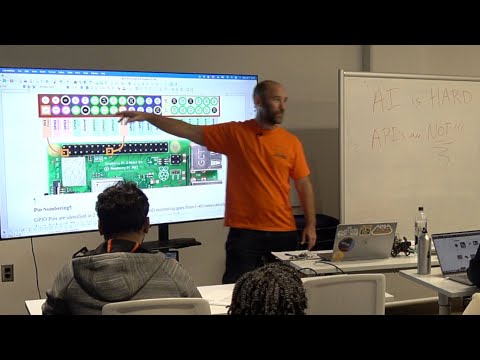
Edge AI on hardware you can actually afford — a full recorded class from a veteran instructor.
The assistant needs to see the actual project files, not just a blank placeholder, to understand the codebase and dependencies. Loading the complete ROS 2 or firmware repo gives it context for generating embedded code that fits your system.
Provide a brief description that includes the target RTOS, rules for interrupt service routines (no blocking calls or dynamic memory allocation), the timing budget, and the memory map. This tells the model to respect real‑time operating system limits, ISR restrictions, and available flash/RAM.
Treat the AI’s output as a draft, then compile and flash it to your actual hardware. Run your existing bench tests on the device; this will reveal any timing violations or race conditions that wouldn’t appear in desktop simulations.
Check the board’s specifications for available flash, RAM, and the latency target you need for inference. These numbers define the maximum model size you can realistically deploy without exceeding memory or speed limits.
Generate a small benchmark program that repeatedly runs the model and records elapsed time. Running this script on the microcontroller gives concrete inference latency and memory‑usage data.
Yes, you can deploy an LLM or VLM as a separate service (cloud‑based or onboard) and expose it to ROS 2 via a request‑response service. The model handles high‑level reasoning while classic robotics stacks manage low‑level motion.
No, using an LLM for zero‑shot mechanical control may look impressive but is unpredictable and unsafe for real deployments. It should only be used for high‑level planning, not direct actuation.
RTOSISRmallocflashRAMlatency budgetbenchmark scriptLLM/VLMROS 2firmwareAsk, share, or report — over on the Heidelberg AI community forum.
 Copilot